Human Approval for Agent-Written Posts: Where to Put the Gate
Where human approval belongs when an AI agent writes and schedules social posts: scoped keys, draft-first runs, client approval links and what reviewers check.
7 min read
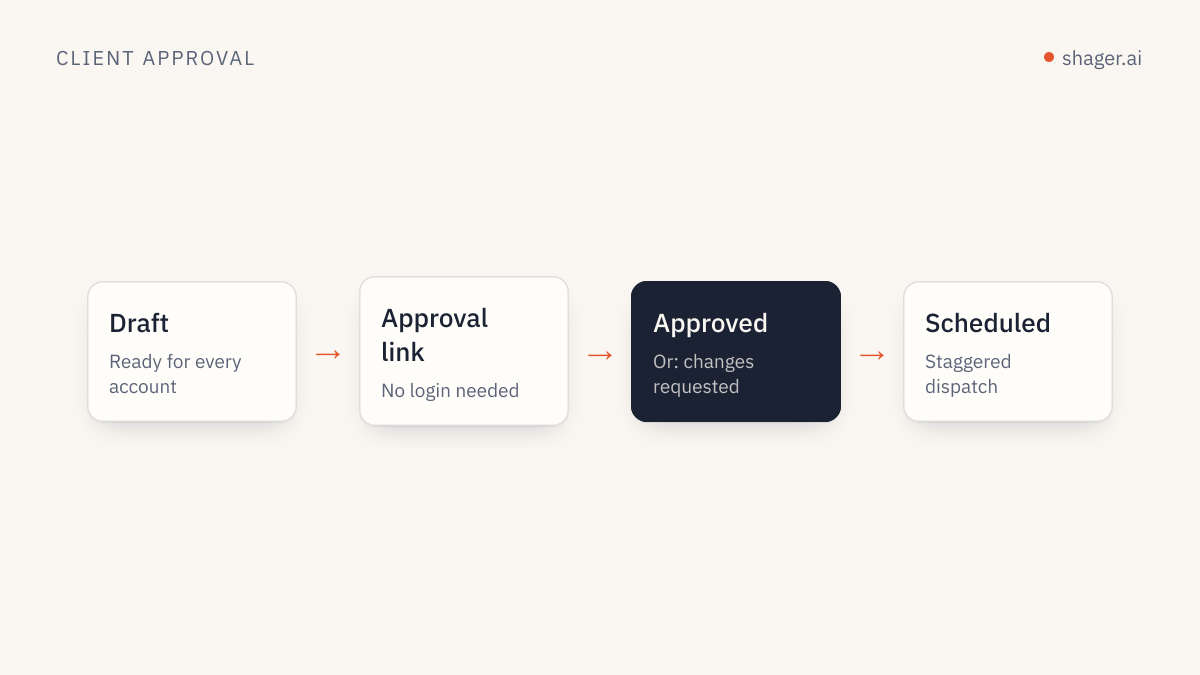
Human approval for agent-written posts belongs at one point: between a finished draft and the schedule. The agent should be free to research, write and build drafts, but a person, or the client, decides what goes live. You enforce that with key scopes, not with good intentions, so the agent technically cannot publish until the approval step has happened.
This piece explains why that placement works, how to set it up in Shager, and what a reviewer should actually check when twenty drafts land at once.
Why not approve every step the agent takes?
Some teams react to agents by asking for confirmation on everything: every upload, every caption, every lookup. That feels safe and fails within a week. Reviewers get confirmation fatigue and start clicking yes without reading, which is worse than no gate at all.
The MCP specification takes a measured position. It says that for trust and safety there should always be a human in the loop with the ability to deny tool invocations, and that clients should prompt for confirmation on sensitive operations. The key word is sensitive. Reading an account list is not sensitive. Making a public statement on behalf of a client is.
Where exactly should the gate sit?
Look at the agent's work as a chain and mark which links are reversible:
| Step | Reversible? | Needs a human? |
|---|---|---|
| Look up workspaces, groups, channels | Nothing changes | No |
| Upload media from a URL | Private to the workspace | No |
| Create a draft post | Private, editable, deletable | No |
| Schedule a post | Reversible until the send time | Yes |
| Publish | Public, seen immediately | Yes, already decided |
The irreversible moment is publishing, and the last practical point to stop it is scheduling. So the gate goes there. Everything before it can run without interruption, which is what makes agents efficient in the first place.
How do scopes enforce the gate?
Shager API keys carry scopes: read, write and publish. A key with read and write can do every step above the gate line and none below it. If the agent tries schedule_post, the call fails.
That gives you three practical configurations:
- Drafting agent, human schedules. The agent's key has
readandwrite. A person reviews drafts in the dashboard and schedules them. This is where every team should start. - Drafting agent, client approves, agent schedules. The agent's key also has
publish, but your skill instructs it to schedule only posts whose approval came back positive. This is efficient, but it depends on the instructions being followed, so keep the audit log under review. - Two keys. One drafting key without
publishused by the content agent, and a separate scheduling step, by a person or a narrowly instructed agent, holding the publish key. This is the cleanest separation for larger agencies.
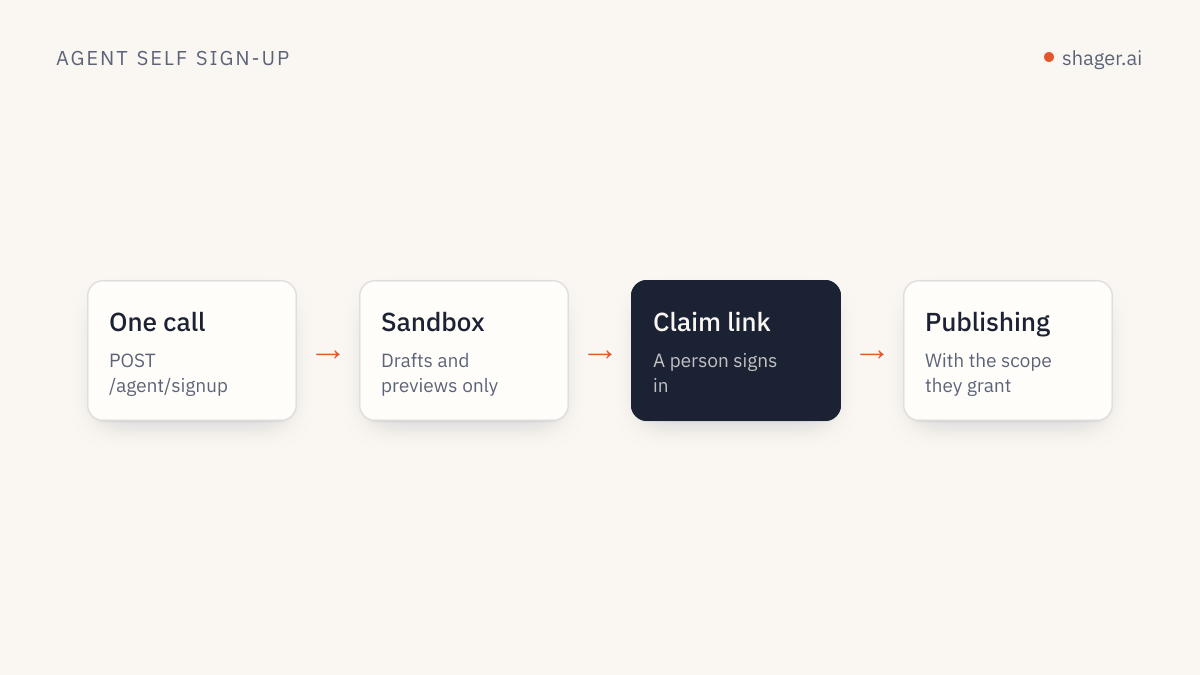
Self-registered agents start even more constrained. An agent that signs up on its own through /auth.md gets a sandbox that can create drafts but cannot schedule, publish, create connect links or send approval requests until a human claims it. During the claim, the human decides whether the key gets publish. We cover the full flow in agent self-signup and claim.
How does client approval fit in?
For agency work, the person who approves is often the client. Shager's request_approval creates an approval link that the client opens without logging in or creating an account. They review the post and approve or reject it.
A typical sequence:
create_post         caption, group_ids, media_ids, per_channel[...], no schedule_at
request_approval    post id, returns an approval link for the client
get_post            later: read the approval status
schedule_post       only if approved; schedule_at "2026-09-03T09:00:00+02:00"
And a matching instruction for the agent, written into its skill:
Never call schedule_post on a post unless get_post shows it was approved.
If a post is rejected, do not schedule it. Report the rejection to the
account lead, wait for revision notes, then create a revised draft with
create_post and request approval again.
The broader process, including how to stop approvals stalling for days, is in our client approval workflow for agencies.
What should a reviewer actually check?
Reviewing twenty agent drafts is a different task from reviewing one human post. You are looking for systematic errors, because an agent repeats its mistakes consistently. Read in this order:
- Claims. Prices, dates, offers, health or financial statements. Compare against the brief. This is where real harm happens.
- Links. Open the first comment link on two or three variants. Confirm it goes to the right landing page.
- Per-account details. Spot check that the Denver variant says Denver and the Boise variant says Boise. Mismatched local details are the most common agent error in localized captions.
- Variation. Skim the variants side by side. If they read like the same sentence with one word swapped, ask for more distinct versions.
- Format. Reels and Shorts have length and aspect requirements. Shager validates media against network rules before sending, but the reviewer should still check that the format chosen fits the creative.
When you find a problem, fix the rule that caused it, not just the post. If the agent invented a discount, add "never state a price or discount that is not in the brief" to its instructions.
When can you loosen the gate?
Loosen it gradually and only with evidence. After several weeks in which reviewers found no claim or link errors, a team might move evergreen content, such as tips and opening hours, to a lighter review, while campaigns with offers stay fully reviewed. The audit log on the agents dashboard shows every call the agent made, so loosening the gate does not mean losing visibility.
FAQ
Can a client approve posts without a Shager account?
Yes. The approval link opens without login. The client sees the post and approves or rejects it, and the agent or the account lead reads the result.
What happens if an agent tries to publish without the publish scope?
The call is rejected with a structured error, and nothing is scheduled. That is the point of putting the gate in scopes: it holds even when the instructions are wrong.
Should internal posts for the agency's own accounts skip approval?
They can have a lighter gate, but keep some human step. Agency accounts are your public reputation, and an agent error there is as visible as one on a client Page.
Start with the first configuration, drafting agent and human scheduling, for every new client. The agent entry point has the connection details, and you can tighten or loosen from there with real review data behind the decision.