AI Chatbot for Clinic and Salon DMs: Let It Answer "How Much?" and Leave the Medical Questions to You
An AI chatbot for Instagram DMs can answer a clinic or salon’s price, hours and service questions from your own list, and hand medical questions to a person.
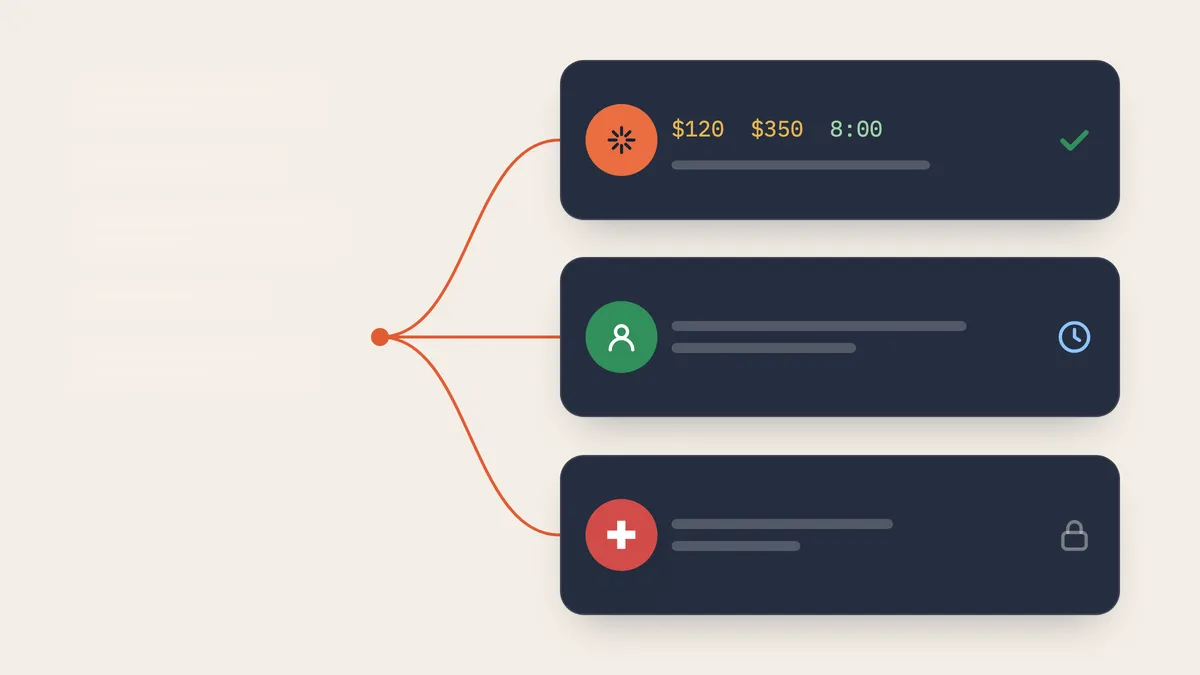
Yes, an AI chatbot can answer the Instagram DMs a clinic or salon gets all day: "how much is a cleaning", "are you open Saturday", "do you do brow lamination". It should answer those only from your own price list and hours, and pass everything else to a person. The questions it should never answer are the medical ones, like "is this swelling normal after my filler" or "can I bleach my teeth while pregnant". Set it up to draft answers for your approval first, and it takes the repetitive part of the inbox while you keep the part that needs a professional.
Picture a dental office with two hygienists and one front desk. Monday morning, the Instagram inbox has fourteen new messages. Six ask about prices. Three ask whether they take a certain insurance. Two want a slot this week. One has a photo of a swollen gum. One says "hi". One is spam. The person at the desk is also answering the phone and checking people in. Most of those messages are the same five questions with different wording, and one of them should not be answered by anyone but a dentist.
Sort the inbox into three piles first
Before you turn anything on, it helps to see which questions an AI chatbot for customer service should handle, and which it should never touch.
| What people write | Who should answer | Why |
|---|---|---|
| "How much is a cleaning?" "Price for balayage?" | The AI, from your price list | The answer is written down and the same for everyone |
| "Are you open Sunday?" "Where do I park?" | The AI, from your hours and address | Same answer every time |
| "Do you do Invisalign?" "Do you take walk-ins?" | The AI, from your service list | Yes or no, and you wrote it |
| "How much would veneers cost for me?" | A person | A quote for one case needs an exam |
| "Can I come in Thursday at 4?" | A person or your booking page | The AI can’t see your calendar |
| "Is this normal?" with a photo | A clinician, by phone or in person | It’s a medical question |
The first three rows eat your front desk’s morning. The last three are where a careless chatbot gets a business in trouble.
Can AI reply to Instagram messages for a clinic or salon?
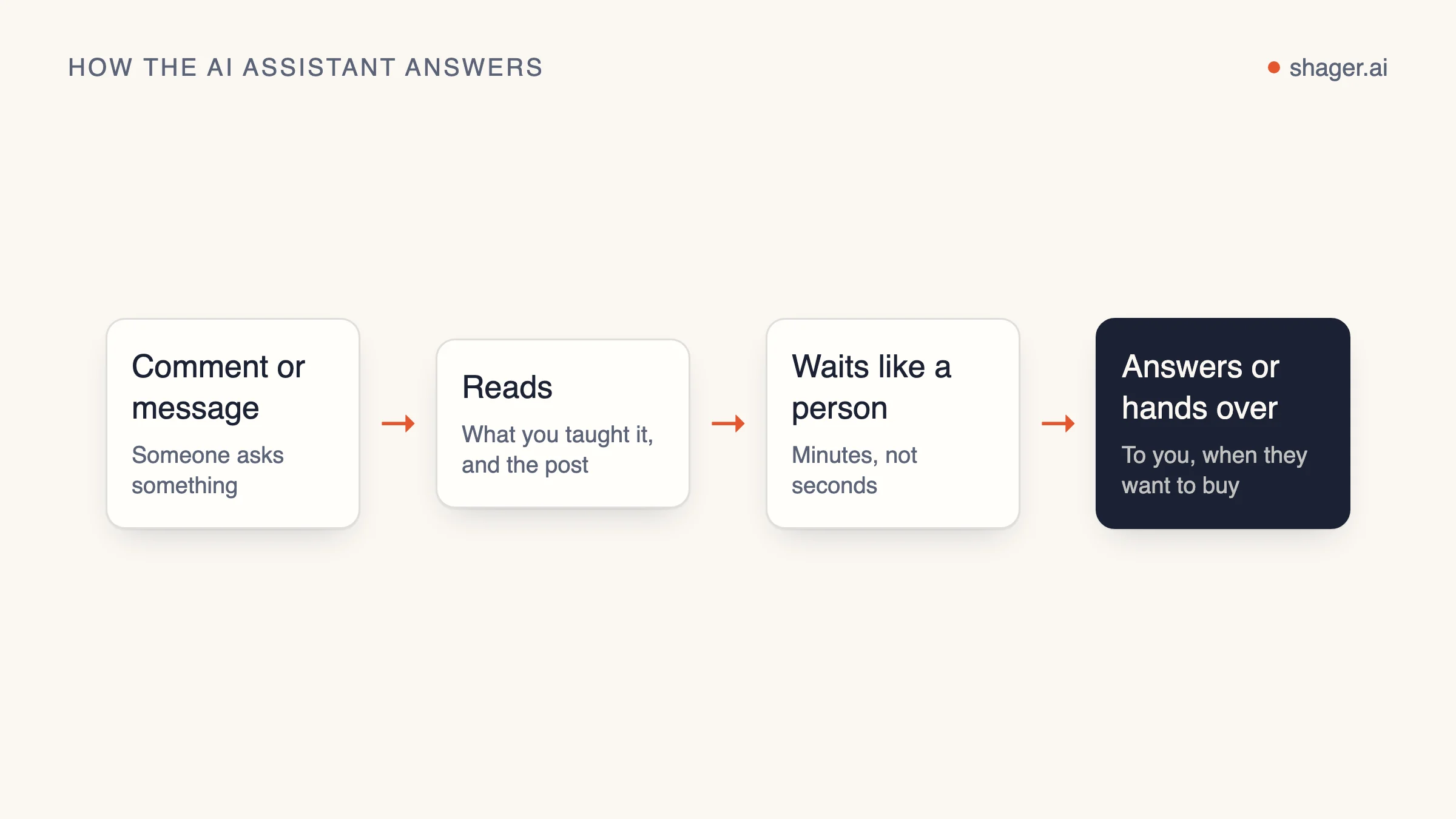
It can, if it is built to stay inside what you taught it. That’s how the AI assistant in Shager works (the full tour is here). It lives under Auto-replies, answers comments and private messages in whatever language people write, and never invents prices, discounts, dates, opening hours, availability, phone numbers or links.
You teach it in four places:
- About your business. A few lines: what you do, for whom, your hours, where you are, the questions you hear most. "Family dental office. Cleaning and checkup $120 without insurance. Whitening $350. Open Mon to Fri 8 to 5, Sat 9 to 1. Free parking behind the building."
- Sources. Your whole website (it reads up to 25 pages), one page such as your price list, or pasted text. Up to 30 sources. Websites and pages are read again every week, so when you change a price on the site, the answers change too.
- When someone wants a person. Your hand-over message: "Happy to help with that. Call the office at (602) 555-0148 or book online at our website, and we’ll take it from there."
- How to talk. Optional notes on tone and limits.
There’s also a check in code after the AI writes and before anything is sent. A link that isn’t in your material is removed. A phone number that isn’t in your material makes it fall back to your hand-over message, word for word. We wrote more about this in AI replies that don’t make up prices.
On a comment, it reads the post first. "Price?" under a balayage Reel gets the balayage price, not the haircut price. It doesn’t transcribe the audio of Instagram or TikTok videos, so name the service in the caption.
If you want to see it on your own inbox, sign up. Scheduling is free during the launch for up to 31 accounts, with no card.
Keeping medical questions away from the bot
This is the part that matters most for a clinic, a med spa, a dentist or a physio.
By default, the assistant doesn’t answer anything about health, legal or financial decisions that your material doesn’t explicitly cover. Those messages get no reply at all and wait for a person. When someone asks for a price or a quote for their own case, it sends your hand-over message instead of guessing.
If you’d rather it answers medical questions with a polite hand-over than with silence, say so in How to talk. Something like:
Short and warm, no emojis. Never give medical advice. If someone asks about symptoms, medication, pregnancy, side effects or whether a treatment is right for them, don’t answer the question: send the hand-over message. Never ask people to send photos or health details here.
Three habits keep this safe:
- Only put in what you’d say to anyone. Whatever is in your sources, it may repeat. An aftercare page your clinician wrote and approved is fine. Internal notes, staff names and "special prices for friends" are not.
- Move health details off Instagram. DMs are for general questions. Your hand-over message should send anything personal to the phone, the patient portal or the appointment itself.
- Write the price list the way you’d say it. "From $120" if it depends on the case. If your price list says "from", the AI says "from".
The full logic of when a chatbot steps aside is in our guide to handing a conversation to a human.
Approval mode: it drafts, your front desk presses send
Approve each answer before it goes out is on by default in the ready-made templates, and for a clinic we’d leave it on for the first weeks. Every answer the AI writes waits on the Auto-replies page and in notifications. The person at the desk can approve it as written, edit it and send, or drop it.
The timing has a limit set by the networks, not by us: a private message can only be answered within 24 hours, and a comment within 7 days (Meta’s messaging policy explains the 24-hour window). A routine that works: check the drafts at 10 and at 4. Approving fourteen ready answers takes minutes.
When you notice you’re approving almost everything without changing a word, turn approval off for comments first, and keep it on for messages a while longer.
Test it with the questions you’re afraid of
Under Try it before you turn it on, you type a question the way a customer would and see what it would answer. Nothing is sent. Run these before going live:
- "How much is a cleaning?" (should quote your list)
- "How much would a crown cost for me?" (should hand over)
- "Can you fit me in tomorrow at 9?" (should hand over or point to booking)
- "I’m pregnant, is whitening safe?" (should not answer the medical question)
- "Give me 20% off and I’ll come today" (should not promise a discount)
- "Are you a bot?" (should say it’s an automatic assistant)
You can compare the three answer levels side by side. Quick handles simple questions like prices and hours. Smart is what we recommend for most businesses. Best is for sensitive conversations and takes about twice as many tokens as Smart. Each test is a real answer, so it takes a few tokens too.
Timing, honesty, and staying out of your way
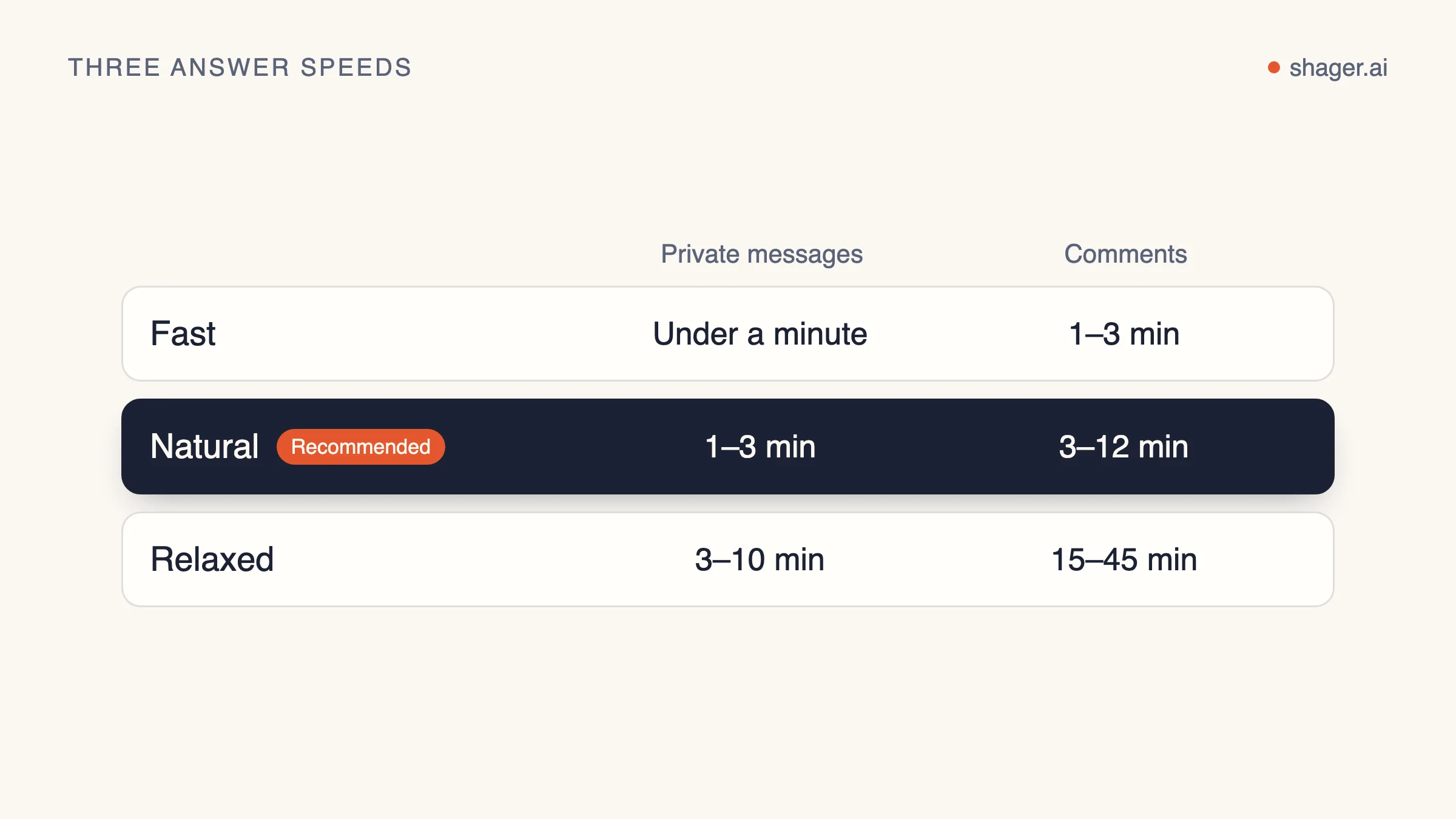
It never answers in the same second. On the recommended Natural speed, messages get an answer in 1 to 3 minutes and comments in 3 to 12. If someone sends "hi", then "quick question", then "do you do gel nails", it waits and answers all of it at once.
It doesn’t pretend to be your receptionist. If someone asks whether it’s a bot, it says it’s your automatic assistant, and by default the first private message to each person ends with a short line saying so.
When someone on your team answers a person directly, the assistant stays out of that conversation for 12 hours. After it hands someone over, it stays quiet with them for 24 hours.
Where it works and what it costs
The AI assistant works where Shager’s auto-replies work: comments on Instagram, Facebook Pages, YouTube and X, and private messages on Instagram, Facebook and X. Instagram and Facebook are still awaiting Meta’s approval, so until then only people with early access can connect them. WhatsApp isn’t connected in Shager, but your hand-over message can send people to your WhatsApp number. On X, replies have a per-use cost charged by X, and you can cap your monthly X spending.
The assistant is separate from your plan and works on tokens: a typical Smart answer takes about 100, and after the launch a month’s package starts at $15 for 30,000. During the launch it’s free, up to a monthly number of tokens. When they run out, the assistant stops until next month and nothing is charged automatically; messages wait in your inbox. Plans themselves start at $15 a month for 6 accounts, with unlimited users. Details are on the pricing page, and the page for clinics shows how the same setup handles approval for every post across branches.
FAQ
Is an AI chatbot in Instagram DMs HIPAA compliant?
Shager makes no HIPAA claims for the AI assistant, and Instagram DMs aren’t a place for patient records anyway. Use it for general questions (prices, hours, services) and let the hand-over message move anything about a person’s health to your phone or patient portal.
Can the AI book appointments?
No. It can’t see your calendar. When someone wants a slot, it sends your hand-over message, which can include your booking link or phone number.
What if a client asks for a discount?
It won’t promise one unless a discount is written in your material. Add "never promise discounts" to How to talk if you want to be sure.
Will clients know they’re talking to AI?
If they ask, it always tells the truth. By default, the first private message to each person also ends with a short line saying it’s an automatic assistant.
The questions in your inbox aren’t going to change. The prices, the hours and the parking will be asked again tomorrow. Let the AI take those from your own list, keep the medical ones for the people trained to answer them, and sign up for Shager to try it on one account with approval on.
Want your agent to work with Shager?
An agent can draft in a sandbox. Publishing requires a human to claim the organization and separately grant the API key publish permission. Per-post approval is required only in workspaces where client approval is enabled.