Meta Business AI vs Your Own AI Assistant: Which One Should Answer Your Customers?
Meta Business AI is free to start on WhatsApp, Messenger and Instagram. Here’s what it does well, where it stops, and when an independent assistant fits better.
Meta Business AI, now called Meta Business Agent, is Meta’s own AI that answers customers for you inside WhatsApp, Messenger and, gradually, Instagram. Getting started is free, it lives where your chats already are, and for a business that sells mostly over WhatsApp it’s a sensible first try. An independent AI assistant makes more sense when your questions also arrive as comments on YouTube or X, when you want to approve every answer before it goes out, or when you want replies and post scheduling in one place.
That’s the short answer. The rest of this piece is the fair version, with sources, because the choice depends on where your customers actually write to you.
What Meta Business AI is today
Meta announced the global rollout on June 3, 2026, under the name Meta Business Agent. It used to be called Business AI, and plenty of people still search for it that way. According to Meta, it can:
- Answer questions specific to your business, in the customer’s language and in your tone.
- Recommend products from your catalog.
- Book appointments and qualify leads.
- Let you decide when a team member steps in.
Meta says it already runs for more than a million businesses on WhatsApp and Messenger and is expanding to Instagram. Getting started is free, and Meta has said paid subscriptions are coming in the following months (WhatsApp Business blog). TechCrunch reported that the paid side will come through WhatsApp Business subscription tiers, with large businesses paying by usage.
For developers there’s also a Business Agent Platform on WhatsApp that answers from your business information, FAQs, website and files, and lets you test it before going live.
That’s not a small thing. If your shop runs on WhatsApp, Meta’s tool sits right inside it, and you can’t beat that on convenience.
Where Meta’s AI stops
Here’s what the official pages don’t cover, and it’s where most small businesses run into trouble:
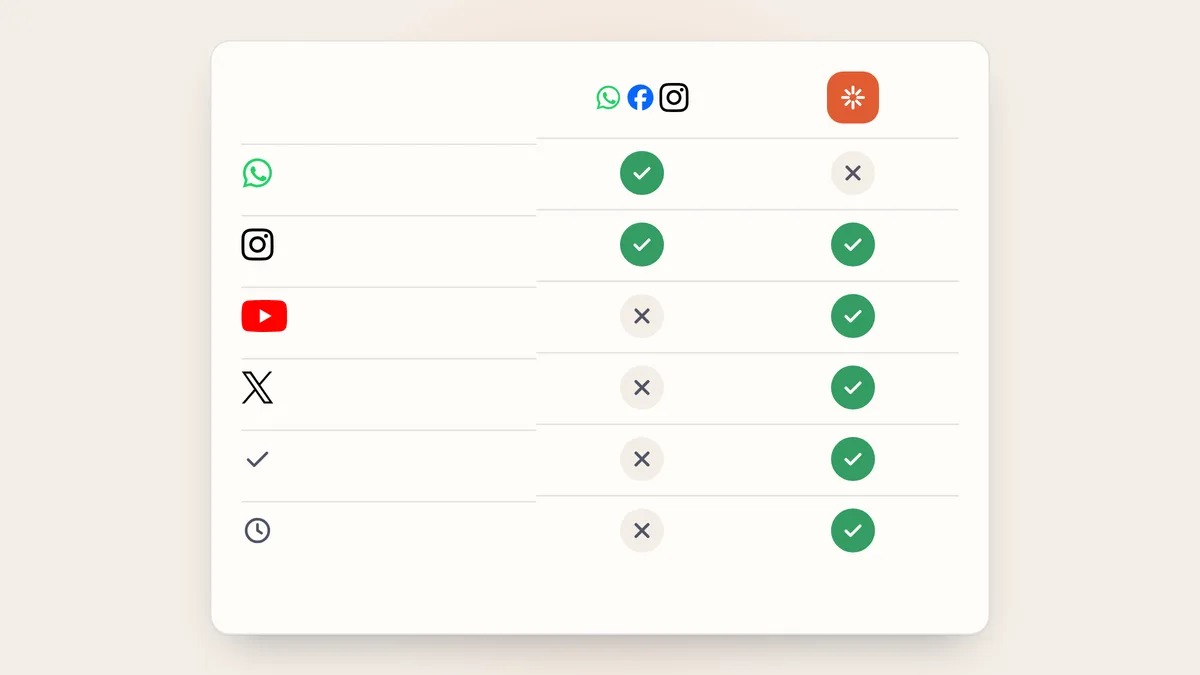
- Other networks. It lives in Meta’s apps. It doesn’t answer comments on your YouTube videos or replies on X.
- Public comments. Meta describes it as answering conversations, meaning chats and messages. The announcement doesn’t describe it answering the comments under your posts, which is where a lot of "how much?" questions land.
- Approving each answer. Meta lets you test the agent and step in. Its pages don’t describe a mode where every answer waits for your OK before it’s sent.
- Your publishing. It answers people. It doesn’t schedule the posts that bring them in.
And a practical point: features and availability roll out market by market, so check what you see in the WhatsApp Business app or Meta Business Suite before you plan around something.
Meta Business AI vs an independent assistant, side by side
| Meta Business Agent | Shager’s AI assistant | |
|---|---|---|
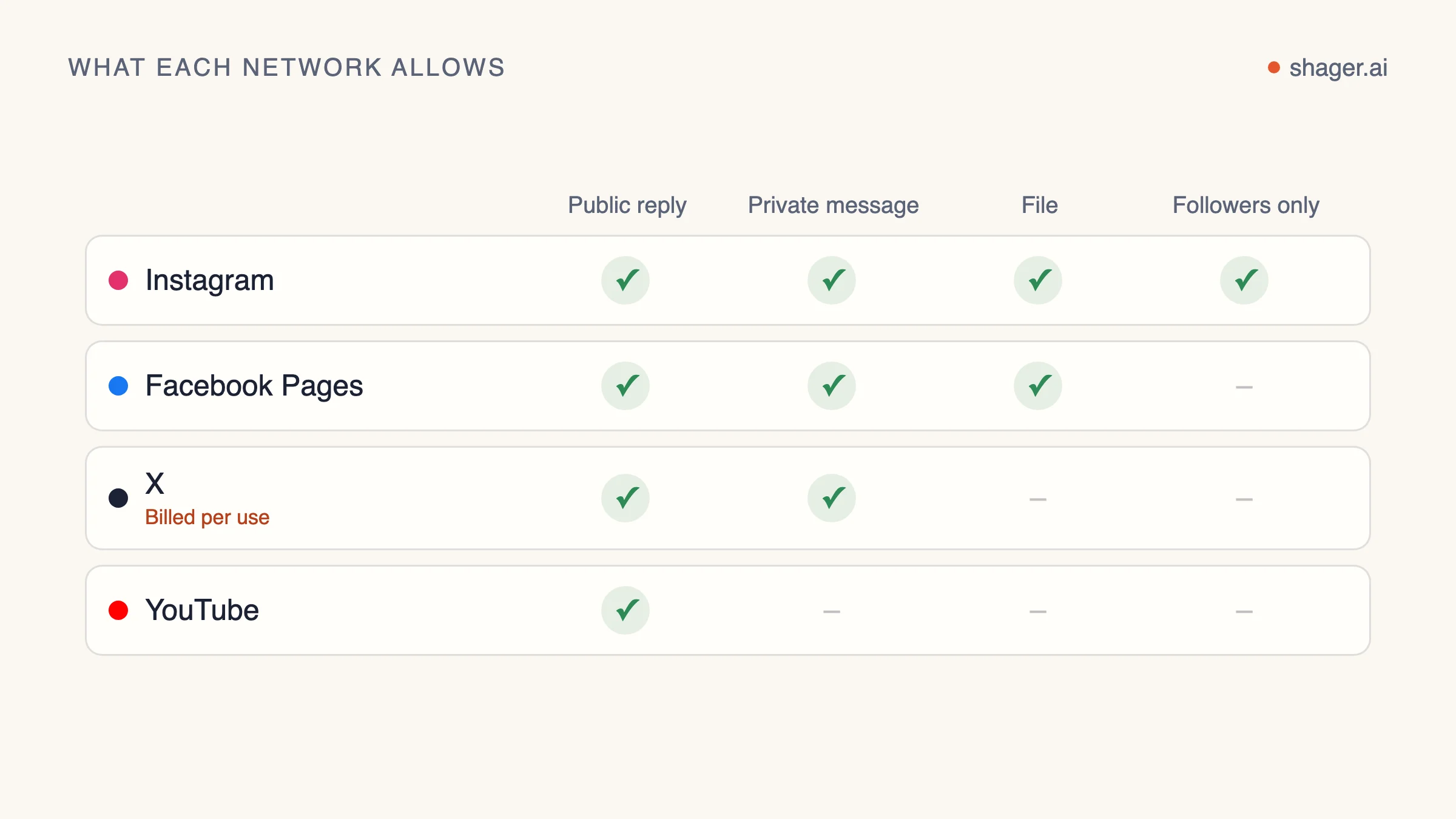
| Where it answers | WhatsApp, Messenger, Instagram (rolling out) | Comments on Instagram, Facebook Pages, YouTube and X; private messages on Instagram, Facebook and X |
| Yes, its home | Not connected (it can hand people over to your WhatsApp number) | |
| Catalog and booking | Recommends products, books appointments | Answers from what you taught it, hands buyers to you |
| What it learns from | Business info, FAQs, website, files, catalog | A few lines about you, up to 30 sources: a website (up to 25 pages), single pages, pasted text |
| Approve before sending | Not described | Optional for every answer, on by default in the templates |
| Price today | Free to start, paid tiers announced | Sold apart from the plan, in tokens: from $15 a month for 30,000. Free during the launch, up to a monthly number of tokens |
| Scheduling posts | No | Included |
Shager’s Instagram and Facebook connections are still awaiting Meta’s approval. Until then only people we gave early access can connect them, so today the assistant’s everyday ground is YouTube and X. The networks page always has the current status.
What an independent AI assistant does differently
Shager’s AI assistant sits under Auto-replies → AI assistant, and it was built around the fear most owners have about any chatbot for Instagram or anywhere else: that it’ll say something wrong in your name.
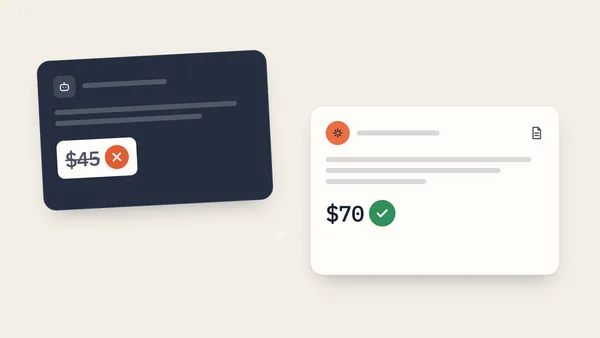
It answers only from what you taught it. You write a few lines about the business, add your website or paste your price list, and it answers from that. If a price isn’t in your sources, it doesn’t guess. Websites are read again every week, so a price you change on your site reaches its answers too. We wrote a whole piece on AI replies that don’t make up prices.
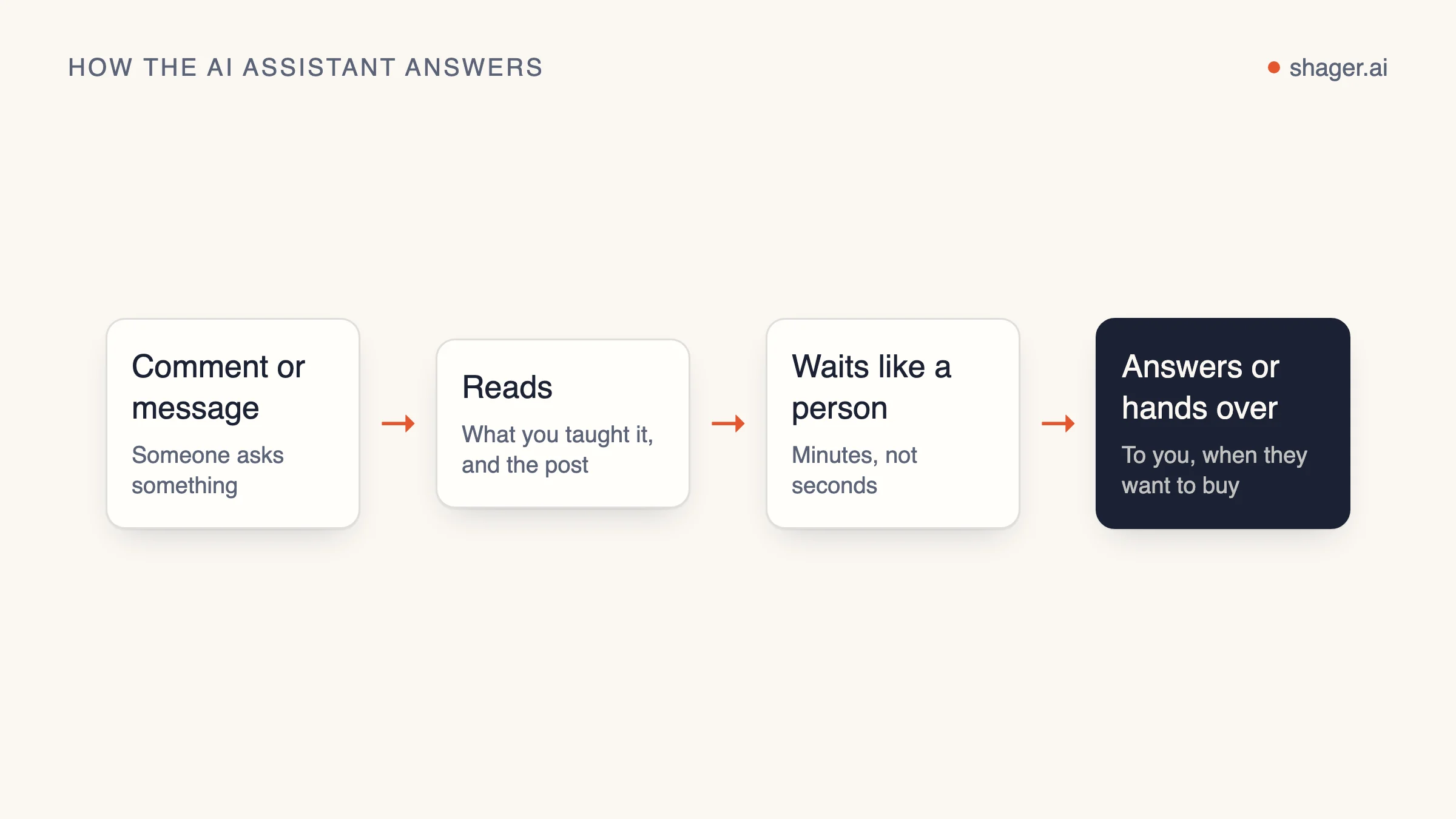
It reads the post first. "How much?" under a video about a repair is not the same question as under a product photo. On a comment it reads the post text, and on YouTube the video’s captions.
You can approve every answer. With Approve each answer before it goes out on, each answer waits as a draft. You send it, edit it, or drop it. Approve within the network’s window: 24 hours for private messages, 7 days for comments.
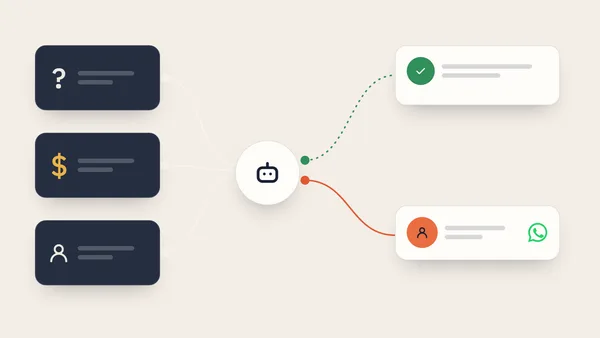
It hands over and steps back. When someone wants to buy, asks for a person, or asks something it wasn’t taught, it sends your own hand-over message, for example "Message us on WhatsApp at …". Then it stays quiet with that person for 24 hours. If someone on your team answers a person directly, it stays out of that conversation for 12 hours. More on that in our guide to handing a chatbot conversation to a human.
It never answers in the same second. You pick a speed. On Natural, private messages get an answer in 1 to 3 minutes and comments in 3 to 12, with "typing…" shown first in Instagram and Facebook messages. It’s honest when asked whether it’s a bot, and by default the first private message to each person says it’s an automatic assistant.
It works next to your keyword rules. If you already run "comment GUIDE, get the link", that rule still answers first. The assistant takes everything else.
You can try it on your own accounts: sign up, free during the launch for up to 31 accounts, no card. AI answers themselves take tokens, which are priced apart from the plan and free during the launch up to a monthly number. When the tokens run out the assistant simply stops until next month, and nothing is charged automatically.
Which one should you pick?
Pick by where your customers write, not by which tool sounds smarter.
Meta’s AI is the better fit if most of your sales happen in WhatsApp chats, you want catalog recommendations and bookings inside the chat, you don’t post on YouTube or X, and you want to start at zero cost.
An independent assistant is the better fit if questions come in as comments as well as messages, you have a YouTube channel or an X account where people ask the same things, you want to read every answer before it goes out in the first weeks, or you’d rather run posting and replying from one place instead of four apps.
Using both is fine, with one rule: never let two assistants answer the same inbox. A common split is Meta’s agent on WhatsApp, and Shager on comments plus YouTube and X, with Shager’s hand-over message pointing people to your WhatsApp. Each conversation has one owner.
X is the one network where answering has a direct cost, because X charges per post and much more for a post with a link. Shager counts replies on X against a monthly allowance, and our piece on X auto-replies and DM costs explains how to keep them in check.
Setting up Shager’s assistant in about ten minutes
- Open Auto-replies and go to AI assistant.
- Fill in About your business: what you sell, for whom, prices, hours, location, the questions you get most.
- Write the message for When someone wants a person. Point it to your WhatsApp, phone or booking page.
- Add your website, and paste anything that isn’t on it (a price list, a returns policy).
- Open Try it before you turn it on, type five questions real customers ask, and compare the Quick, Smart and Best answers. Nothing is sent.
- Turn on the "AI assistant for comments" or "AI assistant for messages" template. Approval is already on.
The full walkthrough is in our AI assistant guide, and plans are on the pricing page.
FAQ
Is Meta Business AI free?
Meta says getting started with its Business Agent is free and that paid subscriptions are coming. Reports describe the paid part as WhatsApp Business subscription tiers, with large businesses paying by usage. Check your own WhatsApp Business app for what applies in your country.
Can Meta Business AI reply to Instagram comments?
Meta presents it as answering conversations in WhatsApp, Messenger and Instagram messages, and its announcement doesn’t describe answering public comments. If comments are where your questions arrive, you need a tool that handles comments, on Instagram and on the other networks you use.
Can I use Meta’s AI and another assistant at the same time?
Yes, as long as each inbox has one assistant. Two bots answering the same Instagram DM will talk over each other. Split by channel: one on WhatsApp, the other on comments, YouTube and X.
Does Shager connect WhatsApp?
Not today. Shager’s assistant answers on Instagram, Facebook, YouTube and X, and its hand-over message can send people to your WhatsApp number when they’re ready to buy or want a person.
If WhatsApp is your whole business, start with Meta’s free agent. If your customers find you through posts on four networks and ask their questions wherever they happen to be, sign up for Shager, teach the assistant your price list, and let it draft answers you approve for the first week.
Want your agent to work with Shager?
An agent can draft in a sandbox. Publishing requires a human to claim the organization and separately grant the API key publish permission. Per-post approval is required only in workspaces where client approval is enabled.