The Monthly Social Media Client Report: What to Include So Clients Actually Read It
What to include in a social media client report, in what order, and how to send it every month without building slides: clicks per account, top posts, a plan.
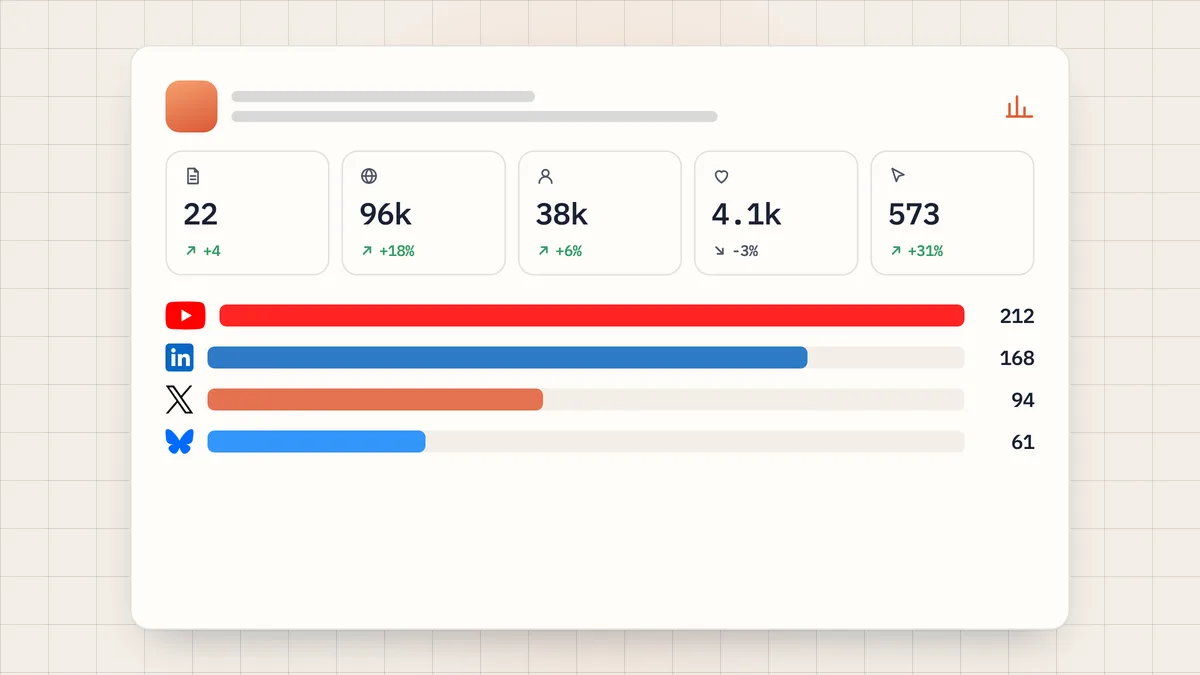
A social media client report that gets read fits on one page and answers three questions: did we post what we promised, did people see it and react, and did anyone click through to the business. So put five numbers at the top, each compared with last month (posts, views, reach, engagement, link clicks), then a breakdown by network, the best three to five posts with one line on why they worked, and one thing you’ll change next month. Everything else can live in an appendix, and nobody opens the appendix.
Why most client reports don’t get read
Picture a freelancer with six clients: a bakery, a dental practice, a gym, a real estate agent, a B2B consultant and a local bike shop. On the 30th she opens six apps, screenshots six versions of Insights, pastes them into six slide decks, and writes "engagement is up" on slide nine. The bakery owner opens the PDF on his phone between two batches of croissants, scrolls past the first chart, and replies "looks great, thanks."
He didn’t read it, and that’s not his fault. The deck answered questions he never asked. Owners want to know whether the money they pay you is turning into customers.
What to include in a social media report (in this order)
Order matters more than design. Lead with what the client cares about, end with what you’ll do next.
- The headline numbers, compared with last month. Posts published, views, people reached, engagement (likes, comments, shares and saves) and link clicks. Five tiles, each with an arrow up or down. If a number fell, leave it in. Clients trust a report that shows a dip.
- One line on what happened. "We posted 22 times, views were up 18%, and the Friday pastry video brought more clicks to the order page than the whole previous month." Written by you, in plain words.
- Results by network. A small table: posts, views, engagement and clicks on each network. This is where you show that TikTok brings views while Facebook brings clicks, or the other way round.
- Top posts. Three to five, with a thumbnail and a link to the live post. Add why you think each one worked. That’s the part a client can’t get from an app.
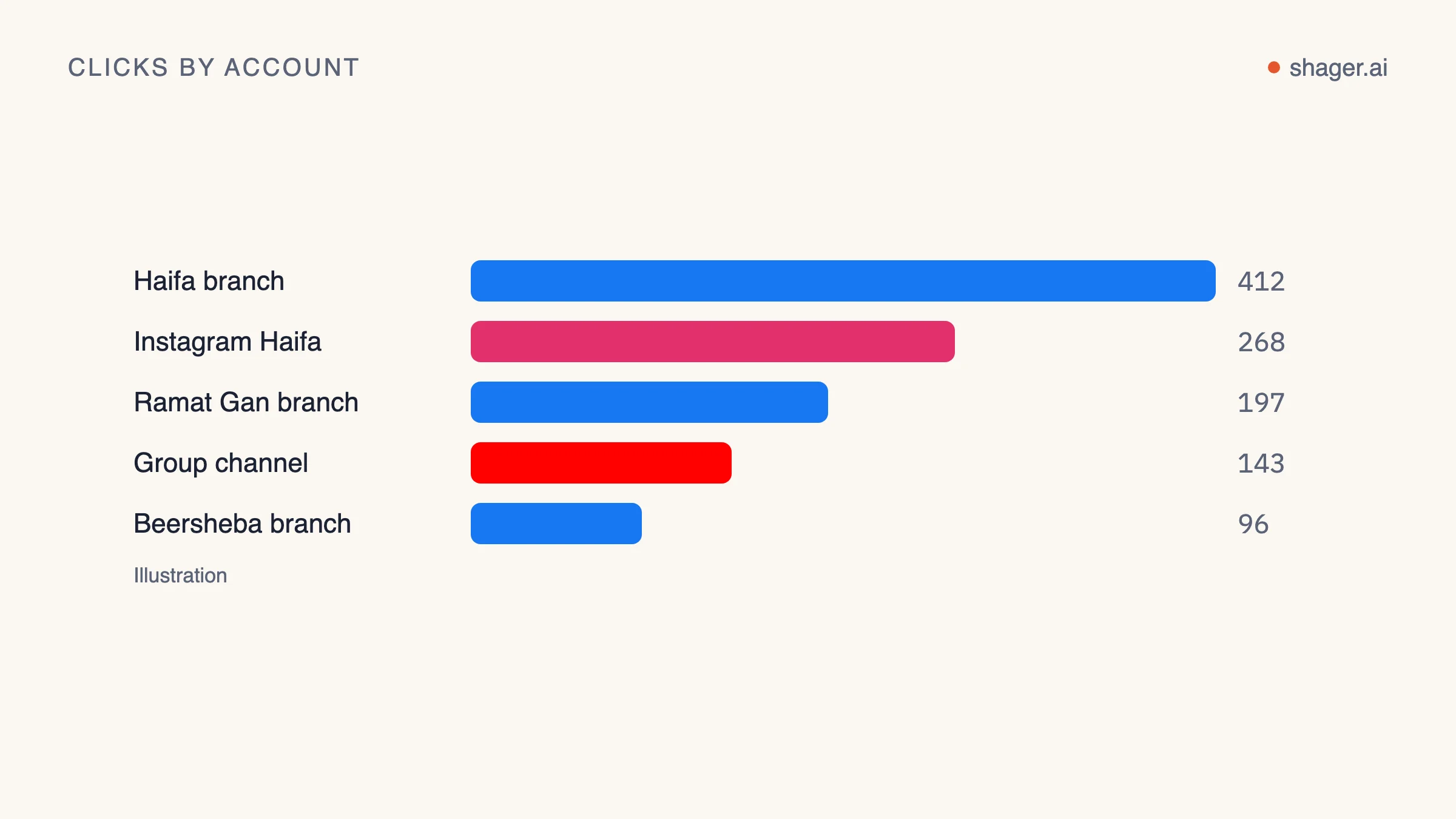
- Clicks per account when the client has several pages or locations (more on this below).
- Next month. One or two changes, not ten. "More short videos on Tuesday evenings, fewer link posts on X."
What to leave out: vanity charts nobody acts on, screenshots of native dashboards, and any metric you can’t explain in one sentence. Follower growth can stay, low on the page. It moves slowly and it’s not what pays the client’s rent.
The number clients care about most: clicks, per account
Views tell you a post was seen. Clicks tell you someone wanted more: the menu, the booking page, the listing. For most small businesses a click is the closest thing to a customer that social media can measure on its own.
The catch is that analytics tools see "traffic from Facebook," not which page sent it. If a client has five branches, or an agent has three profiles, the clicks blend into one line. The fix is to give every account its own tracked link with its own UTM tags, so utm_content names the account. Google documents how those tags are read in its guide to campaign URLs. We wrote a longer piece on per-account tracked links and lead attribution if you want the whole setup.
Then a multi-location client gets a table like this:
| Account | Posts | Link clicks |
|---|---|---|
| Downtown | 12 | 184 |
| Riverside | 12 | 61 |
| Airport | 11 | 9 |
Same posts, very different audiences. That table starts better conversations than any engagement chart, because it points at a decision: what’s going on at the airport location? If most of your clients are chains like this one, our guide to social media for franchises and multi-location businesses covers the rest of that setup.
Two honest limits. Clicks aren’t leads: to count bookings or sales you need the client’s own analytics or CRM, matched on those UTM tags. And on Instagram, links in captions and comments aren’t clickable, so the link that matters there is the one in the profile.
Social media report examples: three clients, three first lines
The same template reads differently depending on what the client sells.
The bakery. First tile: link clicks to the online order page. The summary names the post that sold out the weekend special.
The dental practice. First tile: clicks to the booking page. The top posts section explains that the "what a cleaning actually feels like" video beat the discount post. Engagement matters less here, because people don’t like dental posts in public, but they do click.
The B2B consultant on LinkedIn. LinkedIn doesn’t share post numbers for personal profiles with outside tools, so views and engagement come back empty. Clicks on the links in her posts are the whole report, and that’s fine: a click to her case study is exactly what she’s paying for. Say this in the report so the client doesn’t think numbers are missing by mistake.
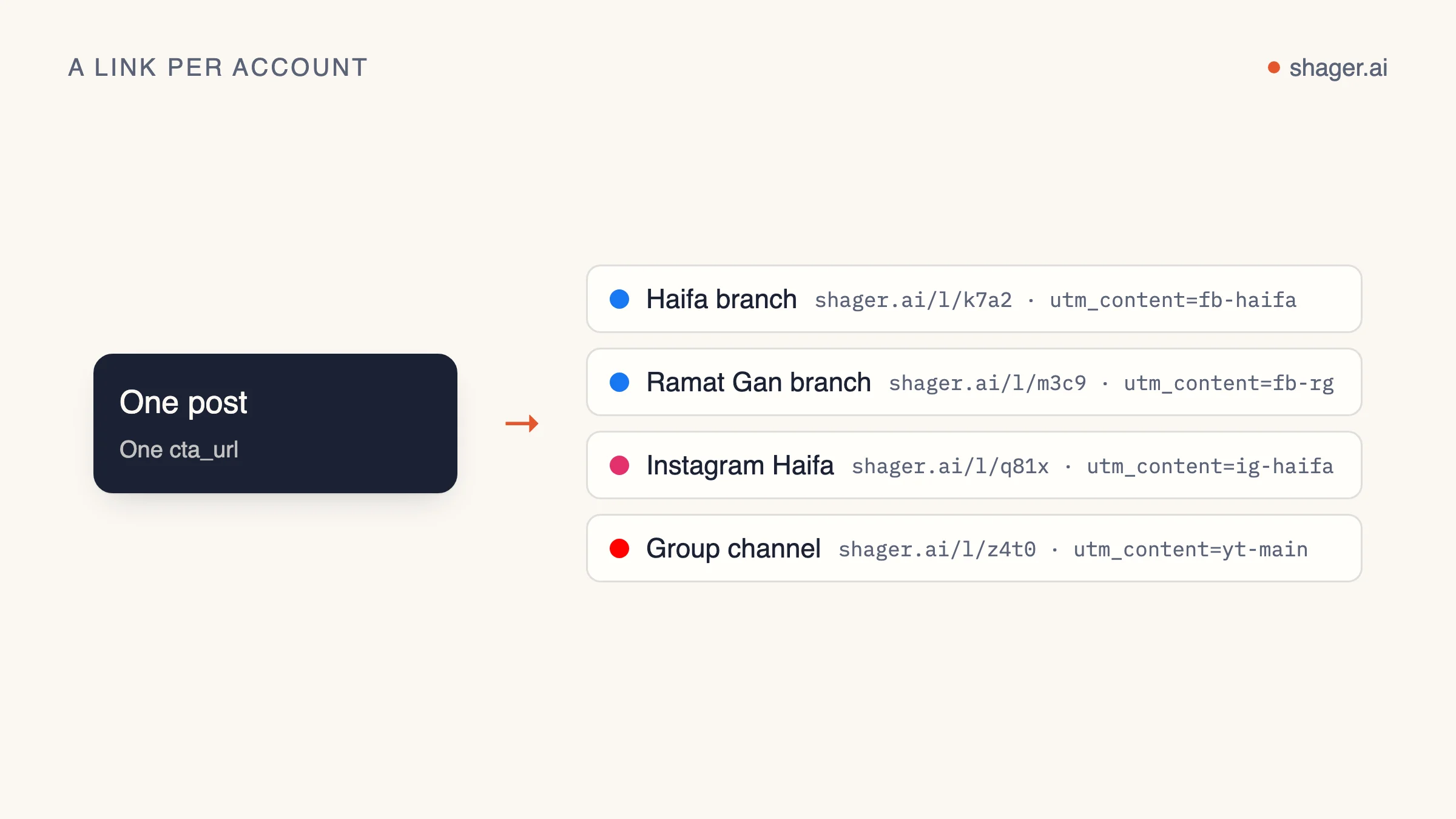
How to send the report every month without building it
This is where most of the hours go, so here’s how it works in Shager. Each client has its own space, and its posts, accounts and numbers stay there.
- Publish the month’s posts through Shager. A link in a post gets its own tracked short link for each account automatically, tagged with the network and the account. X is the exception: there the tracked link isn’t added for you, and a post you write a link into comes from your plan’s monthly allowance.
- Open Analytics for that client and find the card Report for your client. Click Create the report link.
- The link opens a one-page monthly report, with no sign-up for the client: posts, views, people reached, engagement, link clicks and new followers, each against the month before, then a table by network and the five top posts with a link to each. The client’s name sits at the top, with "Prepared by" and your business name under it.
- Add up to 10 email addresses. On the 1st of every month, from 08:00 in the client’s time zone, each of them gets the link to the month that just ended. Every email has its own link to stop receiving it.
- Pick the report’s language. There are 11, so a client in Madrid can get it in Spanish while you work in English.
- The client can pick any earlier month, or this month so far, and save it as a PDF from the browser.
If the link ever reaches someone it shouldn’t, click New link: the old one stops working at once. The link only shows that one client’s results and top posts.
Clicks per account sit one screen away, in the By account table on the same Analytics page, along with every connected account’s followers and results for the period. That’s where the multi-location table above comes from.
You can try this with your own clients today: sign up, it’s free during the launch for up to 31 accounts, with no card.
What it doesn’t do: the monthly email carries the link, not your commentary. Most freelancers send the link themselves on the 1st with three sentences on top, and keep the automatic email for the owner’s business partner or accountant. Also, a few networks don’t share post numbers (Telegram, Tumblr and LinkedIn personal profiles among them); the report says so in a footnote and counts their link clicks only. Facebook and Instagram are still awaiting Meta’s approval, so until then only people with early access can connect them.
Letting an agent prepare it
If you already use Claude, ChatGPT or another agent for client work, it can fetch the link for you. The get_client_report tool returns a client’s report link (making it on first use) and a template for any month. set_client_report sets who gets the email, the language, or a new link. Because it makes Shager email real people, it needs a key with publish rights from a signed-up person, not an anonymous sandbox. In the REST API it’s GET and PATCH on /workspaces/{workspace_id}/client-report, documented in the OpenAPI file.
A common routine: on the 1st, the agent reads each client’s numbers with get_analytics and drafts the three-sentence summary for you to send with the link, as in our guide to a weekly client report written by an agent.
What it costs
Shager is free during the launch for up to 31 accounts, with no card. After that, plans are $15 a month for 6 accounts, $19 for 11, $39 for 31, $79 for 101 and $199 for 301. Users are unlimited on every plan, so your assistant and your clients can have their own logins at no extra cost. Posts to X come from a monthly allowance, because X charges per post and much more for a post with a link. For the rest of a freelancer’s toolkit, see the freelance social media manager’s stack, and the full table is on the pricing page.
FAQ
How often should I send a social media report to a client?
Monthly suits most small businesses: enough posts to see a pattern, not so often that it becomes noise. Send a short weekly note only during a launch or a campaign. Whatever you choose, send it on the same day every month, so the client starts expecting it.
What’s the difference between views and reach?
Views count how many times posts were shown, so one person can count several times. Reach counts how many different people saw them. Put both in the report, and explain them once in a footnote rather than every month.
Should I include follower growth?
Yes, but not at the top. It moves slowly and doesn’t say much about sales. Clicks and the best posts say more about whether the work is paying off.
Can a client see the numbers of my other clients?
No. Each report link shows one client’s results and top posts, nothing else. If a link is forwarded somewhere it shouldn’t be, make a new one and the old one stops working.
If the end of the month currently means six apps and a slide template, try it the short way once. Sign up for Shager, connect one client’s accounts, create the report link, and send it on the 1st with three sentences of your own.
Working with clients?
In Shager a client connects their own accounts with a link, without sharing a password, and approves each post with its own link. Every account gets a tracked link, so the report shows the clicks each client brought.