Making a Website Agent-Ready: llms.txt, Markdown Pages, OpenAPI, api-catalog and MCP Server Cards
What an agent-ready website publishes: llms.txt, Markdown page versions, OpenAPI, the RFC 9727 api-catalog and an MCP server card, with shager.ai as example.
8 min read
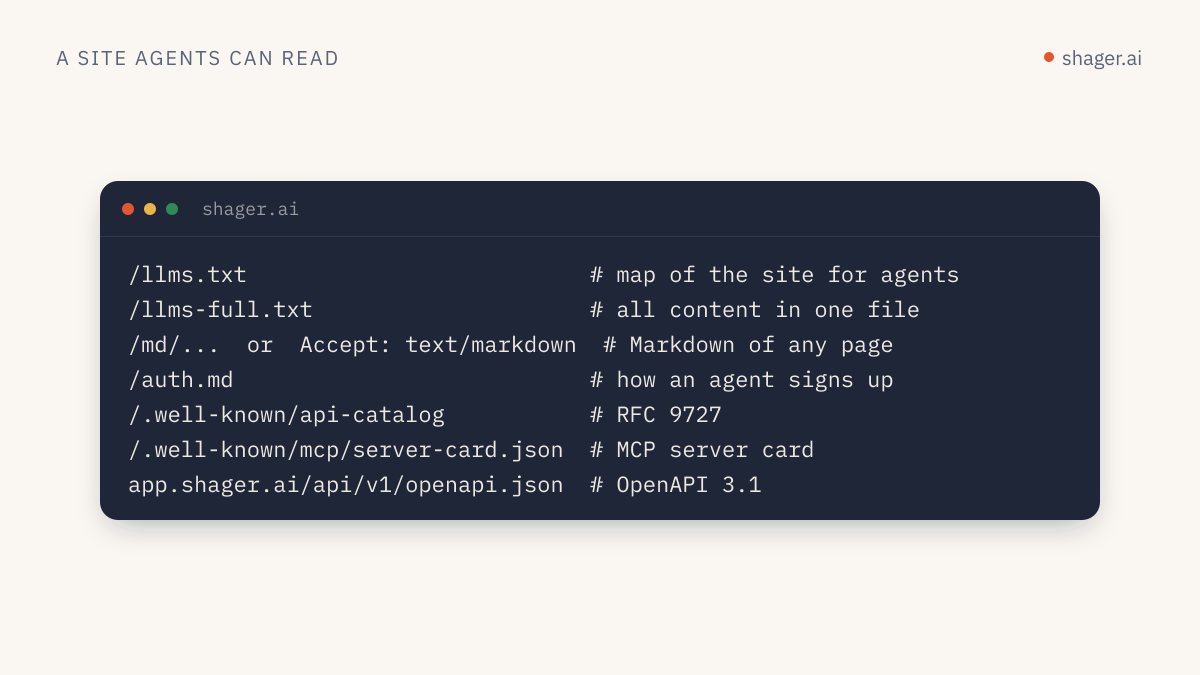
An agent-ready website gives software a short, predictable path from "what is this?" to "how do I use it?". In practice that means five files or conventions: an /llms.txt summary, clean Markdown versions of each page, an OpenAPI description of the API, an RFC 9727 /.well-known/api-catalog that points to it, and an MCP server card describing how to connect. None of them is hard to publish. Together they let an agent find, understand and start using a product without a human copying URLs into a chat.
I will use shager.ai as the worked example throughout, because every piece described here is live on it and you can fetch each one with curl as you read.
Why bother, if no engine promises to read these files?
Honesty first. llms.txt is a proposal, not a ratified standard, and I am not aware of any major model provider publicly committing to use it in retrieval. The api-catalog is a real IETF RFC, and MCP server cards are an accepted MCP extension, but adoption by crawlers and clients is still early.
The case for doing it anyway is practical. Agents increasingly arrive at a site because a person told them to, as in "sign up for this and connect it." At that moment the agent fetches pages directly. A site that answers in clean Markdown, with an explicit API description and a connection recipe, gets used correctly. A site that answers with 400 KB of JavaScript gets guessed at.
llms.txt: the front door
The format is defined at llmstxt.org. It is a Markdown file at /llms.txt with an H1 naming the site (the only required part), a blockquote summary, optional free text, and H2 sections containing lists of links with short notes. A section titled "Optional" marks links an agent can skip when it needs a shorter context.
Shager's file follows that shape. The top looks like this:
# Shager

> Shager (שגר) is agent-first distribution infrastructure for agencies and
> marketers: your agent creates, Shager ships it everywhere. ...

## For AI agents
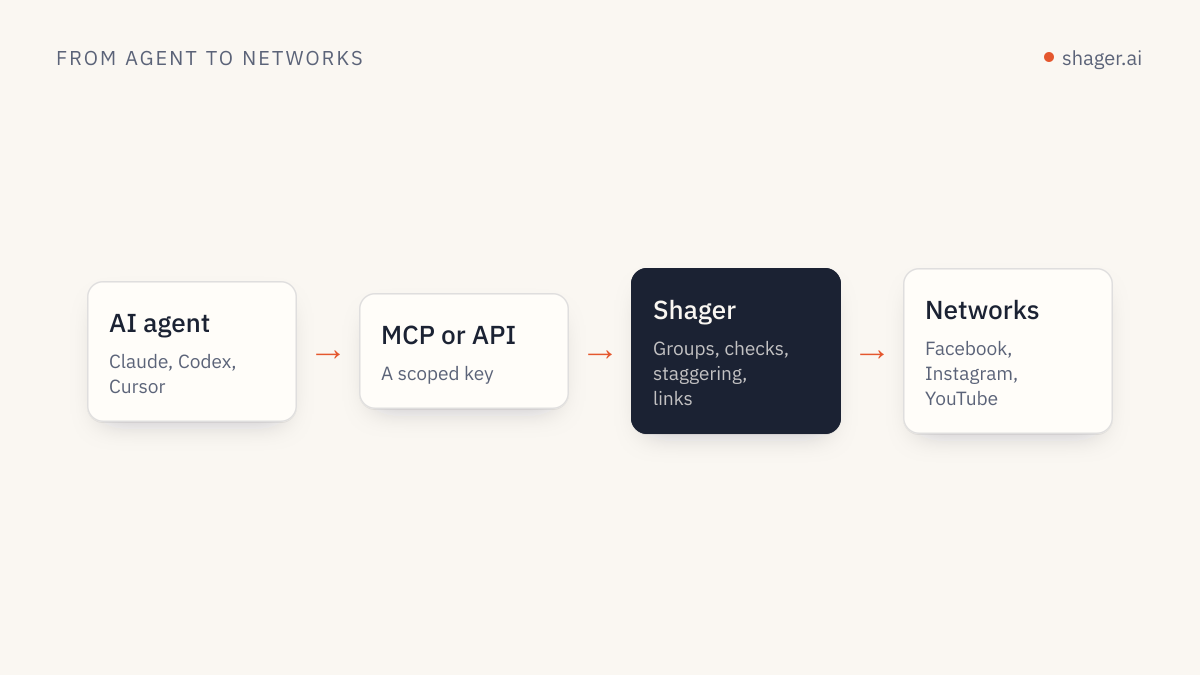
- MCP server: https://app.shager.ai/api/mcp (Authorization: Bearer <api key>; OAuth sign-in is coming)
- REST API: https://app.shager.ai/api/v1 ...
- Self sign-up: POST https://app.shager.ai/api/v1/agent/signup ...
A few choices worth copying. The agent section comes before marketing pages, because an agent reading the file usually wants to act. Pricing is stated in plain numbers in the file itself rather than behind a link. Things that are not live are labelled as coming, so an agent does not promise a user a feature that does not exist. And there is a companion /llms-full.txt with all content in one file for agents that prefer a single fetch.
Markdown versions of every page
The same proposal suggests serving a clean Markdown version of each page, and recommends advertising it with rel="alternate" and type="text/markdown", plus rel="describedby" pointing at the llms.txt that covers the page. Both can be HTML <link> elements or an HTTP Link header.
Shager does this in two ways. Every page has a Markdown twin under /md/, so /en/pricing is also at /md/en/pricing. And a request for the normal URL with Accept: text/markdown gets the Markdown directly:
curl -s -H "Accept: text/markdown" https://shager.ai/en/pricing | head -5
Every HTML page also sends a Link header announcing its alternates:
link: </.well-known/api-catalog>; rel="api-catalog",
      </llms.txt>; rel="describedby"; type="text/plain",
      </md/en/agents>; rel="alternate"; type="text/markdown"
One detail that matters for search: the Markdown responses carry x-robots-tag: noindex, so search engines do not index two copies of every page. The Markdown is for agents; the HTML remains the canonical page for people and search results.
OpenAPI: the contract
For anything an agent will call, an OpenAPI document is still the most useful thing you can publish. It gives operation IDs, parameters, schemas and authentication in a form agents and code generators both read.
Shager's is at app.shager.ai/api/v1/openapi.json, version 3.1. Three conventions in it help agents specifically. Operation IDs match the MCP tool names (create_post, get_analytics), so an agent that learned one interface knows the other. Each operation declares its required key scope in an x-scope extension. And field descriptions are written as instructions, for example the per_channel caption override says it is recommended to vary wording per account. Descriptions are prompt space; use them.
api-catalog: telling software where the APIs are
RFC 9727, published by the IETF in June 2025, defines a well-known URI, /.well-known/api-catalog, and an api-catalog link relation. A request to it returns a document listing a publisher's APIs with links to their descriptions and documentation. The RFC requires the application/linkset+json media type for the document and uses link relations such as service-desc for machine-readable descriptions like OpenAPI and service-doc for human documentation.
This is Shager's catalog, complete:
{
  "linkset": [
    {
      "anchor": "https://app.shager.ai/api/v1",
      "service-desc": [
        { "href": "https://app.shager.ai/api/v1/openapi.json", "type": "application/openapi+json" }
      ],
      "service-doc": [
        { "href": "https://shager.ai/en/agents", "type": "text/html" },
        { "href": "https://shager.ai/md/en/agents", "type": "text/markdown" }
      ]
    }
  ]
}
It is short because Shager has one API. A company with several would list one entry per API. The rel="api-catalog" link in every page's Link header, shown above, is how a client that lands on any page finds the catalog without guessing the path.
MCP server cards: how to connect before connecting
An MCP client needs to know where a server lives and how to authenticate before it can call tools/list. SEP-2127 defines MCP Server Cards for exactly this: a static JSON document describing a remote server's identity, its transport endpoints, required headers and supported protocol versions. The SEP reserves <streamable-http-url>/server-card as the recommended location and describes domain-level discovery through an AI Catalog that links to cards. The detailed schema lives in the extension's repository.
Shager serves its card at the recommended location, https://app.shager.ai/api/mcp/server-card, and also at https://shager.ai/.well-known/mcp/server-card.json, a path some discovery tools probe. The connection part reads:
{
  "name": "ai.shager/shager",
  "title": "Shager",
  "version": "1.0.0",
  "remotes": [
    {
      "type": "streamable-http",
      "url": "https://app.shager.ai/api/mcp",
      "headers": [
        { "name": "Authorization", "isRequired": true, "isSecret": true,
          "description": "Bearer shgr_… API key (self-signup: POST /api/v1/agent/signup)" }
      ]
    }
  ]
}
The card also lists Shager's tools with one-line descriptions. Note that the SEP deliberately keeps tools out of the standard card fields, because what a server exposes can vary by user and session. Treat any tool list in a card as a preview; the live tools/list call is the source of truth.
Two extras: auth.md and a skill file
Discovery tells an agent what exists. Two more files tell it what to do.
/auth.md is a plain recipe for how an agent gets access: discover, register with the self-signup call, use the key, hand the claim link to a human, and how the human revokes. It also states the rules: rate limit, error shape, caption variation, official APIs only. An agent can follow it top to bottom.
https://shager.ai/skills/shager/SKILL.md is a skill file in the format Claude Code uses for skills: YAML frontmatter with a name and a description that tells the model when to use it, then numbered instructions. Install it and the agent knows the Shager workflow without a long prompt. Building your own version is covered in build a Claude skill for Shager.
A checklist for your own site
/llms.txtwith an H1, a one-paragraph summary, an agent section first, and honest labels for anything not live.- A Markdown version of each page, advertised with
rel="alternate"andtype="text/markdown", markednoindex. - An OpenAPI document with operation IDs that match your MCP tools and descriptions written as instructions.
/.well-known/api-catalogasapplication/linkset+json, linked from every page withrel="api-catalog".- An MCP server card at
<your MCP URL>/server-card. - A plain-language access recipe like
auth.md, if agents can sign up.
FAQ
Is llms.txt the same as robots.txt?
No. robots.txt tells crawlers what they may fetch. llms.txt is a curated guide to what is worth reading, written for language models. It grants or denies nothing.
Does publishing these files improve search rankings?
There is no published evidence that it does, and no search engine has said it uses llms.txt as a ranking signal. The value is in agents using your product correctly once they arrive. Keep the HTML pages strong for search on their own merits.
Do I need an MCP server to benefit from this?
No. llms.txt, Markdown pages, OpenAPI and an api-catalog are useful for any site with documentation or an API. The server card only applies if you run a remote MCP server.
Where to go next
Fetch Shager's files with curl and compare them with your own site. For what an agent does after discovery, the agent entry point is the next stop.