Client Connect Links: Access to Client Social Accounts Without Passwords
How agencies get publishing access to client Facebook, Instagram and YouTube accounts with a connect link: no shared passwords and no Shager account needed.
7 min read
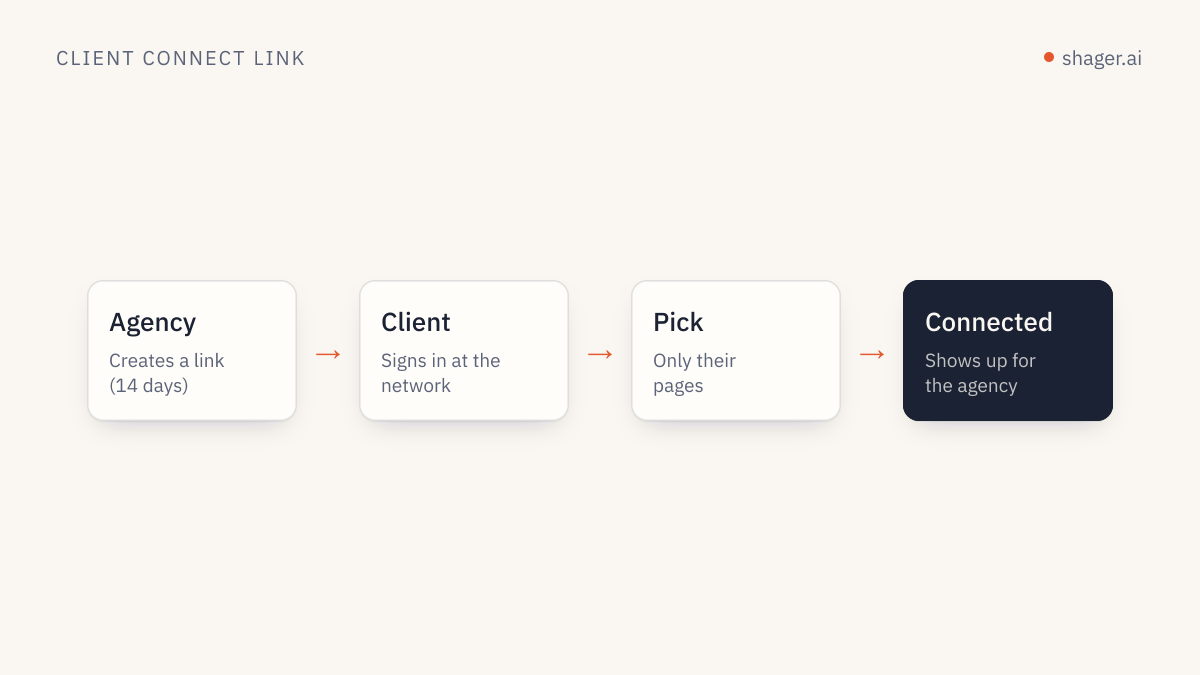
A client connect link is a link the agency sends to a client so the client can connect their own Facebook Page, Instagram professional account or YouTube channel to the agency's workspace. The client signs in directly with the network and grants access; they never share a password, and they do not need a Shager account. For agencies running AI agents, it also means an agent can prepare the onboarding while the client stays in control of their credentials.
Onboarding is where agency relationships often start badly. Week one is spent on calls about who is admin on which Page, a password sent over chat, and a two-factor code that went to someone's old phone. Connect links exist to make that week a single message.
Why are shared passwords a problem, even with trusted clients?
The security argument is old and well documented. The OAuth 2.0 specification, RFC 6749, opens by listing what goes wrong when third parties hold a user's password: they have to store it, they get broader access than they need, and the owner cannot revoke one third party's access without changing the password for everyone.
For an agency there are practical problems on top. Passwords leave with departing staff. Logins from new devices and locations can trigger network security checks that lock the client out. And when something goes wrong, nobody can tell who did what, because everyone used the same login.
Delegated authorization solves these. Google's documentation describes how its APIs use OAuth 2.0 and that access tokens are valid only for the operations and resources in their scope. The client approves specific access, and can withdraw it from their own account settings.
How does a connect link work, step by step?
From the client's side the flow is short:
- The client opens the link the agency sent.
- They choose the network: Facebook, Instagram or YouTube.
- They sign in on the network's own page, not on a form run by the agency.
- They pick which Pages, accounts or channels to connect and approve the permissions.
- The connected accounts appear in the agency's workspace for that client.
From the agency's side, there is nothing to type on the client's behalf. The accounts show up as channels, ready to be grouped and targeted.
How does an agent create connect links?
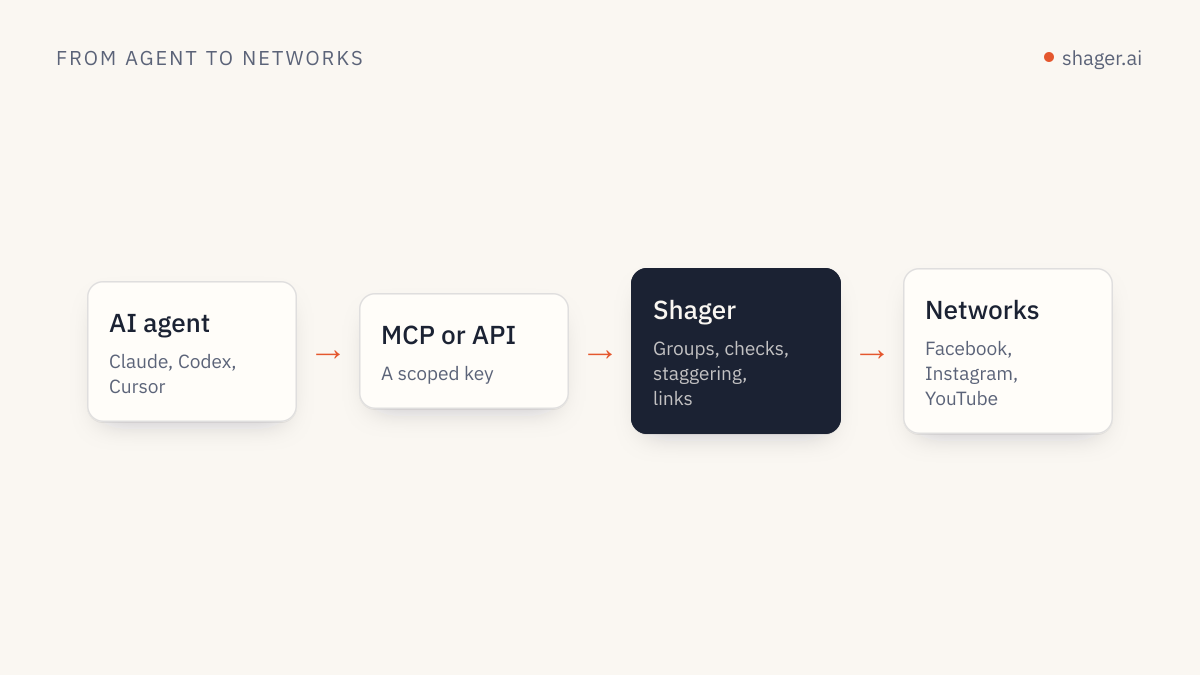
Shager exposes this as the create_connect_link tool on its MCP server and as a REST operation. An onboarding sequence an agent can run on day one:
whoami                  confirm the key belongs to the agency organization
create_workspace        "Copperline Coffee"
create_connect_link     for the new workspace, returns the link to send
                        (wait for the client to complete the flow)
list_channels           confirm which accounts were connected
create_group            "All cafes", "Instagram only", by region if useful
A prompt to the agent:
New client: Copperline Coffee, 14 cafes, Facebook Pages and Instagram.
Create a workspace, create a connect link, and draft a short email to
their marketing lead explaining what the link does in plain language.
Mention that they will sign in on Facebook and Instagram directly and
won't share any password with us. Do not send the email; give it to me.
Tomorrow, check which channels are connected and propose groups by city.
Note one constraint. A self-registered agent sandbox cannot create connect links until a human claims it. That is intentional: requesting access to someone else's accounts is a step that should trace back to an accountable person. Our article on agent self-signup and claim explains the claim step.
What should the message to the client say?
Clients are rightly wary of links asking for access to their social accounts. The note that accompanies the link does a lot of work. Keep it short and specific:
Hi Dana,

Here is the link to connect Copperline's Facebook and Instagram accounts
to our publishing workspace: <link>

You'll sign in on Facebook and Instagram directly, choose which cafe
accounts to connect, and approve publishing access. We never see your
password. You can remove our access at any time from your account settings.

It takes about five minutes. If a cafe account is missing from the list,
it usually means your login doesn't have full control of it; tell us and we'll help.
The last paragraph prevents the most common support ticket. A client can only connect accounts their own login has sufficient rights on, so multi-location brands where different managers own different Pages may need more than one person to open the link.
How does this fit with network-native partner access?
Networks have their own tools for agency access, such as sharing assets between business portfolios in Meta's business tools. Those are useful for advertising and team management, and many agencies use both. A connect link is narrower: it grants the publishing platform the access it needs to publish, schedule and read results for those accounts. For a client who just wants posts to go out under their brand, it is usually the simpler path.
What happens when access needs to change?
Three situations come up regularly.
When a client adds a location, send the same kind of link again and they connect the new account. The agent can then add it to the right groups.
When a client leaves, they remove access from their side, and the agency removes the channels from the workspace. There are no passwords to rotate.
When a token stops working, which can happen after a password change or a permissions change on the network side, the channel needs reconnecting. Google's OAuth documentation notes that applications must expect that a granted refresh token might no longer work. A weekly agent check with list_channels against the client's expected account list, plus a look at any failed posts with get_post, catches this early.
What does this have to do with agents?
Agent-run distribution depends on clean access. If the agency's connection to forty client Pages relies on a shared password, the agent inherits all the fragility of that arrangement. With client-granted connections, each channel is a clear permission that can be listed, grouped, audited and revoked. That is the foundation the rest of the agency operating model builds on.
FAQ
Does the client need a Shager account to use a connect link?
No. The client opens the link, signs in with the network and approves access. They do not create a Shager account or share a password.
Which networks do connect links support?
Facebook Pages, Instagram professional accounts and YouTube channels, which are the networks live in Shager today. TikTok and LinkedIn are in development.
Can an AI agent send connect links to clients by itself?
An agent with a claimed key can create the link. We recommend that a person sends it with a personal note, because a request for account access should come from someone the client knows.
To try it, create a workspace for your next client and generate a link from the dashboard, or have your agent do it through the MCP server described on the agent entry point.