One Agent, Twelve Clients: Keeping Brands, Accounts and Links From Bleeding Into Each Other
How an agency runs one AI agent across many clients in Shager: a workspace per client, per-client context folders, naming rules and guards against cross-posts.
7 min read
One agent can serve many clients safely if every client lives in its own Shager workspace, every task starts by resolving and naming the workspace, and the client's voice, facts and rules live in a separate context folder the agent loads per session. The danger is not that the agent is incapable. It is that a single key can see every workspace in the organization, so the separation has to come from structure and habit.
The failure mode everyone fears is posting client A's offer on client B's pages. That mistake is not unique to agents; human operators make it too. The fixes below catch it either way.
Why a workspace per client?
In Shager, a workspace is a client or a brand. Every connected account, account group, post and tracked link lives inside exactly one workspace. Nothing crosses workspace lines by accident: a create_post call names one workspace_id, and the channels and groups it targets come from that workspace's own lists.
Creating one is a single call. The fields are name, an IANA timezone (default Asia/Jerusalem) and approval_required, which forces client approval before anything in that workspace can be scheduled.
{
  "tool": "create_workspace",
  "arguments": {
    "name": "Aurora Furniture",
    "timezone": "Europe/London",
    "approval_required": true
  }
}
Setting approval_required per client is the right granularity. Some clients want to see every post. Others signed off on a content plan and do not want twenty approval emails a week. The agent does not need to remember which is which, because the workspace enforces it.
An agent in an unclaimed sandbox can create up to five workspaces, which is enough to set up a pilot with a few clients before a human claims the organization. The flow is in agent self-signup and claim.
Getting each client's accounts in without passwords
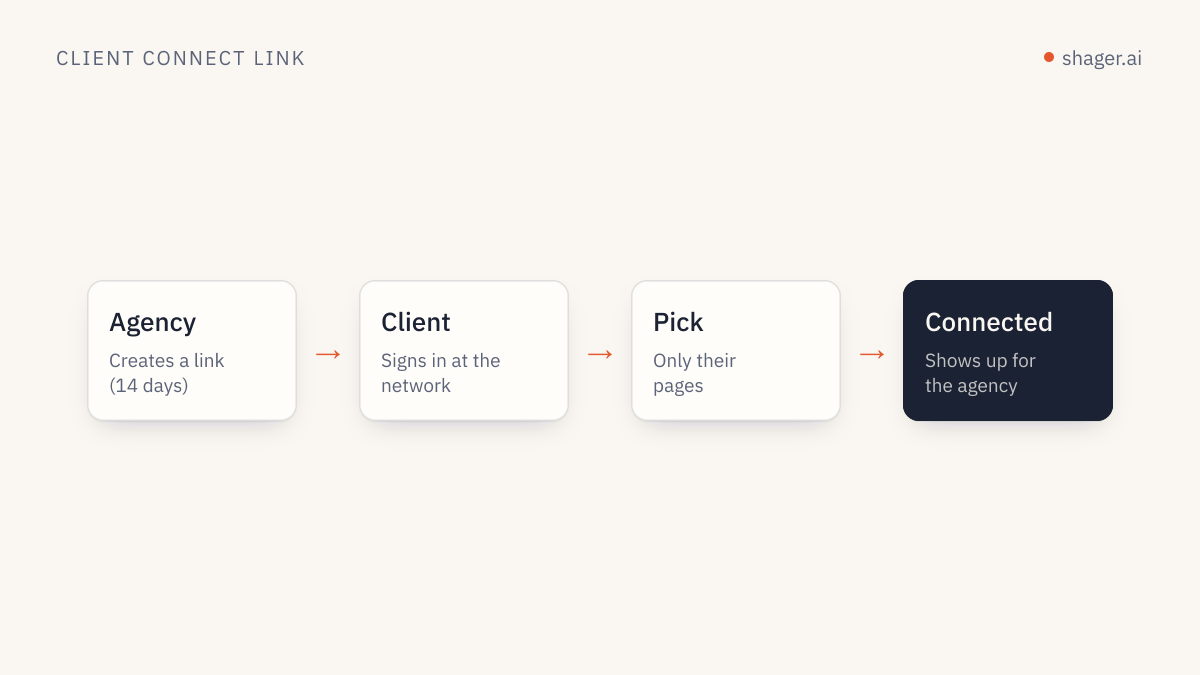
For each workspace, the agent calls create_connect_link with a label naming who it is for. The client opens the link, signs in to Facebook, Instagram or YouTube themselves, picks the accounts, and those accounts appear in list_channels for that workspace only. No Shager account for the client, no shared passwords.
curl -s https://app.shager.ai/api/v1/workspaces/ws_aurora/connect-links \
  -H "Authorization: Bearer $SHAGER_API_KEY" \
  -H "Content-Type: application/json" \
  -d '{"label":"Aurora marketing manager"}'
Connect links require a claimed organization. Client connect links covers what the client sees and what to send them with the link.
The context folder: where each client's brain lives
The workspace separates data. It does not separate knowledge. The agent's understanding of Aurora's tone, prices and forbidden phrases has to live somewhere, and if it lives in one long instruction file with twelve clients in it, it will leak.
My structure, for Claude Code or Codex:
agency/
  CLAUDE.md                 # agency-wide hard rules, no client facts
  clients/
    aurora/
      CLAUDE.md             # workspace name, voice, facts, do-not-say list
      brief-2026-w40.md
      crm/leads.csv
    beacon-dental/
      CLAUDE.md
      ...
Claude Code loads CLAUDE.md files hierarchically, and files in subdirectories are loaded when Claude works in those directories, as its memory documentation describes. Starting a session inside clients/aurora/ gives the agent the agency rules plus Aurora's file, and nothing about Beacon Dental. Codex has a similar hierarchy with AGENTS.md, concatenated from the project root down to the working directory.
The first line of each client file is the most important one:
Shager workspace: "Aurora Furniture". Act on this workspace only. If any tool
call would use a different workspace_id, stop and ask.
Guards that catch the cross-posting mistake
Structure reduces risk. These habits close the rest of the gap.
- Resolve and echo. Every task begins with
list_workspaces, resolves the client by name, and prints the name and ID before the first write. A human skimming the transcript sees "Aurora Furniture (ws_aurora)" and can stop it. - One client per session. Do not ask an agent to "do this week for Aurora and Beacon." Two sessions, two folders. The marginal cost is nothing and context stays clean.
- Labels with the client name. Every
create_postcarries alabelsuch as "Aurora w40 sofa sale". Inlist_postsand in the dashboard, a wrong label in the wrong workspace stands out immediately. - Campaign per client. The
campaignfield becomesutm_campaign. Prefix it with the client slug (aurora-sofa-sale), so a misplaced post also shows up as an odd row in the client's analytics. - A separate review pass. A reviewer session with read-only tools checks drafts against the client's do-not-say list before anything is approved. The prompt is in prompts for a content agent.
Should each client have its own API key?
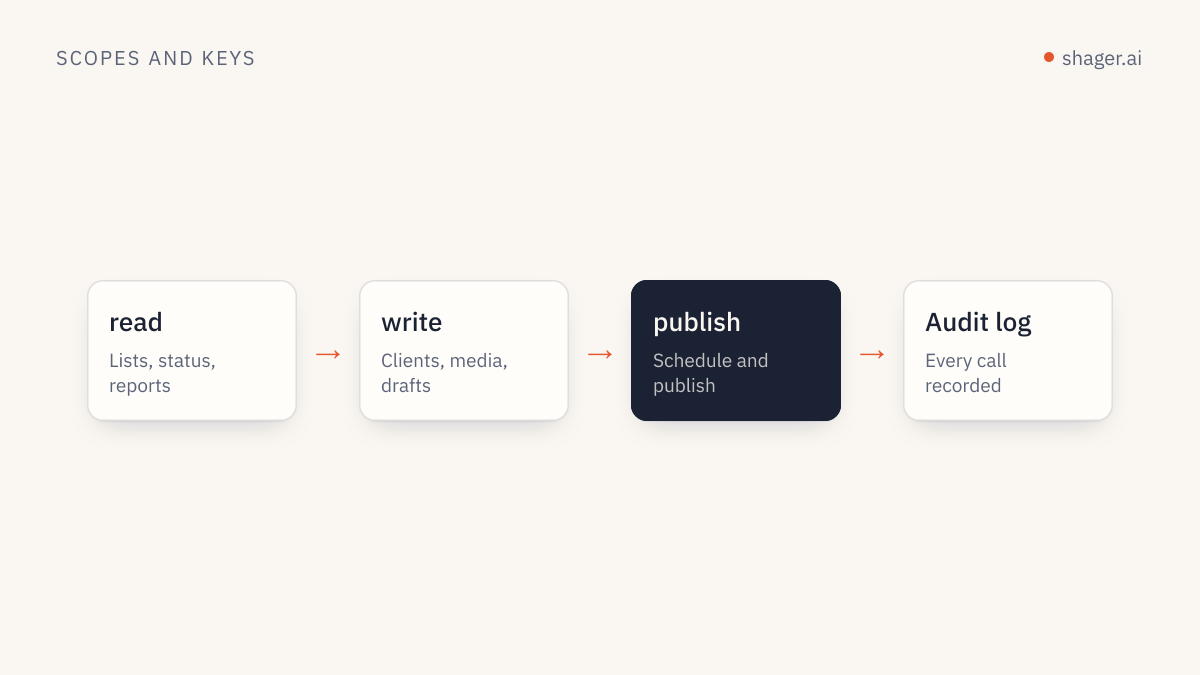
Keys in Shager belong to the organization and carry scopes: read, write and publish. A key does not limit which workspaces it can reach. So a key per client does not create a hard wall, but it still helps in two ways. Revoking one key does not stop work on the others, and the audit log of agent calls at the agents dashboard is easier to read when each client's sessions run on their own key.
What I would not do is give every client session a publish key by default. Most sessions draft. The scheduling step can run with a different key that a human controls. The scope model is explained in API keys, scopes and audit.
Groups inside a client
Within a workspace, account groups let the agent target a set of accounts in one field. A franchise client might have groups by region, by language or by store format. create_group takes a name and channel_ids; create_post accepts group_ids and adds every active channel in those groups. Groups belong to a workspace like everything else, so the agent should always list them inside the client's workspace rather than reuse IDs from memory.
Capacity and plans
Shager plans are priced by the number of connected accounts across the organization, with API, MCP access and unlimited users on every plan. For an agency running a dozen clients, the account count is the number to watch, not the number of agents or seats. The tiers are on the pricing page.
FAQ
Can two agents work on the same client at once?
Yes, technically. Both see the same workspace and both can create drafts. In practice, give each a clear lane: one drafts, the other reviews, or one handles video and the other text posts. Two agents both drafting the same week will produce duplicate content.
What if a client manages their own posts in Shager too?
They can be added as users in your organization, since every plan includes unlimited users. Make sure the agent calls list_posts before drafting, so it sees what the client has already scheduled and does not stack posts on the same day.
How do I offboard a client?
Stop the agent's work in that workspace, cancel any scheduled posts with cancel_post, and have the client disconnect their accounts. Archive the context folder outside the agent's working directory so it is not loaded by accident later.
Where to go next
Set up the folder structure first, even with two clients. It is much harder to separate twelve clients' knowledge after the fact than to start clean. The agent entry point has the connection details for every client you will need.