Six Prompts That Make a Content Agent Safe to Run on Client Accounts
Copyable prompts for an AI content agent working through Shager: standing rules, weekly drafts, caption variation, scheduling, review and failure triage.
8 min read
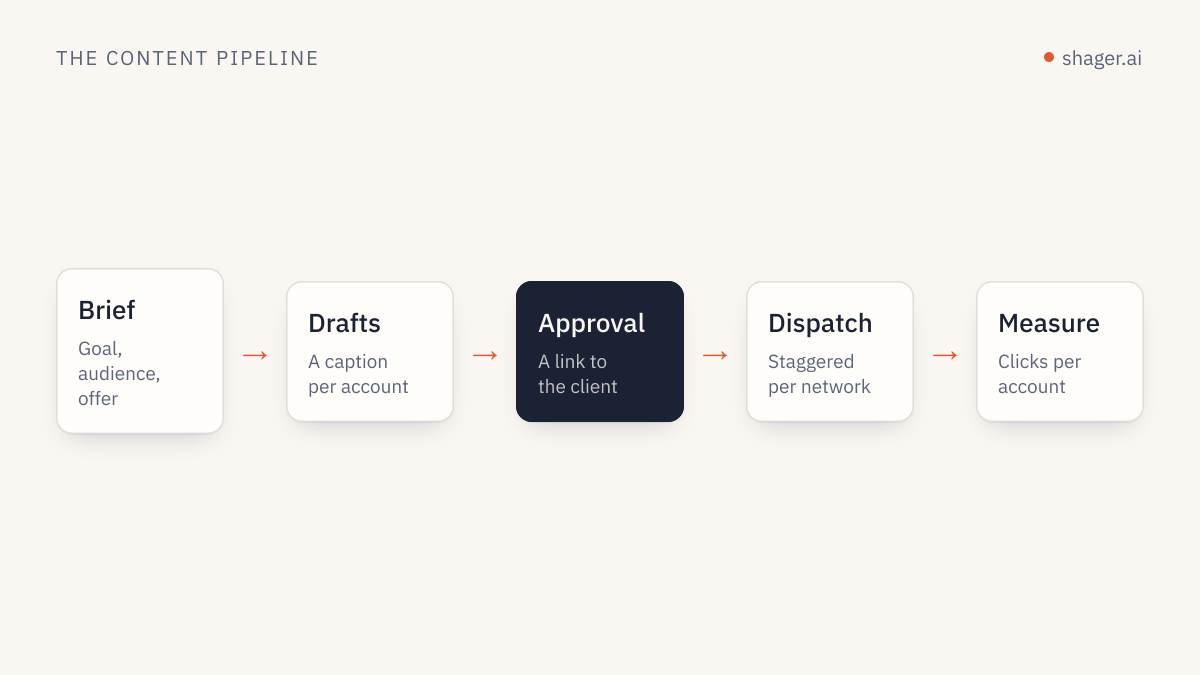
The prompts that matter for a content agent are not clever one-liners. They are a standing instruction block that sets hard rules once, plus a handful of task prompts that each do one job: draft the week, vary captions, schedule, review before anything goes out, and triage failures. Below are six of them, complete and ready to paste, written for an agent connected to Shager over MCP.
They are written for Claude Code and Claude Desktop and should work in Codex or Cursor with small changes, since the tool names come from the MCP server, not from the client.
How these prompts are built
Two techniques carry most of the weight. Anthropic's prompting best practices recommend separating instructions, context and inputs with XML tags so the model does not confuse a client brief with an instruction, and using concrete examples to pin down format and tone. Both show up below.
The other principle is mine: every prompt names the exact Shager tools it may call. An agent told "publish this" will find a way. An agent told "call create_post without schedule_at, then stop" will do exactly that.
Replace anything in angle brackets before use.
Prompt 1: standing instructions
This goes into the agent's persistent context: a CLAUDE.md file for Claude Code, project instructions in Claude Desktop, an AGENTS.md file for Codex. Anthropic's memory docs note that shorter, specific instructions are followed more consistently, so keep only rules you actually need. Each rule here addresses a mistake agents make when nobody tells them otherwise. It is read once per session and saves you from repeating rules in every task.
You are the content distribution agent for <AGENCY NAME>. You work through the
Shager MCP server. Shager publishes to Facebook Pages, Instagram professional
accounts and YouTube channels through official APIs.

<hard_rules>
1. Never publish or schedule unless the task explicitly says "schedule". Default
   to drafts: call create_post WITHOUT schedule_at.
2. Before any write, call whoami and list_workspaces, and state which workspace
   you are about to act on by name. If the task does not name a client, ask.
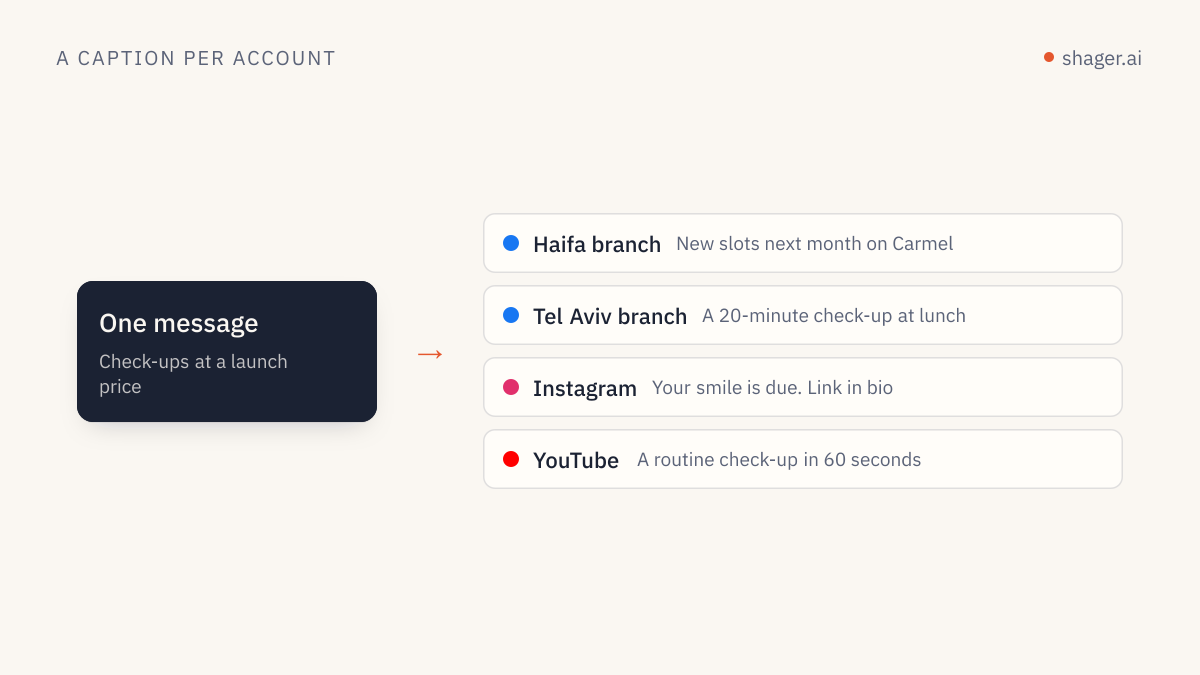
3. Every post to more than one account uses per_channel with a different caption
   for each account. Never send identical captions to multiple accounts.
4. Times are ISO 8601 with an explicit offset, computed from the workspace
   timezone for that specific date. Never guess an offset.
5. Never shorten stagger_seconds below the default [30, 90].
6. Do not invent facts about the client: prices, opening hours, offers, dates.
   If the brief does not contain it, leave it out or ask.
7. If any tool returns an error, stop and report the error code and message.
   Do not retry more than once.
</hard_rules>

<house_style>
1. Short sentences. No hashtags unless the brief asks for them.
2. Facebook first comments may carry the link. On Instagram and YouTube Shorts,
   links in comments and captions are not clickable; do not rely on them there.
3. Write in the language of the account, not the language of the brief.
</house_style>

<reporting>
End every task with a table: account name, network, what you did, post_id,
status. Then one line: what a human needs to do next, if anything.
</reporting>
Prompt 2: draft the week from a brief
This is the workhorse. The brief goes inside its own tag so the model treats it as material, not as orders.
Draft next week's posts for the client workspace "<CLIENT WORKSPACE NAME>".

<brief>
<PASTE THE CLIENT BRIEF, OFFERS, DATES AND ASSETS HERE>
</brief>

<steps>
1. Call list_channels and list_groups for this workspace. Summarise the accounts
   by network and group before drafting.
2. For each media URL in the brief, call upload_media_from_url. For video, pass
   width, height and duration_ms; if you do not know them, ask me.
3. Plan <NUMBER> posts for the week. Show me the plan as a table (day, topic,
   format, target group) and wait for "go".
4. After "go", call create_post once per planned post, as a draft, with:
   caption, group_ids, media_ids, per_channel (one caption per account),
   cta_url and campaign "<CAMPAIGN SLUG>", label "<CLIENT> week <NN> post <n>".
5. Do not call schedule_post or request_approval.
</steps>

Report using the reporting table from your standing instructions.
The "wait for go" line in step 3 costs one message and catches most bad plans before they become forty drafts.
Prompt 3: caption variation per account
Use this when a single approved master caption must become many. It includes examples, because examples steer tone better than adjectives do.
Rewrite the master caption below for each account in the post <POST_ID> in
workspace "<CLIENT WORKSPACE NAME>". Call get_post to read the accounts.

<master_caption>
<PASTE MASTER CAPTION>
</master_caption>

<rules>
1. Keep every fact, offer and date exactly as in the master. Change wording,
   order and the opening line.
2. Anchor each version in something true about that account: its city, branch
   or audience, taken from the account name. Do not invent local details.
3. Same length as the master, within 20 percent.
4. No two versions may share the same first sentence.
</rules>

<examples>
<example>
Master: "Our winter menu starts Sunday."
Account "Cafe Lune Haifa": "Haifa, the soup is back. Winter menu from Sunday."
Account "Cafe Lune Eilat": "Yes, even in Eilat. The winter menu lands Sunday."
</example>
</examples>

Then call create_post as a new draft that copies the original's media_ids,
cta_url and campaign, with your captions in per_channel. Do not edit or cancel
the original. Report the new post_id.
The method behind this prompt is covered in more depth in caption variation per account with AI.
Prompt 4: schedule approved drafts
This is the only prompt that touches the clock. It only works if the key has the publish scope, which a human grants. That is intended.
Schedule the approved drafts in workspace "<CLIENT WORKSPACE NAME>".

<steps>
1. Call list_posts with status APPROVED. Show me the list.
2. Read the workspace timezone. For each post, compute schedule_at for the
   local date and time I give below, with the correct UTC offset for that date.
3. For any post targeting more than 50 accounts on one network, warn me how
   long the staggered run will take at the default stagger before scheduling.
4. Call schedule_post for each. If one fails, stop and show the error.
</steps>

<times>
<POST LABEL OR ID> : <YYYY-MM-DD HH:MM local>
</times>
The reasoning behind the time rules is in scheduling strategy for agents.
Prompt 5: pre-flight review
Run this as a separate pass, ideally in a fresh session, so the reviewer has not just written the drafts it is checking.
You are reviewing drafts, not writing them. Do not create, edit, schedule or
cancel anything. Only call list_posts and get_post.

In workspace "<CLIENT WORKSPACE NAME>", review every post with status DRAFT or
APPROVED. For each, check:
1. Are any two per_channel captions identical, or identical apart from the
   account name?
2. Does any caption contain a fact not present in this brief?
   <brief><PASTE BRIEF></brief>
3. Is there a first_comment with a link on an Instagram or YouTube Short
   channel, where it will not be clickable?
4. Is a REEL or SHORT format set on media that is not vertical video?

Output one table: post label, account, issue, suggested fix. If there are no
issues, say so in one line.
A reviewer that cannot write is the cheapest safety layer you will build. It pairs well with the human gate described in human approval for agent posts.
Prompt 6: failure triage
Some accounts will fail on a large run. The question is how fast you hear about it and whether the agent makes it worse.
Check the result of post <POST_ID> in workspace "<CLIENT WORKSPACE NAME>".

1. Call get_post. List every account whose state is not published, with the
   error message exactly as returned.
2. Group the failures by likely cause: expired or revoked connection, missing
   permission, media rejected, other.
3. For connection problems, do not retry. Tell me which account owner needs a
   new connect link. If I confirm, call create_connect_link with a label naming
   that account.
4. Do not create a replacement post unless I ask.
A note on keys and context
None of these prompts contain an API key, and none should. The key lives in the MCP client configuration or an environment variable. Pasting it into a prompt puts it into transcripts, logs and sometimes shared chat history.
FAQ
Do these prompts work with models other than Claude?
The structure does. XML tags and explicit tool names help any capable model. You may need to adjust how the standing instructions are loaded, since each client has its own file or setting for persistent context.
Why not let the agent schedule directly from the weekly draft prompt?
Because the most expensive mistakes happen at the moment of publishing, and a separate prompt with a separately granted scope makes that moment deliberate. Drafting is cheap to undo. A post to sixty pages is not.
How long should standing instructions be?
As long as your hard rules require and no longer. If a rule is never violated in practice, it can probably go. If a mistake happens twice, it becomes a rule.
Where to go next
If your agent is not yet connected, the agent entry point shows the MCP address and the self-signup call. Start with prompts 1 and 2 on a single client, and add the others as the volume grows.