Measuring Leads From Agent-Published Content, Account by Account
How to tell whether agent-published posts produce leads: per-account short links and UTMs, campaign labels, get_analytics, CRM hidden fields and a weekly read.
8 min read
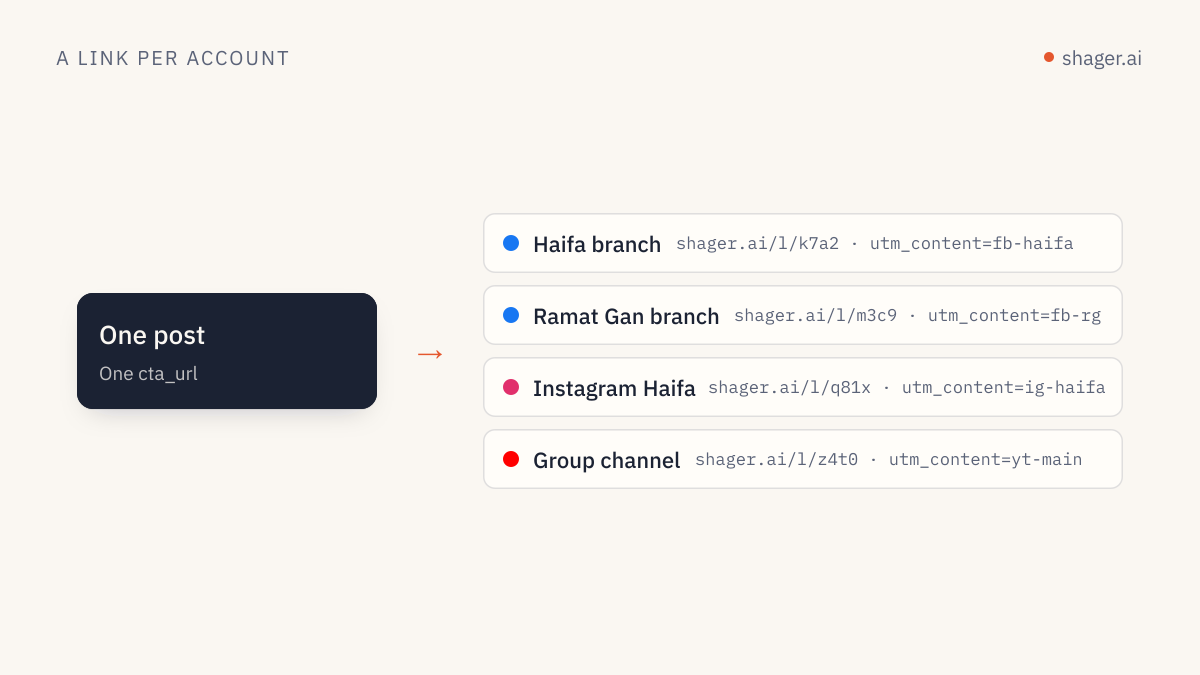
To measure leads from agent-published content, every post needs a tracked link per account before it goes out, every post needs a campaign label the agent sets consistently, and the source must be carried into the lead record in the CRM. Clicks per account and per post come from the distribution platform; leads per account come from the CRM. An agent can assemble both into a weekly read, but only if the tagging was done at publishing time.
Agents change the measurement problem in one specific way. They make it easy to publish a lot, which means it is also easy to publish a lot of things nobody can evaluate. If the measurement design is not in place before the first agent run, you end up with more posts and less clarity than before.
Why do agent workflows need stricter tagging than manual ones?
In a manual workflow, a person often remembers why a post exists. "That was the clinic open day thing." An agent run that produces sixty variants across forty accounts leaves no such memory. Unless the post itself carries its purpose in structured fields, nobody will be able to group the results later.
There are three things to tag, and each has a home:
| What you need to know later | Where it lives | Set by |
|---|---|---|
| Which account sent the click | Per-account short link with utm_content |
Platform, automatically |
| Which campaign or theme the post served | campaign field on the post |
Agent, from the brief |
| Which batch or experiment it was part of | label field on the post |
Agent, from the run instructions |
Shager generates a short link and UTM tag per account, with utm_content identifying the account, so the first row needs no work from the agent. The other two do, and they need to be written into the skill as rules, not left to the model's judgment.
How should campaign and label values be named?
Treat these values like database keys. Lowercase, hyphenated, stable, and drawn from a list the agent is given. Google's guide to collecting campaign data with custom URLs notes that UTM values are case sensitive, which is exactly the kind of detail an agent will get wrong if it improvises.
A naming rule in the agent's skill:
campaign: use the campaign key from the brief verbatim, e.g. "autumn-open-day-2026".
          Never invent a campaign key. If the brief has none, stop and ask.
label:    "w<ISO week>-<variant>", e.g. "w38-a", "w38-b" when testing two hooks.
cta_url:  the landing page from the brief, without UTM parameters.
          The platform adds per-account tracking.
The last line matters. If the agent adds its own UTM parameters on top of the platform's, you get duplicated or conflicting tags and broken reports.
Where do the leads come from, not just the clicks?
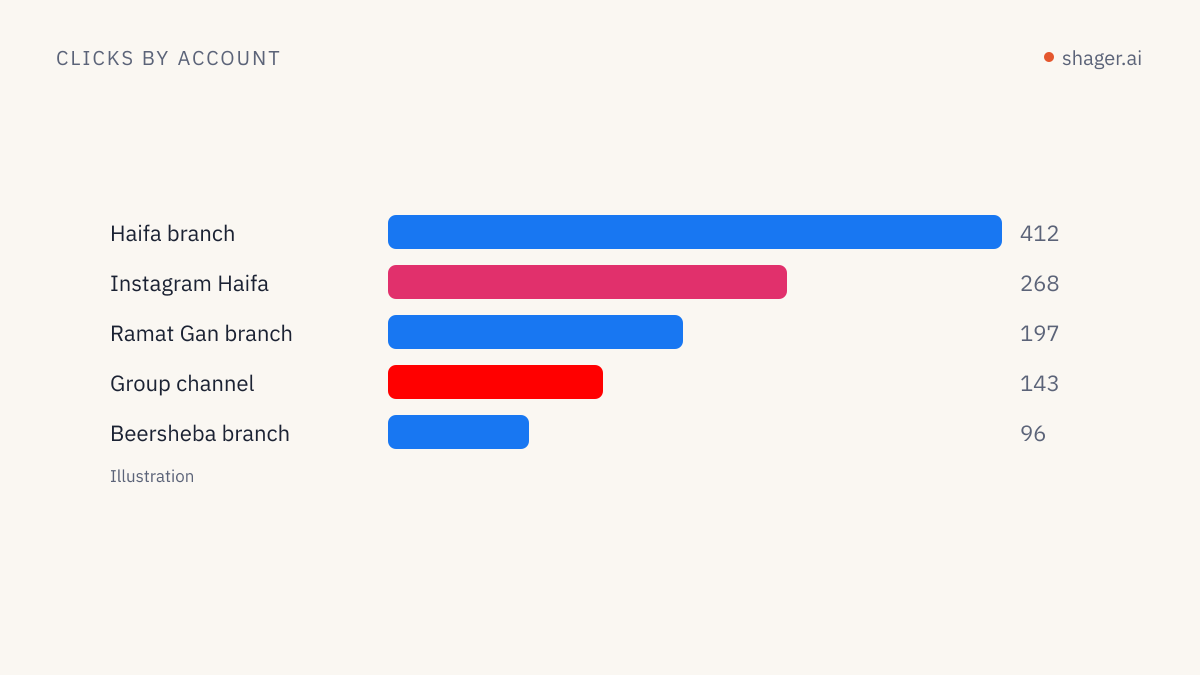
Clicks are the platform's half. A click is counted on the short link server before the redirect, so it does not depend on the visitor accepting cookies. But a click is not a lead.
To turn clicks into leads per account, the landing page has to capture the UTM values into the form and pass them to the CRM. Our article on per-account lead attribution covers hidden fields, persistence across pages and CRM mapping in detail. In short:
- Add hidden fields for
utm_source,utm_campaignandutm_contentto every lead form. - Populate them from the URL on landing, and keep them if the visitor browses before converting.
- Map them to dedicated CRM properties.
- Send a test lead from one account in each group and confirm the account identifier arrives.
Once that is done, the CRM can count leads by utm_content, which is the account, and by utm_campaign.
Does the first comment change measurement?
It adds a second click path. Shager can post a first comment carrying the lead link, and that link uses the same per-account tracking. The practical consequence is that you can compare posts where the link sat in the comment against posts where it sat in the caption, on the same account, as long as the agent labels them. Treat placement as something to test rather than a rule. Our piece on first-comment lead links with agents goes through the setup.
What does the weekly read look like?
This is where an agent earns its keep twice. It published the posts, and now it can read the results without anyone exporting spreadsheets.
A Friday instruction:
Workspace "Summit Physio". Date range: last 7 days.
1. Get clicks per account and per post.
2. Group by campaign. For each campaign, list the top 5 and bottom 5 accounts by clicks.
3. Flag any account with zero clicks across all posts this week.
4. Compare label w38-a against w38-b where both ran on the same account.
5. I will paste the CRM export of leads by utm_content. Join it to the click data
   and show leads per 100 clicks per account.
Write the summary in plain English, under 300 words, then the tables.
The tool calls:
list_workspaces      select "Summit Physio"
get_analytics        date range last 7 days: clicks per account, per post
list_posts           to map post ids to campaign and label
Step 5 deliberately has a human pasting CRM data. Many agencies do not want an agent with direct write access to a client's CRM, and the join is easy once both tables exist. If you want the whole report automated and formatted for the client, see the weekly client report built by an agent.
How should you read the numbers?
A few habits keep the read honest.
Compare accounts against themselves over time before comparing them against each other. A small-town Page and a city-center Page have different audiences, and ranking them side by side mostly measures population.
Watch the ratio, not only the volume. An account with modest clicks and a high share of leads is telling you something about audience fit that a high-click, low-lead account is not.
Keep experiments small and labeled. If the agent tests two hooks, it should be on the same accounts in the same week, with the label telling them apart. Otherwise you are comparing weeks, not hooks.
Do not over-read a single week. Look for patterns over a month before moving budget or effort.
FAQ
Can the agent see leads, or only clicks?
Through Shager, the agent sees clicks per account and per post via get_analytics. Leads live in the client's CRM. You can give the agent a CRM export to join, or connect a separate CRM tool, depending on what the client permits.
Why are click counts and analytics sessions different?
Short-link clicks are counted on the server before the redirect. Analytics sessions depend on the page loading its tracking script and, often, on cookie consent. Some visitors click and never register as a session. Expect the click count to be the higher of the two.
Should the agent pick which accounts get more posts based on results?
It can propose, and a human should decide. Shifting effort between accounts is a strategy call that also involves the client relationship. Let the agent prepare the case with numbers.
If your current posts carry no campaign or label values, fix that before anything else. Add the naming rules to your agent's skill, run one week, and the Friday read will already be more useful than last month's report. The OpenAPI description lists the analytics fields if you want to build the report from code.