Shager 用の Claude スキルを作る:SKILL.md、フォルダー構成、複数アカウントへの投稿を再現可能にするルール
Shager での配信を Claude の Agent Skill にまとめる方法。うまく起動するフロントマター、参照ファイル、REST ヘルパー、スキルの置き場所。
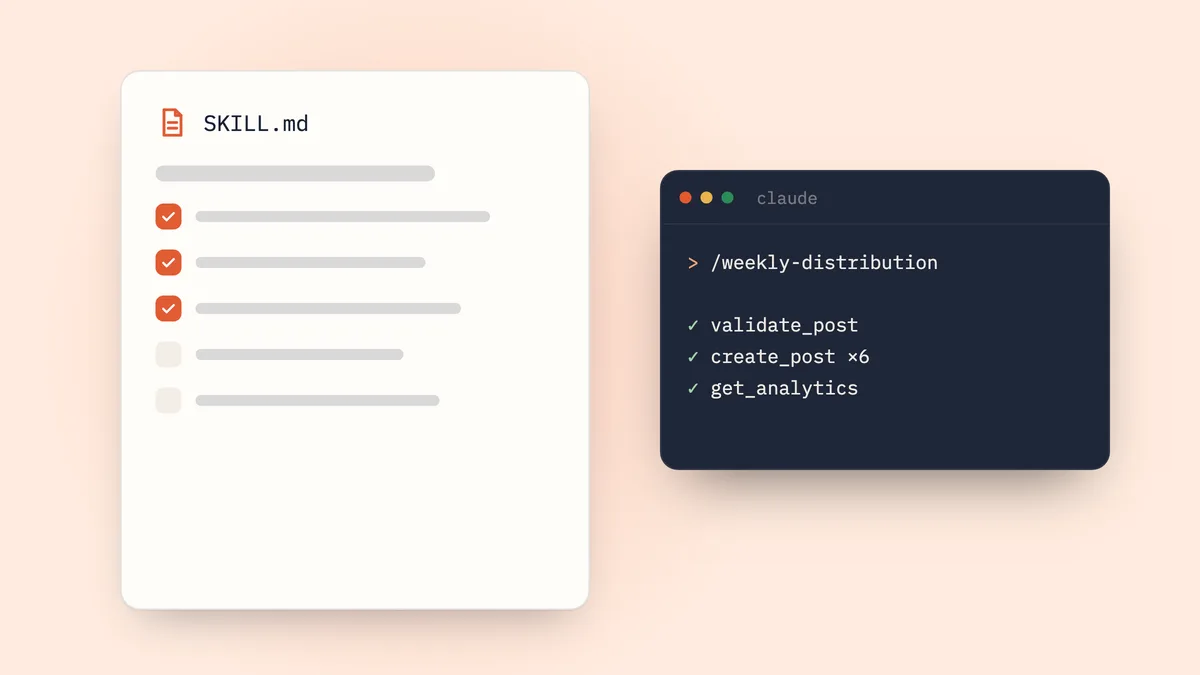
Shager 用の Claude スキルとは、SKILL.md ファイルを含むフォルダーのことです。このファイルは name と description を持つ YAML フロントマターで始まり、そのあとに Shager のツールを使った配信の進め方を Claude に伝える指示が続きます。どの呼び出しを、どの順番で行うか、そして決して曲げてはいけないルールは何か。自分用なら ~/.claude/skills/shager-distribution/ に、チーム用ならリポジトリの .claude/skills/shager-distribution/ に置きます。そうすれば Claude Code は、リクエストが合致したとき、または /shager-distribution と入力したときにこのスキルを読み込みます。
Shager との接続は簡単な部分です。スキルに書き込むべきなのは判断のほうです。キャプションのバリエーション、計測リンク、原則として下書きで作ること、そして API に断られたときにどうするか。
長いプロンプトではなく、スキルを書くのはなぜか
火曜日に磨き上げたプロンプトは木曜日には消えていて、それを見ていなかったチームメイトがもっと出来の悪いものを書くからです。Anthropic の Agent Skills の概要では、スキルを必要なときに読み込まれるファイルシステム上のリソースとして説明しています。スキルが起動するまで、コンテキストに入っているのは名前と説明だけです。起動すると SKILL.md が読まれ、そこから参照される追加のファイルは必要になったときだけ読まれます。そのため、毎回の会話でコストを払わずに、詳しい指示を用意しておけます。
Shager の場合、手順は安定していて、コンテンツは毎週変わります。まさによいスキルに向いた性質です。
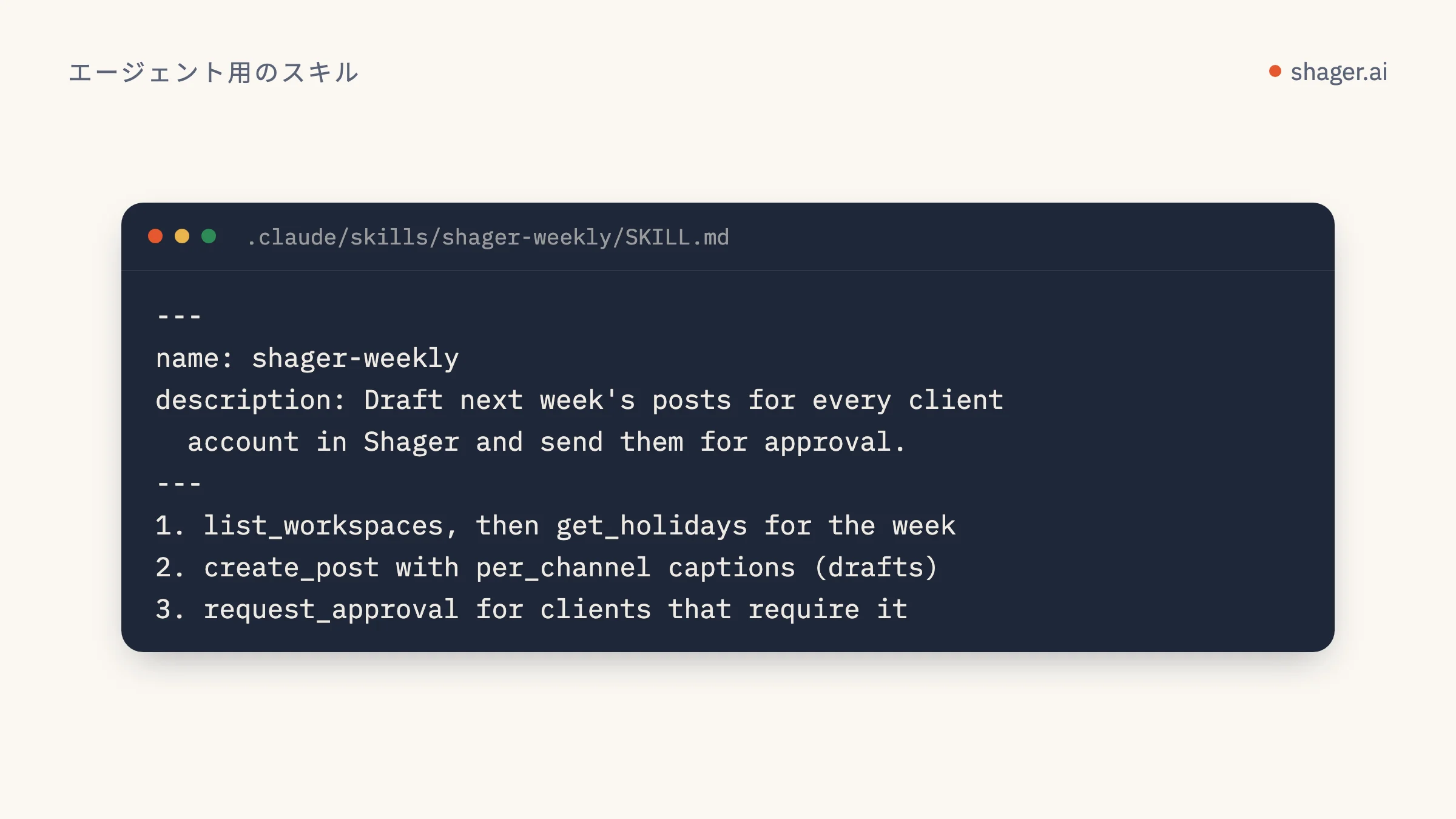
SKILL.md のフロントマターのルールは
同じ概要ページによると、name と description は必須です。name は64文字以内で、使えるのは小文字の英字、数字、ハイフンだけです。予約語の「anthropic」と「claude」は含められません。description は空にできず、1,024文字以内で、スキルが何をするのかと、どんなときに使うのかの両方を書く必要があります。Claude がリクエストと照らし合わせるのは、この説明だからです。
Claude Code では、Claude Code でスキルを使うに記載された任意のフィールドを追加できます。スキルが有効な間、Claude が確認なしで使えるツールを指定する allowed-tools、手動でのみ起動できるようにする disable-model-invocation、オートコンプリート用の argument-hint などです。ディレクトリ名、または name が設定されていればその値が、スラッシュコマンドになります。
フォルダー構成はどうすべきか
shager-distribution/
  SKILL.md
  reference/
    tools.md
    errors.md
  scripts/
    shager.py
SKILL.md には手順を書きます。reference/tools.md には create_post と upload_media_from_url のフィールド単位の詳細を書き、Claude が必要とするときだけ読ませます。scripts/shager.py は、MCP サーバーがない環境向けの任意の REST フォールバックです。Claude Code のドキュメントでは、SKILL.md を500行未満に抑え、詳細は別ファイルに移すことを推奨しています。まさにこの分け方です。
Shager も、継続的に更新しているスキルファイルを https://shager.ai/skills/shager/SKILL.md で公開しています。自分で書く前に読んでおくとよい出発点です。以下のバージョンは、そこにエージェンシー向けのルールを加えたものです。
SKILL.md の中身
---
name: shager-distribution
description: Distribute a post or video to many social accounts through Shager (Facebook Pages, Instagram professional accounts, YouTube channels). Use when the user asks to post, schedule, draft or distribute content to client accounts, account groups or "all locations", or asks which account drove clicks.
argument-hint: "[workspace] [brief or media URL]"
allowed-tools: mcp__shager__whoami mcp__shager__list_workspaces mcp__shager__list_channels mcp__shager__list_groups mcp__shager__get_post mcp__shager__list_posts mcp__shager__get_analytics
---

# Shager distribution

## Before anything
1. Call whoami. Note the scopes and whether this is a sandbox.
2. Resolve the workspace by name with list_workspaces. If two match, ask.
3. Call list_channels and list_groups. Only target channels with status ACTIVE.

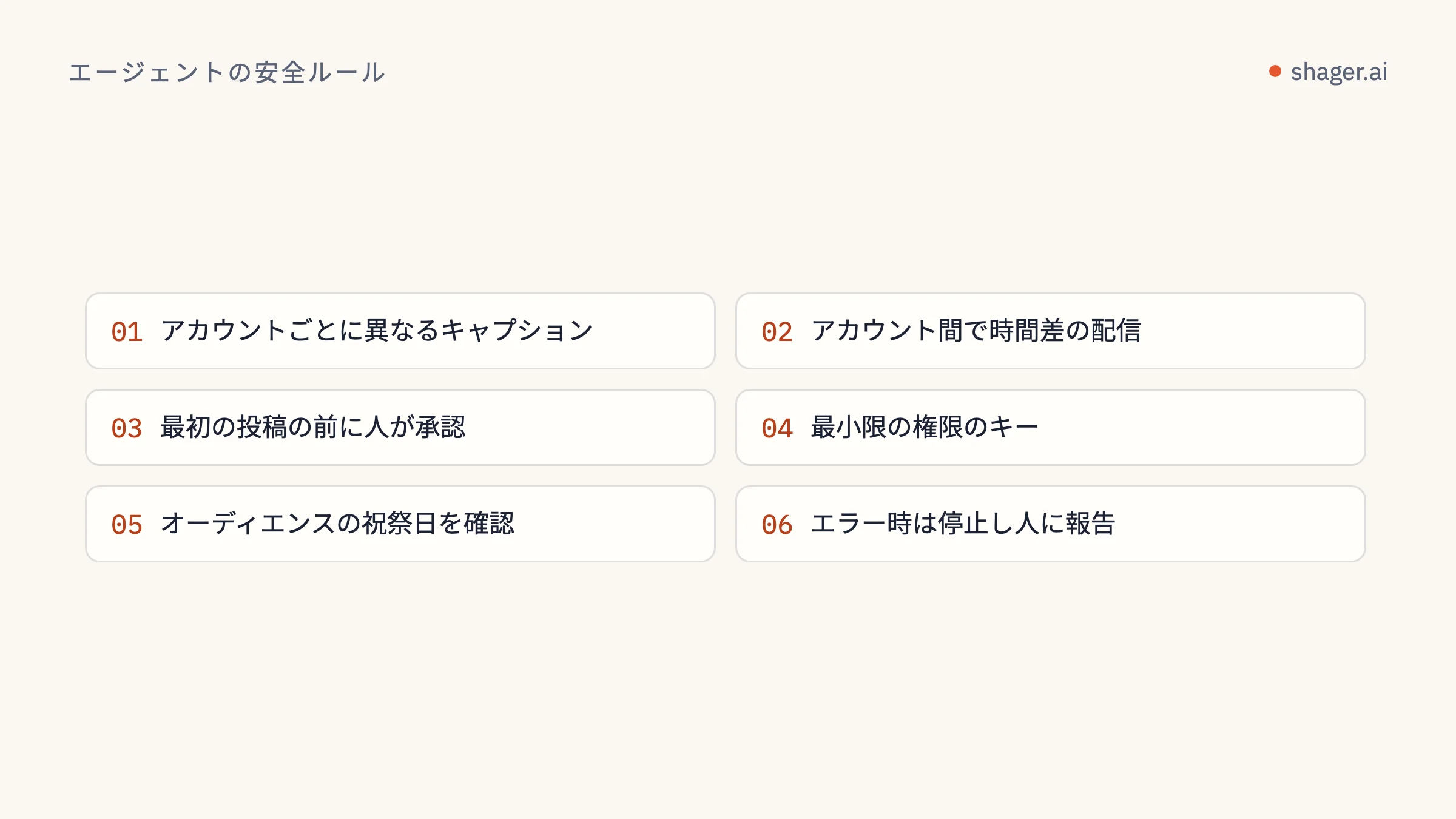
## Building the post
1. Media: call upload_media_from_url. For vertical video pass width,
   height and duration_ms so Shager can validate Reels, Shorts and Stories.
2. Captions: write one caption per channel in per_channel. Keep facts,
   prices and dates identical; vary the opening line, structure and the
   local detail (city, branch, presenter) taken from the channel name.
3. Links: never paste a raw URL into captions. Pass it as cta_url so each
   account gets its own short link and UTM tags. Put the call to action
   in first_comment for Facebook and YouTube. Instagram does not make
   comment links clickable, so for Instagram channels mention "link in bio".
4. Set campaign to a lowercase slug, e.g. "spring-open-day-2026".
5. Set label to something a human will recognize in the calendar.

## Drafts by default
Create the post WITHOUT schedule_at unless the user gave an explicit date
and time in this conversation. Show a table of channel, network, format and
the first line of each caption, and wait for confirmation.

## Scheduling
Only when confirmed: call schedule_post with schedule_at in ISO 8601 with
the workspace's UTC offset. If the workspace requires approval, call
request_approval instead and return the approval_url to the user.

## When Shager says no
Read error.code, do not retry blindly. See reference/errors.md.

## Reporting
For "how did it do", call get_analytics for the date range and present
clicks by account, highest first, plus the top posts.

Field details for create_post: reference/tools.md
この中には、理由を説明しておく価値のある判断がいくつかあります。
allowed-tools のリストには、読み取りのオペレーションだけを入れています。create_post、schedule_post、request_approval、cancel_post は Claude Code で引き続き許可を求めるので、書き込みのたびに人が確認できます。MCP のツール名は mcp__<server>__<tool> の形式です。これは、Shager を Claude Code に接続するのとおり、サーバーを shager という名前で登録していることを前提にしています。
Instagram についての1行は、このネットワークの実際の挙動を反映しています。Instagram では、キャプションやコメント内のリンクはクリックできません。計測リンク付きの最初のコメントが役に立つのは、Facebook ページと YouTube です。
「原則として下書き」は、二重に担保しています。1つは指示の中で、もう1つはスキルの実行環境に publish スコープのないキーを渡すことで。指示は導くもの、スコープは強制するものです。
reference/errors.md
# Shager error codes

401 unauthorized: key missing or malformed. Stop and tell the user.
403 forbidden: key lacks a scope. If scheduling, say a human must schedule
    or grant publish at app.shager.ai/dashboard/agents.
403 sandbox_unclaimed: show the claim link from signup; nothing else to do.
404 not_found: re-list channels or posts; ids are per workspace.
409 not_scheduled: the post is not scheduled; get_post and report status.
422 rejected: a network rule failed. Quote the message, fix the input
    (length, format, media), and try once more.
429 rate_limited: wait 60 seconds, then continue. Never loop per account.
scripts/shager.py:REST のフォールバック
MCP が設定されていない場合でも、スキルは OpenAPI ドキュメントに記載された REST API を通じて動けます。小さなヘルパーを用意しておけば、Claude が毎回 HTTP のコードを即興で書かずに済みます。
#!/usr/bin/env python3
"""Usage: shager.py METHOD PATH [JSON_BODY]
Example: shager.py GET /workspaces
         shager.py POST /workspaces/WS_ID/posts '{"caption": "..."}'"""
import json, os, sys, requests

API = "https://app.shager.ai/api/v1"

def main():
    method, path = sys.argv[1].upper(), sys.argv[2]
    body = json.loads(sys.argv[3]) if len(sys.argv) > 3 else None
    r = requests.request(
        method, f"{API}{path}",
        headers={"Authorization": f"Bearer {os.environ['SHAGER_API_KEY']}"},
        json=body, timeout=90,
    )
    payload = r.json()
    if not r.ok:
        e = payload["error"]
        print(json.dumps({"status": r.status_code, "code": e["code"], "message": e["message"]}))
        sys.exit(1)
    print(json.dumps(payload["data"], indent=2))

if __name__ == "__main__":
    main()
SKILL.md に「If the shager MCP tools are unavailable, run scripts/shager.py with the same operation paths」のような1行を加え、パスの一覧を reference/tools.md に書いておきます。概要ページにもあるとおり、Claude が同梱のスクリプトを実行したとき、コンテキストに入るのはコードではなく出力だけです。
スキルはどこに置くべきか
| 環境 | 置き場所 | Shager にアクセスできるか |
|---|---|---|
| Claude Code(個人) | ~/.claude/skills/shager-distribution/ |
できます。MCP またはスクリプト経由です。ここに置いたスキルは、マシン上のほかのプログラムと同じネットワークアクセスを持ちます |
| Claude Code(チーム) | リポジトリにコミットした .claude/skills/shager-distribution/ |
できます。上と同じです |
| claude.ai | 設定の「機能」から zip でアップロード | ネットワークアクセスはユーザーと管理者の設定によって異なります |
| Claude API | Skills API でアップロード | できません。API 上のスキルはネットワークアクセスなしで動きます |
最後の行は概要ページの実行環境の制約に書かれていることで、意外に思う人が多い点です。API では、ネットワーク側の処理には Shager の MCP サーバーか自前のツール呼び出しを使い、スキルには指示だけを書きましょう。また、カスタムスキルは環境間で同期されない点にも注意してください。claude.ai にアップロードしたスキルは、Claude Code には入っていません。
テストのしかた
- スキル名を出さずに、起動すべき依頼をしてみます。「Harbor Fitness の全店舗向けに、今週のオープンデーの投稿を下書きして」。Claude がスキルを読み込むか確認します。
- 起動すべきでない質問をしてみます。「リールのキャプションはどのくらいの長さがいい?」。スキルは出てこないはずです。
/shager-distribution Harbor Fitness https://example.com/clip.mp4を実行し、下書きの一覧表のところで止まるか確認します。publishのないキーを使って予約を頼みます。ループせずに 403 の理由を説明するはずです。
よくある質問
スキル名に「claude」を含めてもよいですか?
いいえ。Anthropic のスキルのルールでは、name フィールドで「anthropic」と「claude」という語が予約されています。shager-distribution のような名前にしましょう。ドキュメントのタイトルで Claude のスキルだと書くのは問題ありません。
スキルに API キーを保存すべきですか?
いいえ。キーは MCP クライアントの設定か、SHAGER_API_KEY のような環境変数に置いてください。スキルは共有できるフォルダーで、git に入ることも多くあります。中にキーがあれば、いずれ漏れます。
同じスキルを Cursor や Codex でも使えますか?
SKILL.md は Anthropic の形式ですが、中の指示はただのテキストです。本文を Cursor のルールや Codex のプロンプトファイルに貼り付けて使うチームはよくあります。ツール名は Shager の MCP サーバーから来ているので、どのクライアントでも同じです。
次のステップ
頼まれたら下書きを作るスキルは、土台にすぎません。次の記事では、これを週次配信ルーティンに発展させます。1週間の計画を立て、全クライアントの投稿を下書きし、承認を回し、クリックを報告する。人が確認すべきポイントも、適切な場所に配置します。