AI Agent Social Media Posting: How to Stop Double Posts, Wrong Posts and Runaway Agents
Letting an AI agent post to social media is safe once retries can’t double-post. Idempotency keys, a dry run, drafts, scopes and a human OK, step by step.
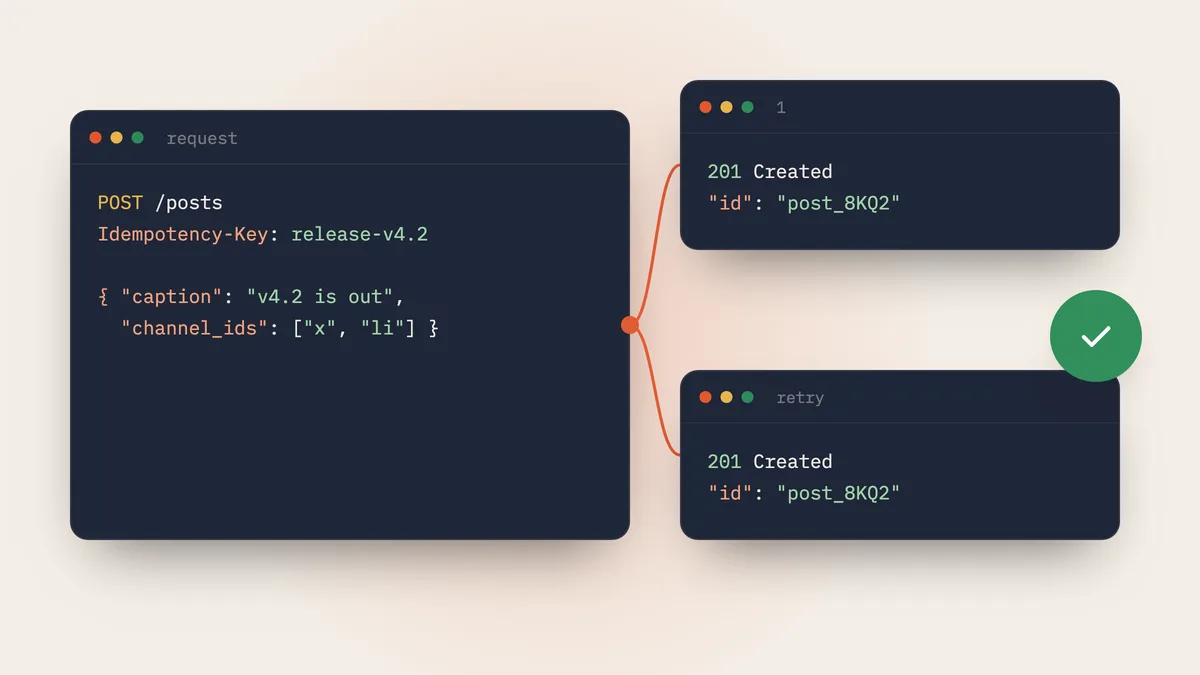
An AI agent double-posts for one boring reason: it sent "create this post", the answer never came back, and it tried again. The fix is just as boring. Give every create call an idempotency key, so a retry returns the first result instead of making a second post. Add a dry run before anything is saved, drafts by default, and a human OK for the big sends, and AI agent social media posting stops being a gamble.
Here’s the morning that sends people looking for this. You set up an agent in Claude Code to announce each release on X, LinkedIn and Bluesky. At 6 a.m. v4.2 ships, the agent calls the posting API, and the request times out after 30 seconds. The agent, doing exactly what it was told ("if a call fails, retry"), sends it again. The first request had actually worked. Your followers now see the same announcement twice, worded slightly differently, because the agent "improved" it between attempts.
Why do AI agents post twice?
Almost every double post comes from one of three things:
- A retry after a timeout. The network or the API was slow, the agent got no answer, and it can’t tell "failed" from "worked but didn’t say so". Retrying is the right instinct. Retrying without a key is the bug.
- A task that runs again. A scheduled job fires twice, a workflow re-runs after an error further down, or you restart a session and the agent re-reads a to-do list that still says "post the launch".
- Two agents on the same job. A coding agent and a chat assistant both have access, and each thinks the post is its job.
The first one is the most common, and it’s the one you can solve completely in code. The other two need limits that sit outside the agent, because an agent that is wrong is usually wrong confidently.
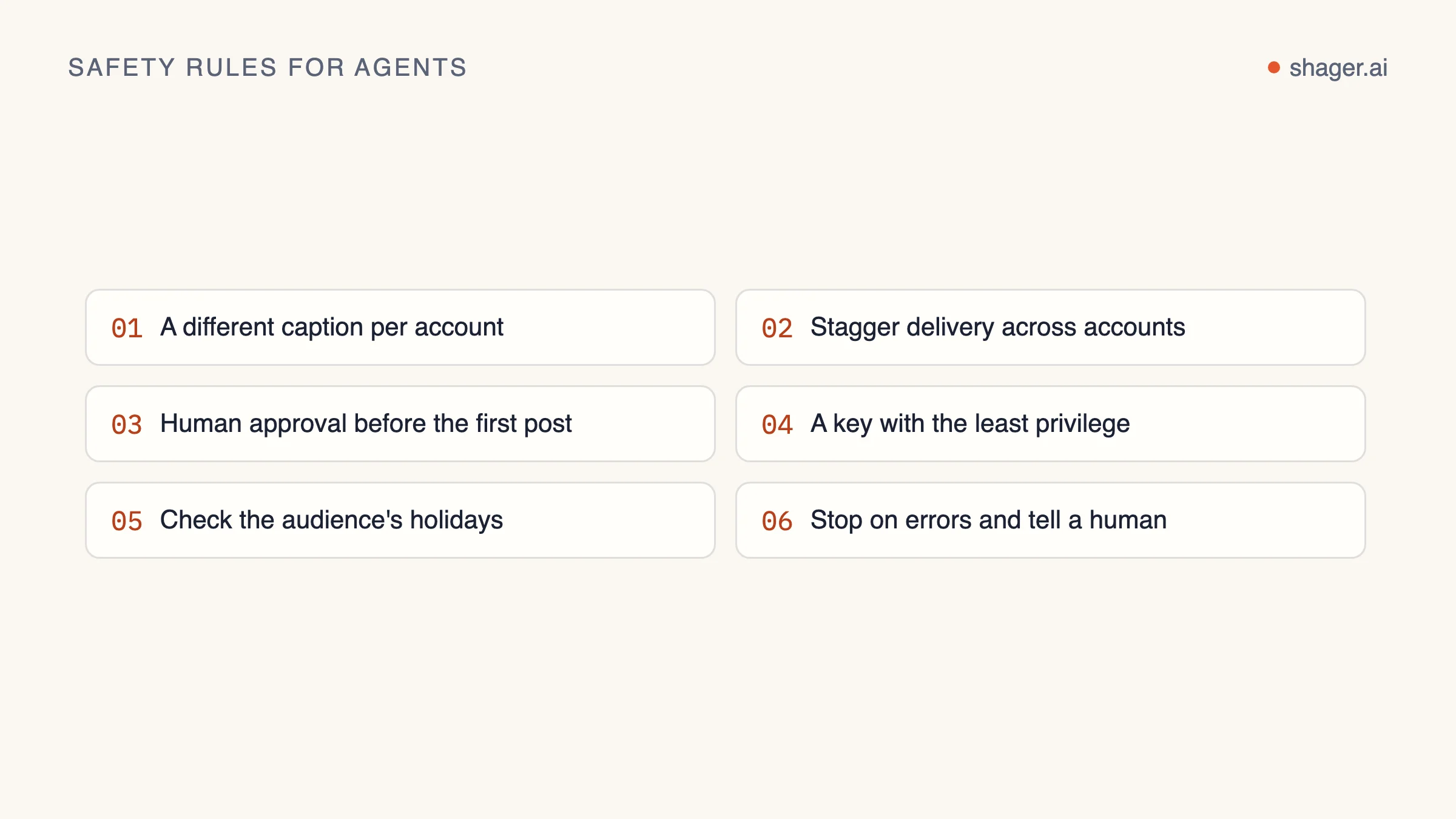
The fix for retries: an idempotency key
An idempotency key is a string you choose and send with a request that creates something. The server remembers it. If the same key arrives again with the same body, the server doesn’t create a second thing; it hands back the answer from the first time. Payment APIs have worked this way for years (Stripe’s docs explain the pattern well), and the IETF is standardizing it as the Idempotency-Key HTTP header.
In Shager’s social media posting API it’s one extra header:
curl -s -X POST "https://app.shager.ai/api/v1/workspaces/$WS/posts" \
  -H "Authorization: Bearer $SHAGER_API_KEY" \
  -H "Content-Type: application/json" \
  -H "Idempotency-Key: release-v4.2-announce" \
  -d '{
    "caption": "v4.2 is out: offline mode and faster sync.",
    "channel_ids": ["ch_x", "ch_linkedin", "ch_bluesky"],
    "schedule_at": "2026-11-24T14:00:00Z"
  }'
Agents connected over MCP send the same thing as an idempotency_key field on the tool call. Here is what happens when the call comes in again:
| What the agent sends | What Shager does |
|---|---|
| Same key, same body, first call finished | Returns the first result. No second post. |
| Same key, same body, first call still running | Answers 409 idempotency_in_progress. Wait and retry with the same key. |
| Same key, different body | Answers 409 idempotency_mismatch. Nothing is created. |
| A new key | Treated as a new request. |
Keys are kept for 24 hours, and they belong to one API key and one operation, so two agents can’t collide by accident. The mismatch rule matters more than it looks: if the agent "improves" the caption between attempts and reuses the key, Shager refuses instead of guessing which version you wanted.
Pick a key from the content, not from the clock. release-v4.2-announce stays the same however many times the agent tries. A timestamp or a random UUID generated on each attempt defeats the whole point. For a batch (create_posts, up to 25 posts in one call), send one key for the call and item number 3 uses <key>:3. A retry replays the items that went through and only tries the rest.
The same header works on scheduling, media uploads from a URL and approval requests, so the whole chain can be retried safely, not just the last step.
What if the crash is on our side?
Retries can also happen inside Shager: a worker restarts in the middle of a long video upload, and the queue hands the job out again. Each account’s copy of a post is stamped the moment before the network is called. If that job comes back, Shager does not call the network a second time. It marks that account as "We couldn’t confirm whether this post went out, check the account before posting again" and leaves the decision to you. A missing post is easy to fix. A duplicate on a client’s account is not.
Wrong posts: check first, draft by default
Double posts are the famous failure. Wrong posts are the more frequent one: a caption too long for X, a horizontal video headed for TikTok, a YouTube upload with no title, an account that disconnected last week.
Two habits catch nearly all of it:
- Validate before creating.
validate_postchecks the post against every account’s network rules without saving anything and returns all the problems at once, not one per attempt. With a time attached, it also tells you whether the send would need a human OK, what’s left of your X link allowance and how the sends will be spread out. It needs only the read permission, so even a read-only agent can use it. - Draft first.
create_postwithout a time saves a draft. Nothing goes out. You read it in the calendar, change a word, and schedule it yourself, or let the agent schedule it once you’ve said yes.
Runaway agents: limits the agent can’t talk its way past
An agent that loops, misreads an instruction or gets steered by a prompt hidden in a web page won’t stop itself. So the limits live in Shager, not in the prompt.
Permissions per agent. Every connection has three: read (always on), write (drafts, media, connect links; nothing published) and publish. Publish is off until you turn it on. When you connect Claude or ChatGPT by signing in, the box that lets the agent "schedule and publish on its own" starts unticked. API keys, scopes and the audit log covers the details.
Caps per agent. One post can go to at most 50 accounts, and one agent can schedule at most 20 posts in any 24 hours. Drafts don’t count, so a busy agent can still prepare a month of content.
A human OK for the risky sends. Even with publish turned on, these stop and wait for you:
| The send | Why it waits |
|---|---|
| More than 10 accounts at once | One mistake would be multiplied |
| Starting within the next 60 minutes | No time left to notice a problem |
| Anything to Pinterest | Pinterest requires that a person picks each Pin |
| Replying to a comment, or turning on an auto-reply | It speaks to real people in your name |
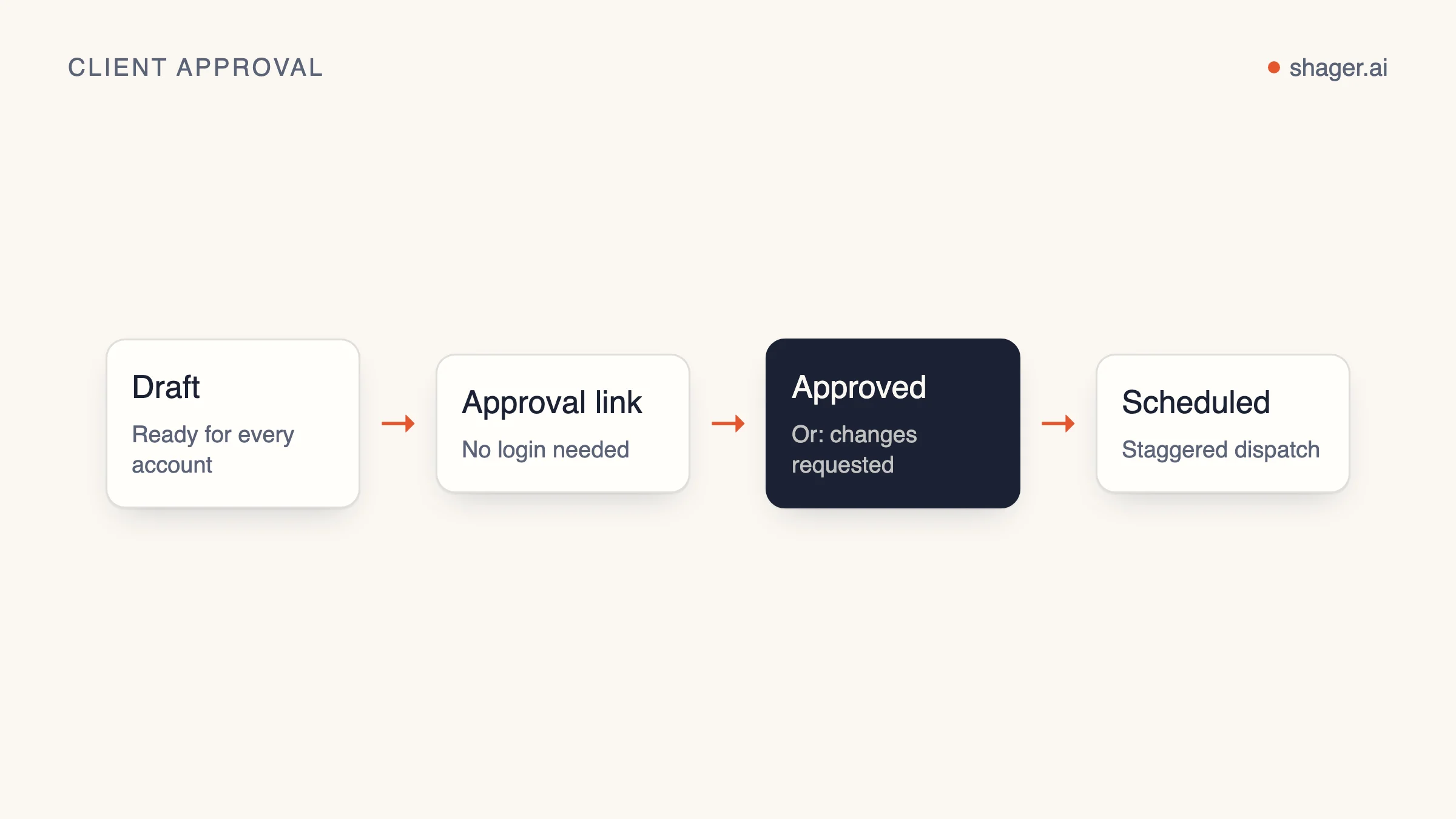
The agent gets a link, you open it in Shager and see each account with the exact text that will go out, and you approve or don’t. The agent can’t approve its own request. The approval covers that exact post once: change the text, an account or the time, and it’s a new request.
A stop button. cancel_post pulls a scheduled post back before it starts, and you can switch off any agent’s key from the Connect AI page at any time.
If you’d rather see this on your own accounts than read about it, sign up: it’s free during the launch for up to 31 accounts, with no card. Connect one agent with publishing off and watch what it does.
Read what the agent did
On the Connect AI page, "What your AI did" lists the latest 50 actions of every connected agent: what it did, when, and whether it worked. A retry that Shager answered from its memory shows up there too, so you can see that the key did its job. Read it daily for the first week; it tells you more than the agent’s own summary.
For agencies there’s one more layer: a business or client can require approval before anything is published. The agent sends the post for review, the client approves it from a link without signing up, and if anyone edits the post after that, it goes back to draft. Where to put the human gate walks through it.
A setup that holds up
If you’re connecting an agent this week, this is the order we’d do it in:
- Connect it with publishing off. Let it draft for a few days.
- Tell it, in its instructions, to send an idempotency key on every call that creates something, built from the content.
- Tell it to run
validate_postbefore everycreate_post. - Turn on publishing only when the drafts are consistently right.
- Leave the human OK for big and last-minute sends in place. It costs you a tap.
If you’re wiring Claude, ChatGPT or Cursor to Shager for the first time, the social media MCP server guide shows the connection itself. For developers, every field above is in the OpenAPI document.
FAQ
Does Shager catch two identical posts without a key?
No, and that’s on purpose. Two calls without a key are two requests, because sometimes you really do want the same text twice (a weekly reminder, say). Shager doesn’t guess from the text. Send a key and the question goes away.
What should I use as the idempotency key?
Something that names the job, built from the content: the release number, the article slug, the product ID plus the date. It must stay the same across retries of the same job and change for a new job. Never generate a fresh random value on each attempt.
Can the agent approve its own request?
No. The approval link opens in Shager and needs a signed-in person from that business or client. The agent only learns that it was approved when it makes the same call again.
Is it safe to let Claude or ChatGPT post on its own?
It’s as safe as the limits around it. With publishing off it can only draft. With publishing on, it still can’t send to more than 10 accounts, or within the hour, without your OK, and it can’t schedule more than 20 posts a day. Every action it takes is listed for you.
Agents are good at writing posts and bad at knowing whether their last call worked. Let them do the first, and let the API handle the second. Sign up for Shager, connect your agent with publishing off, and give it one job with a key on it.
Want your agent to work with Shager?
An agent can draft in a sandbox. Publishing requires a human to claim the organization and separately grant the API key publish permission. Per-post approval is required only in workspaces where client approval is enabled.