Social Media MCP Server: Let Claude, ChatGPT or Any Agent Post for You
A social media MCP server lets Claude, ChatGPT, Cursor or Codex post, schedule and read results. How Shager’s remote MCP works, what its tools do, and setup.
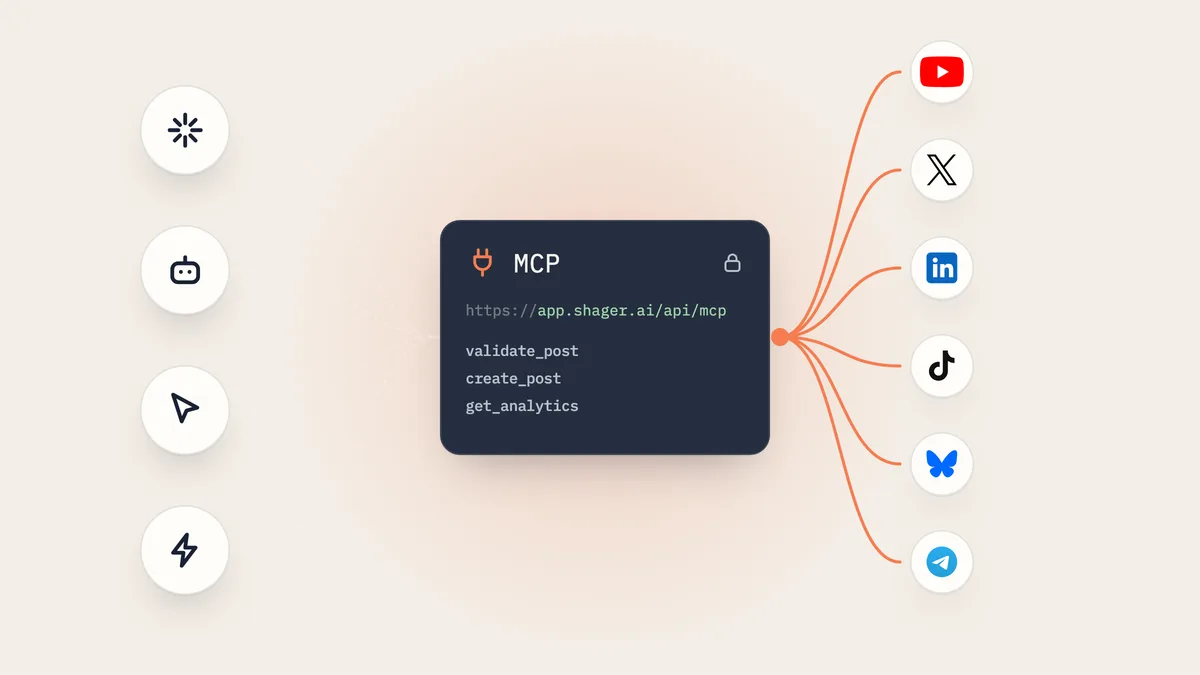
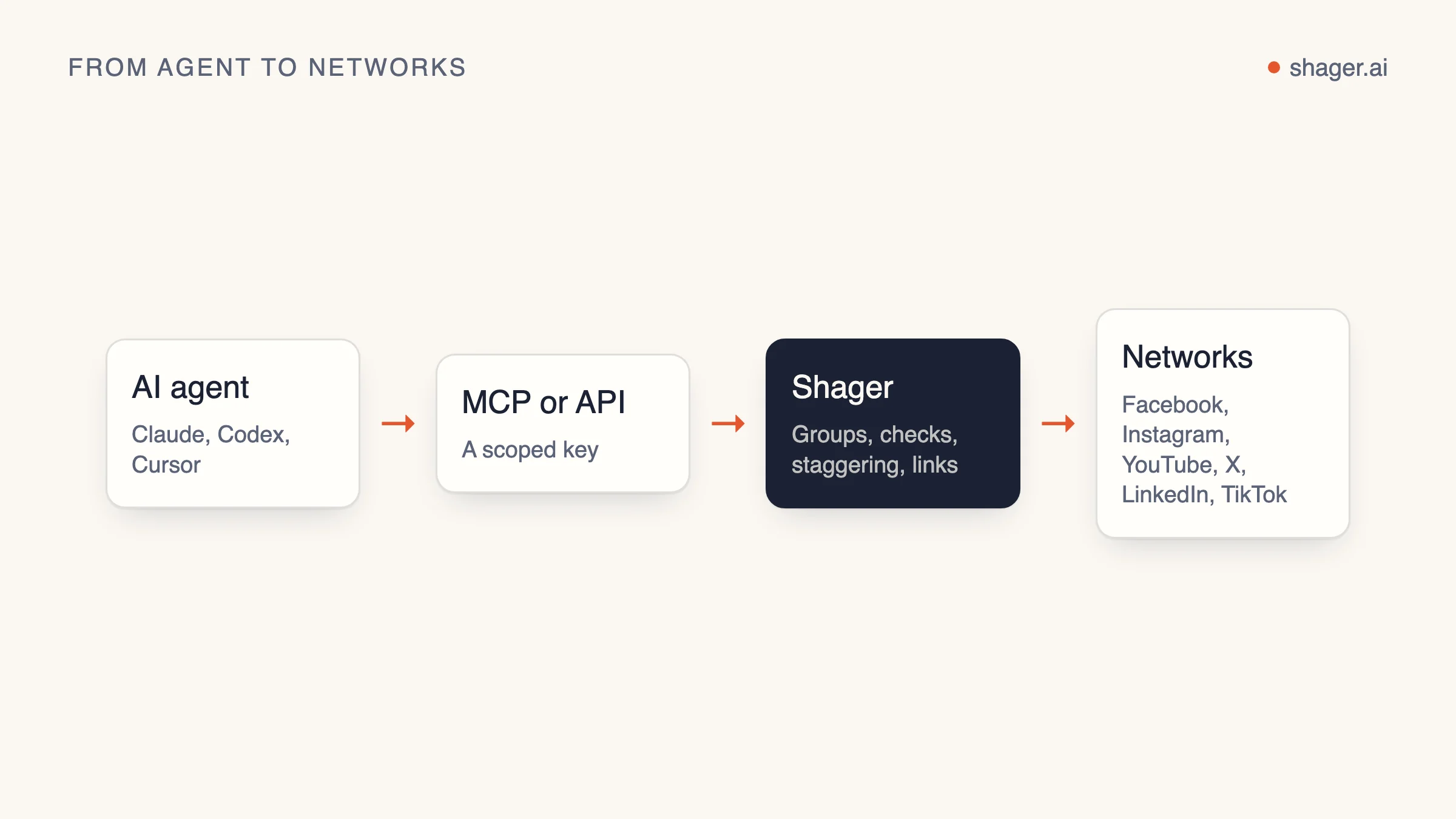
A social media MCP server is a connector that gives an AI assistant real tools for your social accounts: create a post, check it against each network’s rules, schedule it, and read the numbers afterwards. Shager runs one at https://app.shager.ai/api/mcp. You add that address to Claude, ChatGPT, Cursor, Grok or any other MCP client, sign in to Shager and approve. There’s no key to copy, and the agent can’t publish anything until you tick a box that says it may.
So yes, Claude can post to LinkedIn or YouTube for you, and so can ChatGPT. Not on its own, though. The model writes the post; the MCP server is the part that actually talks to the networks.
What is an MCP server, in plain words?
MCP, the Model Context Protocol, is an open standard for plugging tools into AI apps. A server publishes a list of tools, each with a name, a description and the inputs it takes. The assistant reads that list and decides when to call one, the same way it decides to search the web. A remote MCP server lives at a URL, so there’s nothing to install: the assistant connects over HTTPS, and you sign in once.
That’s the whole trick. Without a server, "post this to LinkedIn" ends with the model giving you text to paste. With one, it ends with a draft or a scheduled post sitting in the right account.
What should a social media MCP server do before you trust it?
Search for the best MCP server for social media and you’ll find dozens: weekend projects on GitHub, hosted servers from posting APIs, wrappers around browser automation. Before you point one at accounts you’d hate to embarrass, check five things.
- It signs in with OAuth. You should approve the connection on the service’s own screen, not paste a key into a chat app. Some community servers run with no authentication at all, which means anyone who finds the URL can post as you.
- Publishing is a separate permission. Writing drafts and sending posts out are two different rights. The safe default is drafts only.
- It can check a post before it exists. A dry run that says "this caption is too long for X, this video is too long for Bluesky" saves you from a half-published campaign.
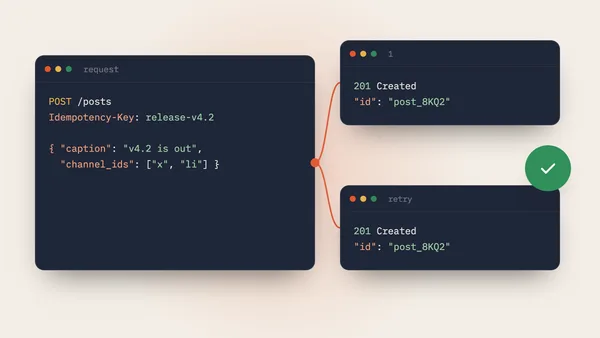
- A retry never posts twice. Agents retry when a connection drops. Without an idempotency key, a retry is a second post. We wrote a whole piece on stopping AI agents from double-posting.
- It uses each network’s official API. Tools that log in with your password or drive a browser put the account itself at risk.
Shager’s server does all five. The rest of this article shows how.
How do you connect Claude, ChatGPT, Cursor and the others?
Every client below connects to the same address, https://app.shager.ai/api/mcp. Where the client supports OAuth, you sign in to Shager in your browser and approve. Where it doesn’t, you use an API key from the Agents page in Shager.
| Client | Where you add it | How it signs in |
|---|---|---|
| Claude (web and desktop) | Customize, Connectors, Add custom connector. Shager is also in Claude’s connector directory | Sign-in, no key |
| ChatGPT (web) | Plugins, then Add custom MCP server, with OAuth. Shager is also listed in ChatGPT | Sign-in, no key |
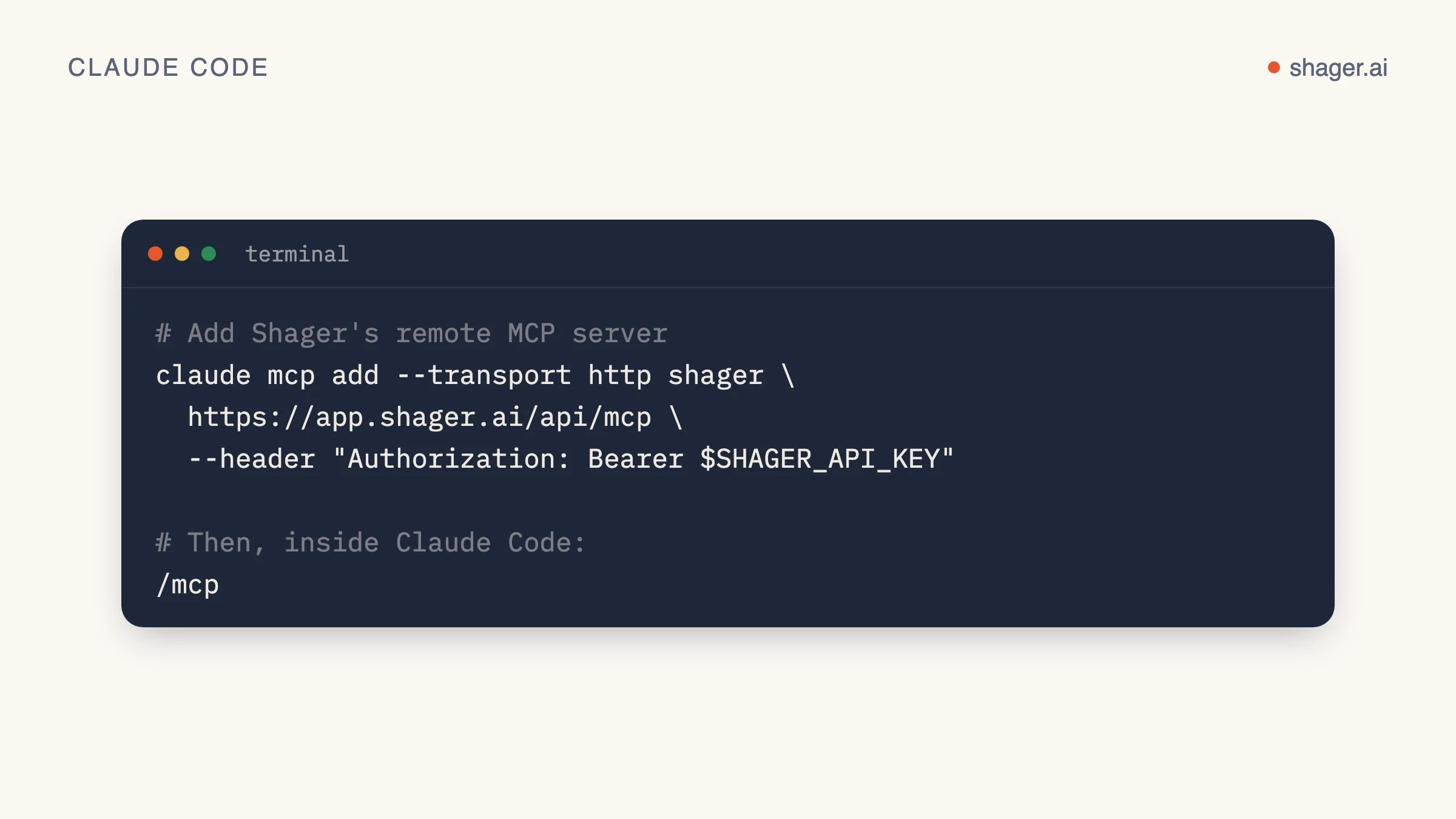
| Claude Code | claude mcp add --transport http shager https://app.shager.ai/api/mcp, then /mcp |
Sign-in or API key |
| Cursor | The URL in ~/.cursor/mcp.json |
Sign-in or API key |
| Codex | ~/.codex/config.toml with bearer_token_env_var |
API key |
| Grok | Connectors, New Connector, Custom | Sign-in, no key |
| A bot with no browser | Device code: you approve at app.shager.ai/device | Sign-in from your phone |
Each one has its own walkthrough, with the exact screens and the mistakes people make: Claude Desktop, ChatGPT, plus guides for Codex, Cursor and Claude Code on the blog. The Agents page has the rest, including VS Code, Gemini, Perplexity, Le Chat, n8n and Make.
What you approve on the sign-in screen
When the client sends you to Shager, you pick which organization the agent works in and see what it may do. By default it can read and write: look at your accounts and posts, upload media, build drafts, add clients and send approval requests. Nothing gets published.
Below that is a checkbox: "Also let the agent schedule and publish on its own." It’s off. If you tick it, the agent can schedule posts and reply to comments in your name. Even then, some actions still stop and wait for you in Shager: a send to more than 10 accounts, a send that starts within the next 60 minutes, anything going to Pinterest, every reply to a comment and turning on an auto-reply. The agent gets a link for you, you see exactly what will happen, and you approve it or don’t. The agent can’t approve its own request.
You can disconnect any agent from the Agents page in Shager, and its calls show up in an audit log with who did what.
What can the agent actually do?
Shager’s MCP server has 78 tools at the time of writing, and they’re the same operations as the REST API. Grouped by the job:
| Job | Tools |
|---|---|
| Find its way around | whoami, get_structure, list_workspaces, list_channels, get_network_features |
| Make posts | upload_media_from_url, validate_post, create_post, create_posts (up to 25 in one call), update_post |
| Pick the time | schedule_post, get_best_times, get_holidays, cancel_post |
| Follow up | get_post, retry_failed_accounts, request_approval, get_approval |
| Read results | get_analytics, get_insights, get_client_report, list_links |
| Conversations | list_comments, reply_to_comment, create_auto_reply |
| Clients | create_workspace, create_connect_link, list_members |
Here’s what a normal request looks like in Claude or ChatGPT:
Take the video at https://example.com/launch.mp4. Post it as a YouTube Short,
a TikTok and a LinkedIn video, each with its own caption. Check it first,
then schedule it for Tuesday at 9 a.m.
The agent calls upload_media_from_url, then validate_post, which returns every problem for every account in one answer instead of failing one network at a time. It fixes what it can, calls create_post with a caption per account, and then schedule_post. If you left publishing off, it stops at the draft and tells you it’s waiting in Shager, where you schedule it with one click.
If you’d rather work in code than chat, the same calls are in the social media posting API guide.
Which networks can it post to?
Live today: YouTube channels, X accounts, LinkedIn personal profiles, TikTok accounts, Bluesky, Telegram channels, Mastodon, Pinterest business accounts and Tumblr blogs.
Facebook, Instagram and Threads are awaiting Meta’s approval, and Google Business Profile is awaiting Google’s. Until then, only people we gave early access can connect them. So if your question is "can Claude post to Instagram for me", the honest answer is: through Shager, yes, once Meta approves; today, only with early access. LinkedIn Company Pages are waiting on LinkedIn’s approval the same way.
One cost to know about. X charges for every post made through its API, and a lot more for a post with a link, so posts to X come from a monthly allowance in your plan. The networks page lists what each network allows: lengths, formats, first comments and covers.
How does it compare with other social media MCP servers?
Most hosted MCP servers for social media come from posting APIs, and they charge in very different ways. Prices from each vendor’s own pricing page (checked November 2026):
| Service | How it charges | Entry price |
|---|---|---|
| Ayrshare | Per profile | Premium $149 a month |
| bundle.social | Per organization | Free for 20 posts a month, Pro $100 a month |
| Blotato | Flat | Starter $29 a month, up to 20 accounts |
| Zernio | Per connected account | 2 accounts free, then $6 each for accounts 3 to 10 |
| Shager | Per number of accounts | Free during the launch for up to 31 accounts, then from $15 a month |
Price isn’t the only difference. Check whether the server signs in with OAuth or wants a pasted key, whether publishing is off by default, and whether it covers the networks you actually use.
What does it cost?
Shager is free during the launch, for up to 31 accounts, with no card. After that, plans are $15 a month for 6 accounts, $19 for 11, $39 for 31, $79 for 101 and $199 for 301. The MCP server and the API are on every plan, and users are unlimited. If you want to see it work on your own accounts first, sign up, connect two or three accounts and ask your assistant to draft a post.
FAQ
Can Claude post to Instagram by itself?
No. Claude needs a connector that can reach Instagram, and Instagram only allows that through Meta’s official API for professional accounts. Through Shager it works once Meta approves our app; until then only early-access users can connect Instagram. YouTube, TikTok, X, LinkedIn and the other live networks work now.
Do I need an API key?
Not for Claude, ChatGPT, Grok or Cursor: you add the URL and sign in. Keys are for clients that don’t offer a sign-in, and for your own scripts. You create them on the Agents page in Shager and choose their scopes: read, write and publish.
Will the agent post without asking me?
Not unless you allow it. Publishing is off until you tick it on the sign-in screen, and even then large sends, sends starting within an hour, Pinterest posts and comment replies wait for your OK in Shager.
Does it work with agents other than Claude and ChatGPT?
Yes. Any client that speaks MCP can connect, including your own agent. A bot without a browser uses a device code you approve on your phone. An agent that isn’t signed up yet can sign itself up into a sandbox with drafts only, and you claim it later.
Can one agent handle several clients?
Yes. Each client gets its own space in Shager, with its own accounts, and the agent can send a client a link to connect their own accounts without sharing a password.
An MCP server turns your assistant from something that writes posts into something that ships them, with you holding the publish switch. Sign up for Shager, add the server to the assistant you already use, and let it draft next week’s posts.
Want your agent to work with Shager?
An agent can draft in a sandbox. Publishing requires a human to claim the organization and separately grant the API key publish permission. Per-post approval is required only in workspaces where client approval is enabled.