Can You Post to a Facebook Personal Profile via API? No. Here’s What Works Instead
No app can post to a Facebook personal profile via API since 2018. Here is why, what the error means, and how to schedule profile posts you share in one tap.
No. No app, scheduler or API can post to a Facebook personal profile on its own. Facebook removed the permission that allowed it (publish_actions) on August 1, 2018, and it never came back. What still works is a hand-off: a tool prepares the post at the right time, and you share it yourself with one tap. That’s how Shager handles personal profiles, and the rest of this guide shows how it works and where the limits are.
If you landed here from an error message, it probably looked like this:
(#200) This endpoint is deprecated since the required permission publish_actions is deprecated
That message isn’t a bug in your code or your n8n workflow. It’s Facebook telling you the door is closed.
Why can’t apps post to a Facebook profile anymore?
Until 2018, an app could ask for publish_actions and post to your timeline as you. Meta announced the change on its developer blog and pointed developers to the Share dialog instead: the app prepares the content, and the person presses the button. A few hardware and desktop partners got extensions, and those ended too.
So when a tool says it "posts to personal profiles", check what it actually does. There are only three possibilities:
- It sends you a reminder at the scheduled time, and you post manually.
- It hands you the post ready to share, which is the honest version of the first one.
- It asks for your Facebook password and logs in as you. Don’t give your Facebook password to any posting tool. If Facebook spots unusual logins, the profile you were trying to grow is the one that can get locked.
Pages are a different story. Apps can publish to a Facebook Page through the Pages API, with the Page admin’s permission. That’s why every scheduler supports Pages and none really supports profiles.
Can you schedule posts on a Facebook personal profile at all?
Inside Facebook itself, sometimes. Facebook’s built-in scheduler is made for Pages. Some profiles with professional mode turned on also see a schedule option in the post composer. If yours does, it schedules that one post, on that one profile, inside Facebook. It doesn’t help with your other networks, and it’s still one profile at a time.
That leaves a lot of people stuck. Think of a real estate agent whose buyers, past clients and neighbors all follow her personal profile, not her Page. Every new listing goes on Instagram, on her Page, on LinkedIn and on her profile. Four uploads, four captions, and the profile is always the one she forgets until 10 p.m.
How to schedule a Facebook profile post you share in one tap
In Shager the profile becomes one more destination in the same post, next to your other accounts. Here’s the whole flow.
Add the profile (about 20 seconds).
- Open your accounts page in Shager and find the Facebook profile card.
- Type a name for the profile, so you recognize it in the list (your own name works).
- Click Add.
There’s no "Sign in with Facebook" step, because there’s nothing for Facebook to approve: Shager never touches the profile. That’s also why this works today, for everyone, while Facebook Pages are still waiting for Meta’s approval.
Schedule the post.
- Write the post once, add photos or a video.
- Tick the Facebook profile along with everything else: Instagram, YouTube, LinkedIn, TikTok, X, whatever you use. (Instagram, like Facebook Pages, is still awaiting Meta’s approval, so only early-access people can connect it for now.)
- Pick the day and time, and schedule it.
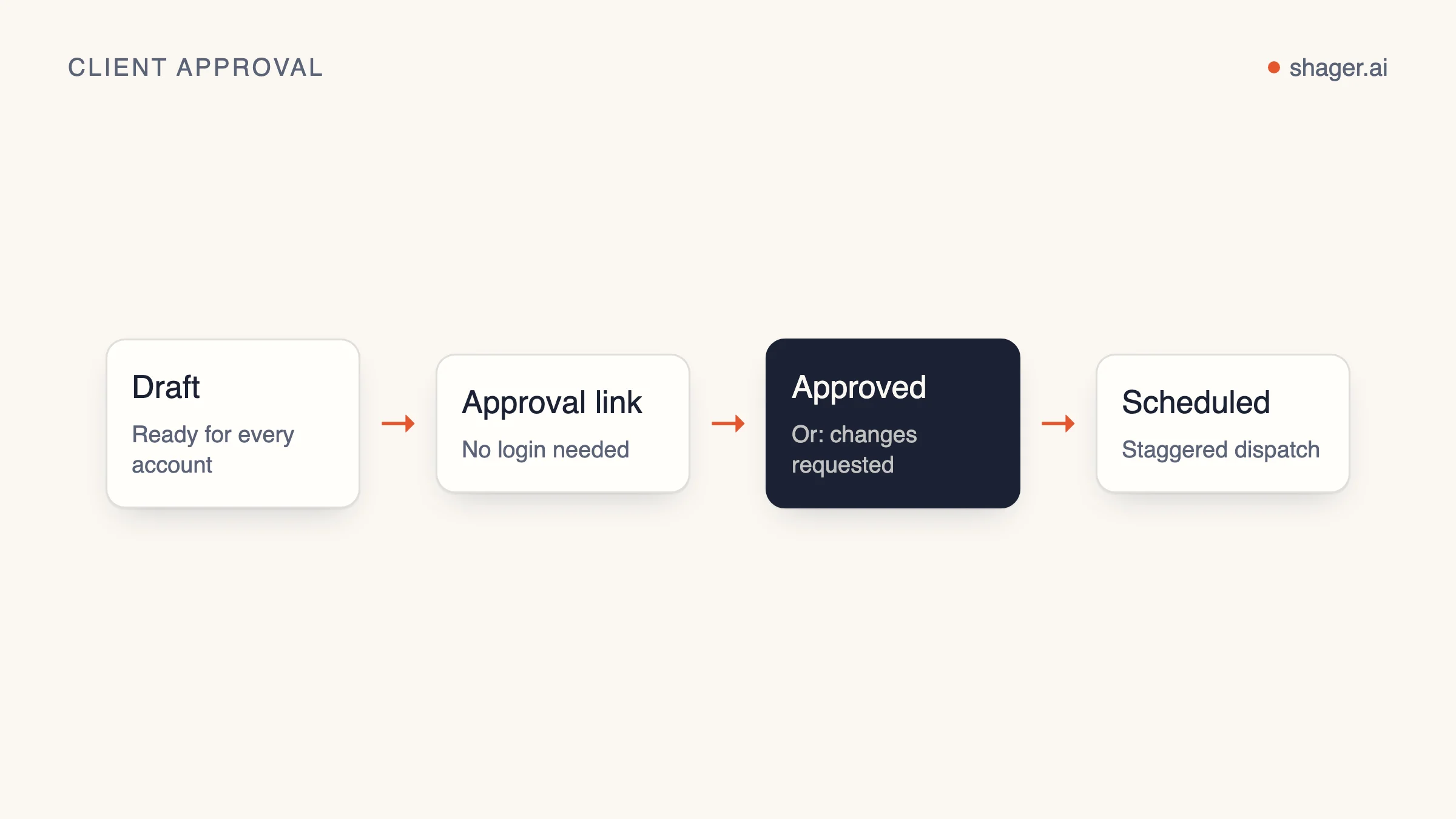
Share it when the time comes. At the scheduled time, the other accounts get the post automatically. For the profile, Shager prepares it and sends you an email (and a notification in the app) with a link. The link opens without signing in, because it usually arrives on your phone.
On a phone:
- Tap Share on Facebook and pick Facebook. Facebook opens with your photos or video already attached.
- The text is already copied. Press and hold in the text box and choose Paste.
- Post it, then go back and tap I posted it. You can paste the post’s link too, so Shager shows it next to the post.
On a computer it takes a few more clicks: download the files, copy the text, open Facebook, start a post, add the file and paste.
Nothing reaches the profile until you share it. If you change your mind, tap Not this time. The post is skipped on the profile and nothing changes on your other accounts.
Want to see it with your own profile? Sign up and add it. It’s free during the launch, for up to 31 accounts, with no card.
What you get on a profile, and what you don’t
Being honest about the hand-off matters more than making it sound automatic.
| Facebook profile (hand-off) | Facebook Page (automatic) | |
|---|---|---|
| Who presses publish | You, from the link | Shager, at the scheduled time |
| Available now | Yes, for everyone | Awaiting Meta’s approval, early access only |
| Photos and video | Yes | Yes, plus Reels and Stories |
| Your own video cover | Upload it by hand (Facebook picks the thumbnail) | Yes |
| First comment | No | Yes, with a clickable link |
| Views and likes in Shager | No | Yes |
Two details that save you a surprise. On a profile, Facebook chooses the video’s thumbnail itself, so your cover image waits on the share page: if Facebook offers to change the thumbnail, upload it there. And a video stays available on the share page for 7 days after the post’s time, then Shager deletes it. If you missed the window, upload it again to a new post.
The profile counts as one account on your plan, like a Page or a YouTube channel. Everything Shager can do on Facebook, Pages included, is on the Facebook network page.
Posting to a profile from an API, an agent or n8n
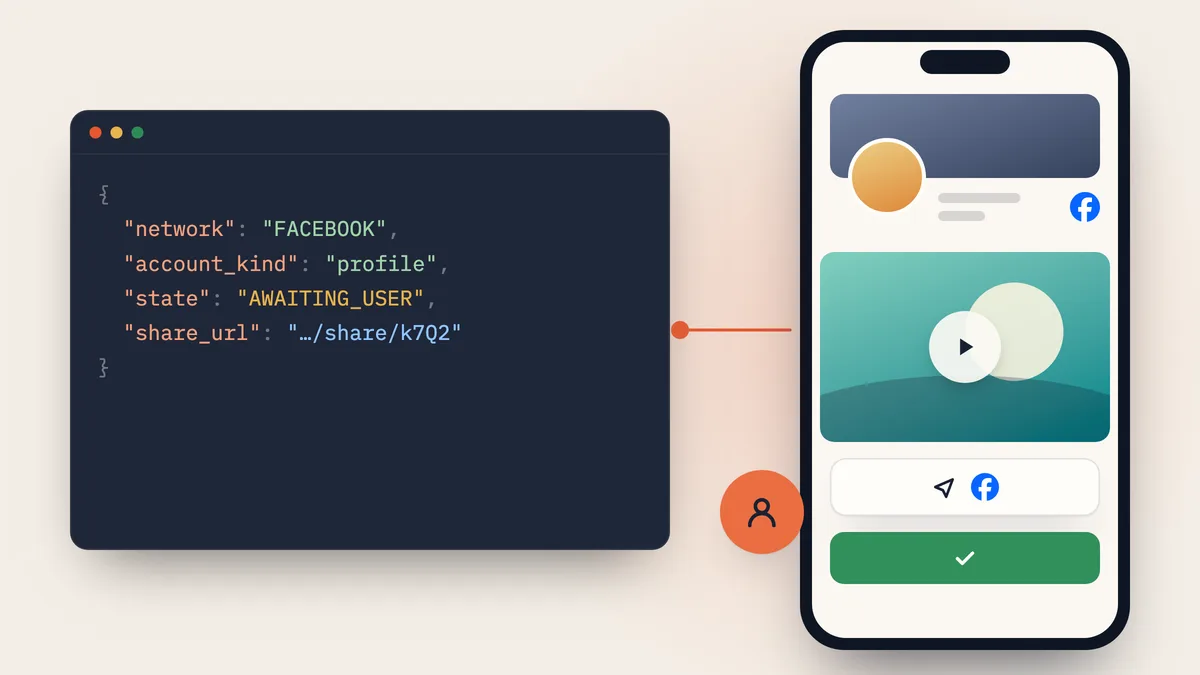
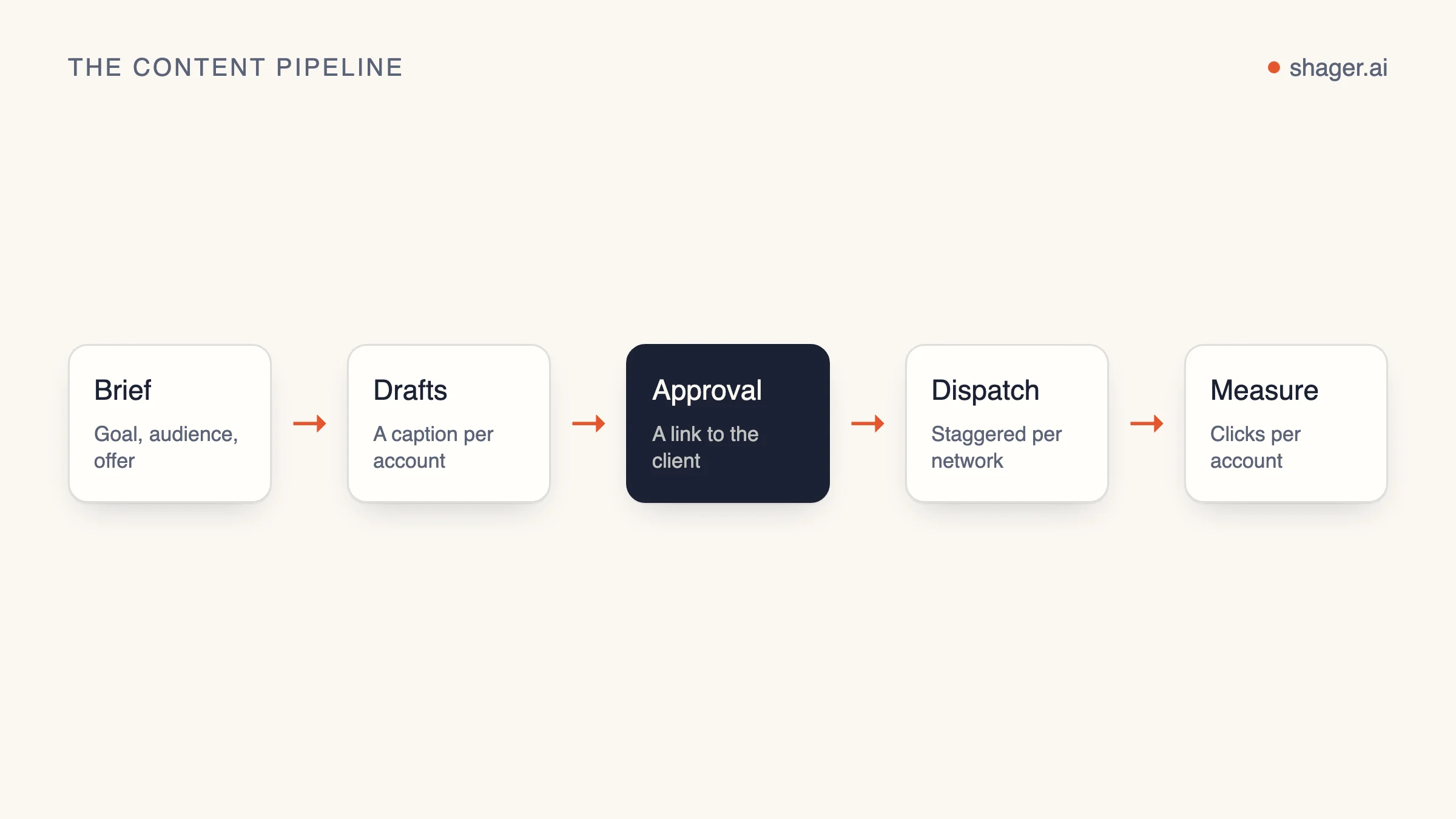
If you’re a developer, the hand-off is part of the API too. Create the post with the profile as one of the accounts, exactly as you would for any network. When the time comes, get_post (in REST, GET /api/v1/workspaces/{workspace_id}/posts/{post_id}) shows that account as AWAITING_USER with a share_url. Your code, or your AI agent, can send that link to the person on Slack, by text, wherever they’ll see it. After they tap I posted it, the state becomes PUBLISHED, with the link if they gave one. If they skip it, SKIPPED.
{
  "network": "FACEBOOK",
  "account_kind": "profile",
  "state": "AWAITING_USER",
  "share_url": "https://app.shager.ai/share/…"
}
Everything else in that same call publishes for real: YouTube, X, LinkedIn, TikTok, Bluesky, Telegram and the rest. The full schema is in the OpenAPI file, and our guide to the social media posting API walks through a first request. If an agent writes the posts, having a person approve them first is a good habit anyway; here’s how approval works.
Should you switch to a Page instead?
Maybe, but not because of scheduling. A profile is where your friends, old colleagues and early customers already are, and for many freelancers and local businesses that’s the audience that buys. A Page gives you automatic publishing, stats and ads, but it starts from zero followers. Plenty of people keep both: the Page for the business, the profile for the personal version of the same news. With the hand-off, the profile stops being the one you forget.
If you’re posting the same thing across many networks at once, our guide to posting to all your social media at once covers the wider setup.
FAQ
Is there any API that posts to a Facebook personal profile in 2026?
No. Facebook removed publish_actions in 2018, and no permission replaced it. Any tool that claims to post to profiles either reminds you, hands you the post to share, or logs in with your password, which puts your profile at risk.
Does Shager need my Facebook password or login?
No. You add a profile by typing a name. Shager never signs in to it and never posts to it. You press the button yourself, from the link Shager sends.
Can I post to Facebook groups this way?
Shager doesn’t connect Facebook groups. The hand-off is built for your personal profile, and that’s the only place we promise it works.
What happens if I don’t share it?
Nothing goes on the profile. The post stays waiting with its link until you share it or tap Not this time. Your other accounts aren’t affected either way.
How much does it cost?
It’s free during the launch, for up to 31 accounts, no card. After that, plans start at $15 a month for 6 accounts, then $19 for 11, $39 for 31, $79 for 101 and $199 for 301, with unlimited users. Details are on the pricing page.
Facebook won’t let any app post to your profile, and that isn’t changing. What you can change is how much work the profile takes. Sign up for Shager, add your profile and your other accounts, and next week’s posts are written once, scheduled once, and one tap away on the profile.
Want your agent to work with Shager?
An agent can draft in a sandbox. Publishing requires a human to claim the organization and separately grant the API key publish permission. Per-post approval is required only in workspaces where client approval is enabled.