One Vertical Video, Forty Accounts: How an Agent Ships Reels and Shorts Through Shager
A hands-on playbook for agents distributing short video: format checks, Reels and Shorts metadata, per-account captions, staggered dispatch and real MCP calls.
7 min read
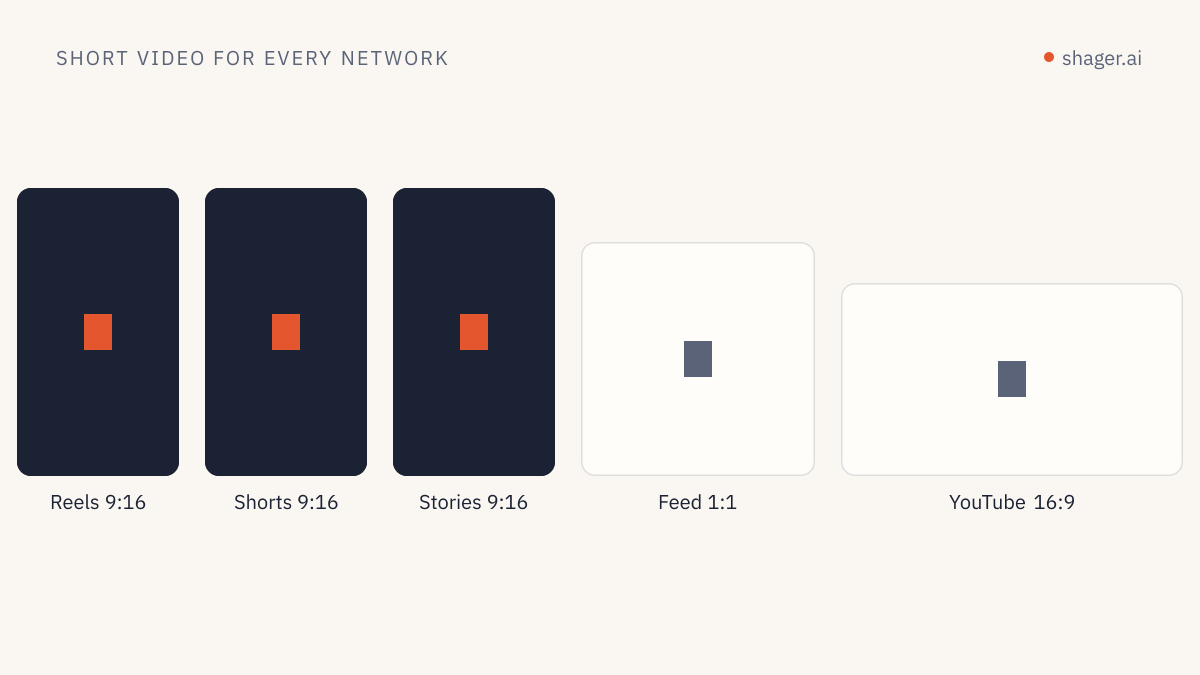
An agent can distribute one short vertical video to dozens of Instagram, Facebook and YouTube accounts by uploading it once with its dimensions and duration, creating a single post that sets the format per network, and writing a different caption for each account. Shager validates the file against each network's rules before anything is sent, then dispatches account by account with a random pause in between. The agent's real work is the metadata, not the upload.
That last sentence is the whole lesson. Short video runs rarely fail on the video itself. They fail because the agent does not know the clip runs 3 minutes and 4 seconds, or because forty accounts receive the same caption word for word.
What does the agent need to know about the file before it uploads?
Three numbers: width, height and duration. The networks classify and accept short video based on them, and an agent that guesses will produce posts that land in the wrong format or get rejected.
YouTube's rule is the cleanest to state. According to Google's own help page on three-minute YouTube Shorts, videos uploaded since October 15, 2024 with a square or vertical aspect ratio and a length of up to three minutes are categorized as Shorts. A clip of 3:04 in 9:16 is therefore a regular video, not a Short, whatever the agent intended.
Instagram is looser on aspect ratio but has opinions. Meta's content publishing documentation for the Instagram Platform lists the accepted containers and codecs for Reels and recommends 9:16 to avoid cropping or blank space. The video has to sit at a publicly reachable URL when it is published, because Meta fetches it.
This is why upload_media_from_url in Shager takes optional width, height and duration_ms fields. Pass them and the validation for Reels, Shorts and Stories happens at upload time and again before scheduling, instead of surfacing as a failed post on account number 23.
If the agent does not have the numbers, it should get them before uploading. In Claude Code or Codex that is one ffprobe call:
ffprobe -v error -select_streams v:0 \
  -show_entries stream=width,height:format=duration \
  -of json launch-teaser.mp4
The MCP call sequence
Here is the sequence an agent runs for a client with 38 connected accounts, using Shager's MCP server at https://app.shager.ai/api/mcp. The tool names are the real ones; the IDs are placeholders.
whoamito confirm which organization the key belongs to and whether it may publish.list_workspacesto find the client's workspace.list_channelsfor that workspace, to see networks, status and supported formats.list_groupsto find the group that holds the accounts for this campaign.upload_media_from_urlwith the dimensions and duration.create_postas a draft, with per-account captions and per-network format.request_approvalif the client signs off on videos, orschedule_postif not.get_postafter the scheduled time, to check every account's state.
The upload call:
{
  "tool": "upload_media_from_url",
  "arguments": {
    "workspace_id": "ws_example",
    "url": "https://cdn.example-agency.com/clients/aurora/launch-teaser.mp4",
    "file_name": "launch-teaser.mp4",
    "width": 1080,
    "height": 1920,
    "duration_ms": 42000
  }
}
The draft post. Notice that format is set per channel, because the same file is a REEL on Instagram and Facebook and a SHORT on YouTube:
{
  "tool": "create_post",
  "arguments": {
    "workspace_id": "ws_example",
    "caption": "Aurora opens its new showroom on Thursday. 42 seconds inside.",
    "media_ids": ["med_teaser"],
    "youtube_title": "Inside the new Aurora showroom",
    "youtube_privacy": "public",
    "cta_url": "https://aurora-example.com/showroom",
    "campaign": "showroom-launch",
    "label": "Showroom teaser, week 38",
    "per_channel": [
      { "channel_id": "ch_ig_downtown", "format": "REEL",
        "caption": "Downtown team here. Thursday we open the doors, and this is what you'll see first." },
      { "channel_id": "ch_fb_northside", "format": "REEL",
        "caption": "Northside customers asked for a showroom. Here's a 42 second look before Thursday." },
      { "channel_id": "ch_yt_main", "format": "SHORT",
        "caption": "A first look at the new Aurora showroom, opening Thursday." }
    ],
    "stagger_seconds": [45, 120]
  }
}
In a real run per_channel has an entry for every account, not three. The agent writes them; a human should not.
Why does every account need its own caption?
Because forty pages publishing the identical text within an hour is the pattern spam systems are built to notice, and because it reads badly to anyone who follows two of the pages. Shager's own auth.md tells agents directly to vary captions per account through per_channel.
Good variation is not synonym swapping. The agent should anchor each caption in something true about that account: the location, the team, the audience. We cover the method in detail in caption variation per account with AI, including how to keep the brand voice stable while the wording moves.
For short video specifically, keep captions short. The video carries the message. A caption that repeats the voiceover wastes the space.
Where does the link go on short video?
This is the part agents most often get wrong, because they apply one rule to every network.
On YouTube, Google states in its help center that URLs in Shorts comments and Shorts descriptions are non-clickable to reduce spam. A lead link in a Short's first comment is text, not a link. On Instagram, URLs in captions and comments are not rendered as links either. Facebook Page posts are where a first-comment link behaves as people expect.
So for a short video run, the agent should set first_comment per channel only where it is useful, and leave it empty on Shorts. Shager still generates a tracked short link per account from cta_url, so the click data stays per account wherever the link does appear. The full playbook for this is in first-comment lead links with agents.
Pacing: what stagger_seconds actually does
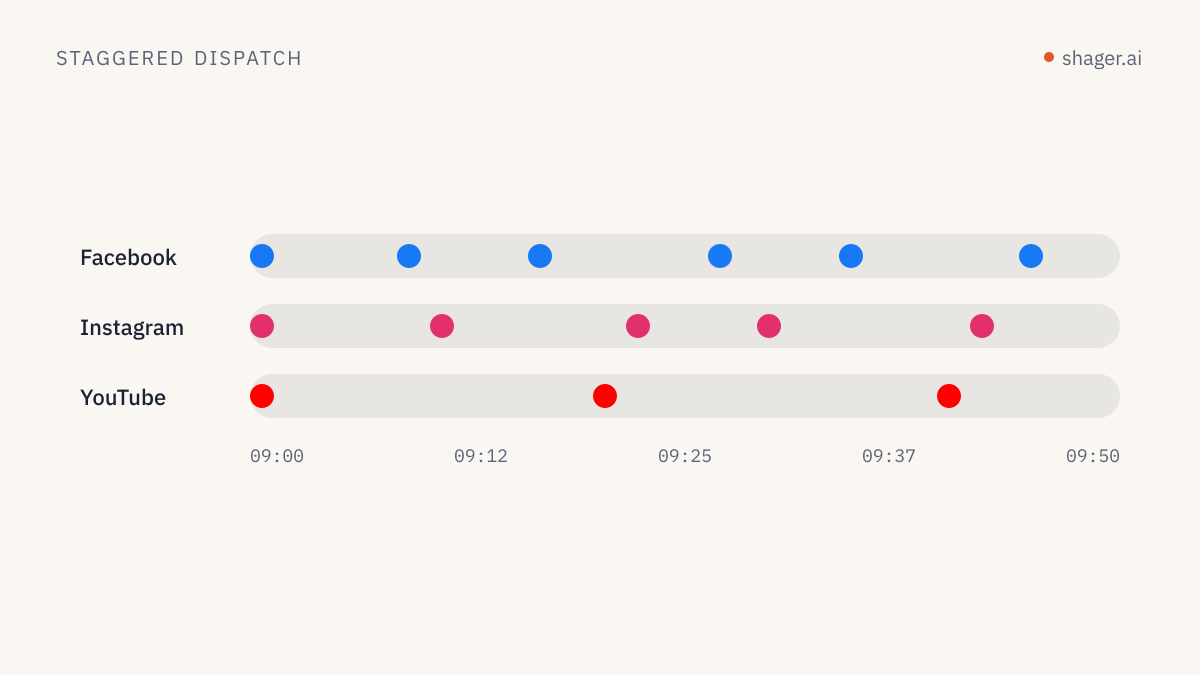
stagger_seconds is a random pause, in seconds, between accounts of the same network. The default is [30, 90]. With 38 accounts split across three networks, each network's queue runs on its own, so Instagram accounts are spaced from each other, and YouTube channels from each other.
For video I usually widen it. A 38 account run at [45, 120] takes longer to finish, but the posts spread over a period that looks like people publishing, not a script. If the client cares about everything being live before a specific hour, the agent should schedule earlier rather than tightening the stagger. We go deeper on timing in scheduling strategy for agents.
Checking the result
After the scheduled time, the agent calls get_post. It returns the post's overall state and the state of each account: publish time, live URL, or the error. Post statuses include PUBLISHED, PARTIALLY_PUBLISHED and FAILED, among others listed in the OpenAPI document.
A PARTIALLY_PUBLISHED result is normal at scale. One account's token expired; one Page lost a permission. The agent's job is to report those accounts by name to the human, not to retry blindly. Often the fix is a fresh client connect link for that one account.
A REST version for scripts
If the pipeline runs from a script rather than a chat agent, the same two steps over REST look like this:
curl -s https://app.shager.ai/api/v1/workspaces/ws_example/media \
  -H "Authorization: Bearer $SHAGER_API_KEY" \
  -H "Content-Type: application/json" \
  -d '{"url":"https://cdn.example-agency.com/clients/aurora/launch-teaser.mp4",
       "file_name":"launch-teaser.mp4","width":1080,"height":1920,"duration_ms":42000}'

curl -s https://app.shager.ai/api/v1/workspaces/ws_example/posts \
  -H "Authorization: Bearer $SHAGER_API_KEY" \
  -H "Content-Type: application/json" \
  -d @teaser-post.json
Responses come back as { "data": ... }, errors as { "error": { "code", "message" } }. The limit is 120 requests per minute per key, which a single video run never approaches.
FAQ
Can the agent post a horizontal video as a Short?
No. YouTube classifies Shorts by aspect ratio and length, so a horizontal video goes up as a regular video regardless of the format you request. Ask the editor for a vertical cut, or post the horizontal version with format set to VIDEO on YouTube and keep Reels for the vertical one.
Should the same video go to every account on the same day?
It can, with varied captions and a wide stagger. For large groups, many agencies split the run across two or three days so each account's audience does not see the same clip shared by a neighbouring page at the same hour. The agent can do that by creating separate posts per group with different schedule_at values.
What happens if one account rejects the video?
Shager checks each account against its network's rules before sending, so most problems surface at scheduling with a clear reason. If something still fails at publish time, get_post shows which account failed and why, and the rest of the run is not affected.
Where to go next
If your agent is not connected yet, start at the agent entry point, which covers the MCP server, the REST API and self-signup. Then run one short video to a small group before you point it at the whole client list.