Short Video on Every Network: Adapting Format, Length and Captions
How to distribute one short video to Reels, Shorts and Facebook Pages without losing quality: aspect ratio, safe zones, length, captions and pacing.

Short vertical video has become the default format on almost every network. For agencies, that's an opportunity: one good clip can work on a Facebook Page, as an Instagram Reel and as a YouTube Short, and reach dozens of the same client's accounts. But "the same video everywhere" only works if you prepare it properly from the start.
This guide is about the practical side: how to prepare one master file, what changes between networks, and how to distribute it to many accounts without it looking like a mechanical copy.
One master file, right from the start
Most video distribution problems are born in the edit. A video cut for landscape and then cropped to vertical, or a video whose on-screen text sits right under the app's buttons, will look bad on every network.
Recommended baseline settings
- 9:16 aspect ratio at 1080×1920. This is the format every major network shows full screen in its short-video feed.
- Shoot vertical in the first place whenever you can. Cropping landscape footage throws away a lot of the frame.
- Clean, balanced audio, with no music you don't have the rights to use in commercial content.
- Burned-in subtitles in the audience's language. A large share of feed viewing happens with the sound off, and subtitles are the difference between a video people understand and one they scroll past.
Safe zones
Every network lays an interface over the video: the account name and caption along the bottom, like and share buttons down the side. The exact positions vary between networks and between app versions, so the safe rule is to keep text, logos and key details in the centre of the frame, away from the bottom edge and the sides. If you write in a right-to-left language, pay extra attention to the right side: the buttons sit exactly where a right-aligned line of text begins.
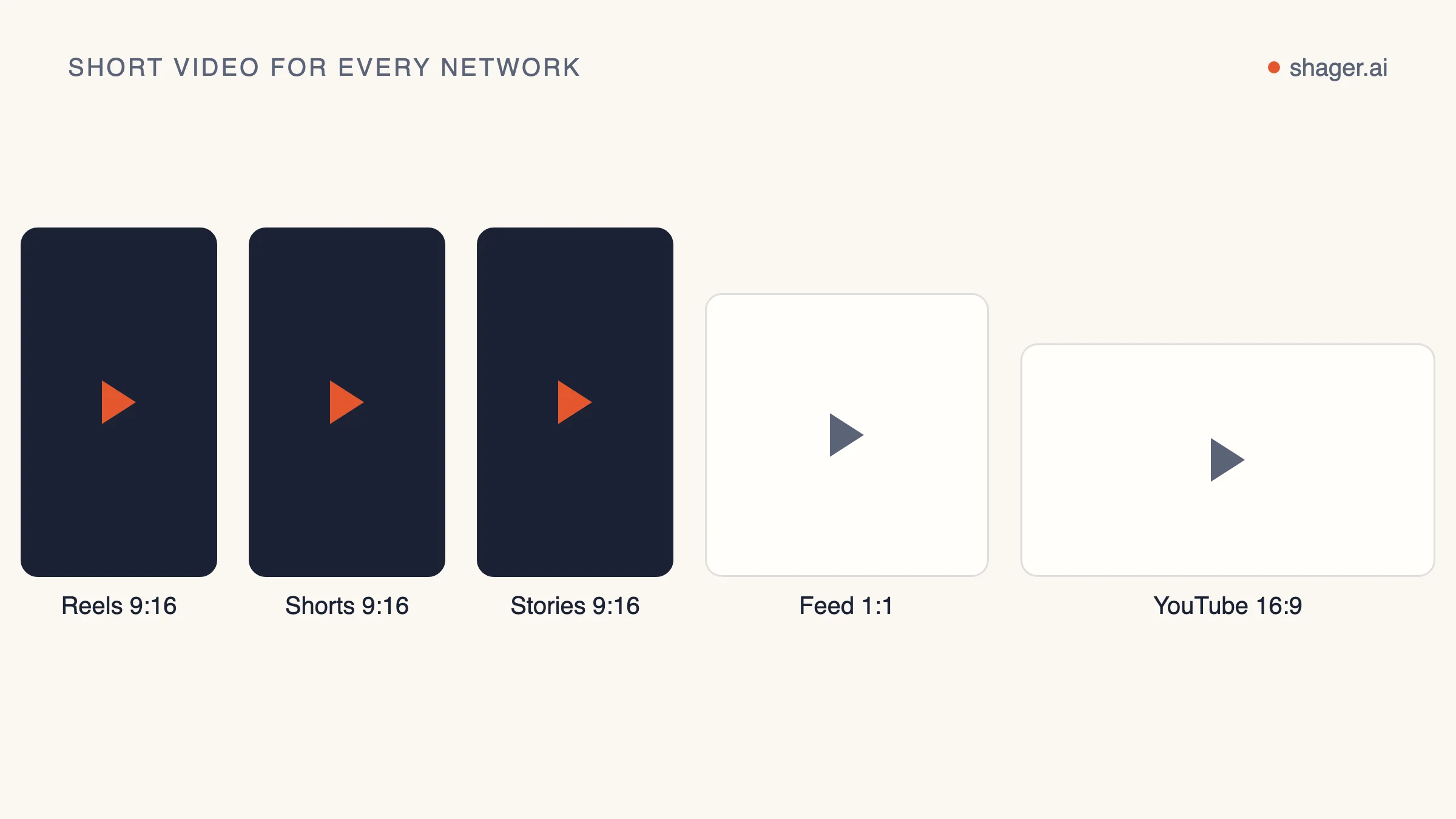
Length: start from the message, not the limit
Several networks have changed their short-video length limits in recent years, and they will keep changing them. So don't build a process around a number that happens to be true today. Check the current limits in each network's official help center before a large campaign.
What does stay stable is the principle: a video should be exactly as long as the message needs. For lead-generation campaigns, a structure that often works is:
- The first seconds: the problem or the promise, as on-screen text and voiceover
- The middle: one piece of proof, a demo or a concrete example
- The end: one clear call to action that matches what the caption says
If you have a long video, you're better off cutting several short clips from it, each with one message, than cramming everything into one.
What changes between networks
The file can stay the same. The context is different.
| Facebook Page | Instagram Reels | YouTube Shorts | |
|---|---|---|---|
| Where the link goes | In the caption or the first comment | On the profile, not in the caption | On the channel, not in the description |
| What the caption does | Context and a call to action | A short opening line, few hashtags | A clear, searchable title |
| How much the title matters | Less relevant | No separate title | The title is part of discovery |
On a business Page the caption can run longer and give context: what the problem is, who the offer is for, and what the next step is. Links are clickable here, so the link can sit in the caption or in the first comment, whichever works better for you.
URLs in captions and comments aren't clickable, so the caption has to point somewhere else: "link in bio" or "send us a message." You can add a tracked link to the profile yourself and measure clicks through it. The first line is what counts, because most viewers never expand the rest.
YouTube
On YouTube the title and description feed search and recommendations, so write them the way someone would actually search for the topic. Keep in mind that URLs in Shorts descriptions and comments aren't clickable, so the call to action should send viewers to the channel or to a name they can search for. A video is classified as a Short by its format and length, not by a separate flag, so the same vertical file uploaded through the official video upload API can appear as a Short if it meets the conditions.
Distributing to many accounts without looking like a copy
This is where agencies go wrong most often. The same video, the same caption, at the same minute, on thirty Pages looks like inauthentic activity, both to the audience and to the networks' systems. A few principles:
- Vary the caption: a different opening, a local detail, a call to action phrased another way. Even a small change beats a full copy.
- Consider several versions of the video: a different intro, a different subtitle in the first second, or an ending with the branch's details. One edit with three alternative intros is a small investment that buys a lot of variety.
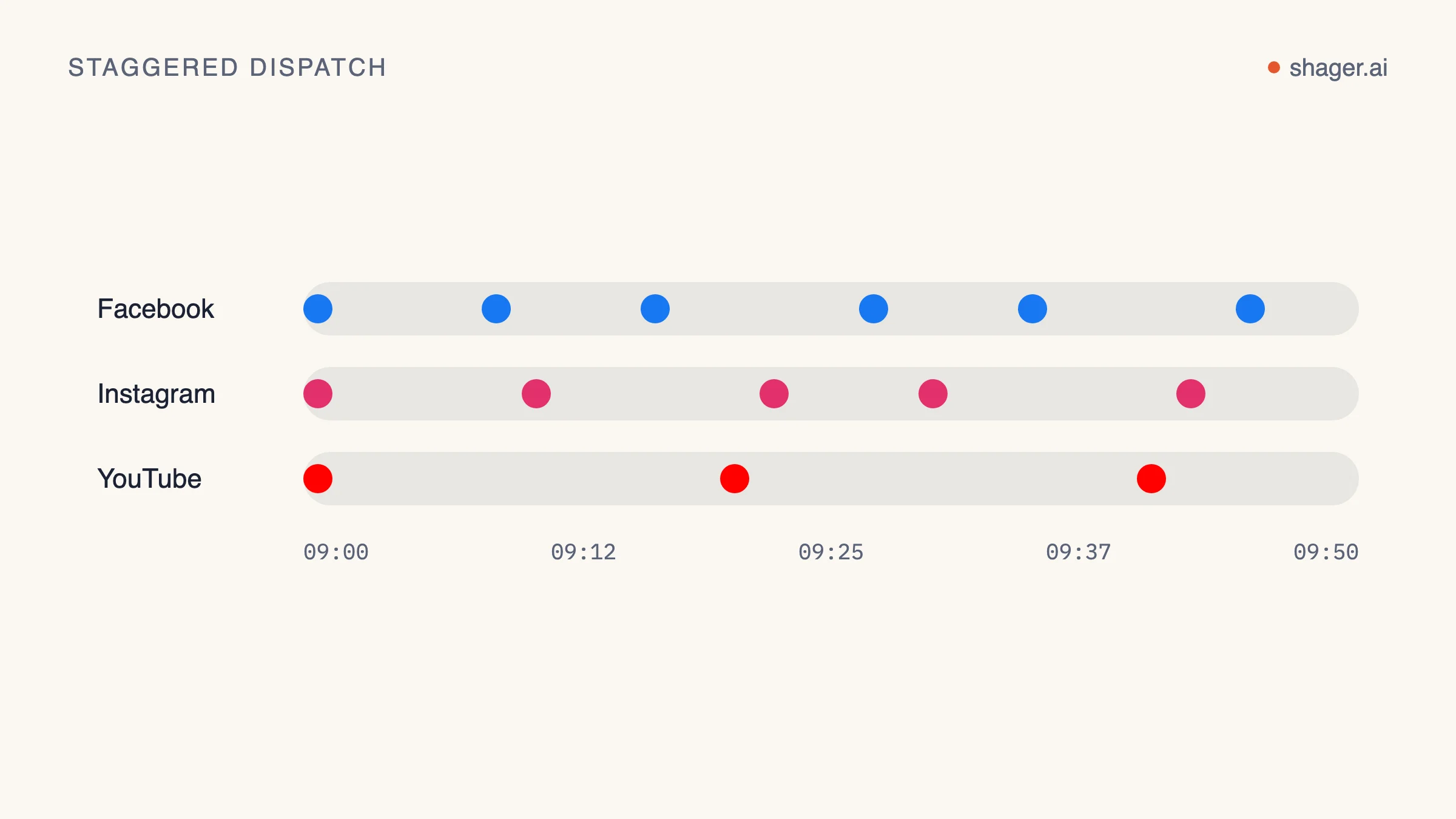
- Spread publishing over time: not every account in the same minute. Spacing posts over a few hours, or across a day, looks more natural and respects each network's rate limits.
- Don't post a video to an account it isn't relevant to: not every branch needs every video.
Uploading through official APIs
When you publish to many accounts, your tool should work through the networks' official APIs, not through browser automation or shared passwords. Beyond the risk to the accounts, an official API has documented limits you can plan around. For example, Meta's Instagram content publishing guide documents the limit on API-published posts per account in a rolling 24-hour window, and YouTube charges every upload against the project's daily quota, as set out in its quota cost table. A serious distribution tool should know these limits and schedule around them.
Checklist before sending a video to every account
- The video is 9:16 at 1080×1920, with burned-in subtitles in the audience's language
- Text and logo are centred, clear of the interface zones
- The current length limit has been checked on each network
- There's one call to action, and it matches the caption
- The caption is adapted to each network: link, title, length
- At least two caption variations are ready
- Publishing is spread over time across accounts
- The rights to music and images allow commercial use
- The preview has been checked on a phone before scheduling
Wrapping up
Short video is one of the most effective assets an agency has when it distributes content to many accounts, as long as it starts as a well-prepared master file and the context is adapted to each network. The difference between a video that brings in enquiries and one that disappears into the feed is usually not production quality. It's the subtitles, the first second and the caption around it.
With Shager you upload a video once, write a different caption for each network and each account group with the help of the AI writing assistant, and launch it to Facebook Pages, Instagram, YouTube, X, LinkedIn and TikTok with staggered delivery that respects each network's limits, through official APIs only. Facebook and Instagram are awaiting Meta's approval; until then only test accounts can connect. On TikTok, posts are published as private ("only me") until TikTok approves the app.