Shager REST API Quickstart: From a Fresh Key to a Tracked Post on 40 Accounts in Seven Calls
A working tour of Shager's REST API in curl and TypeScript: auth, workspaces, channels, media, per-account drafts, scheduling, status checks and clicks.
8 min read
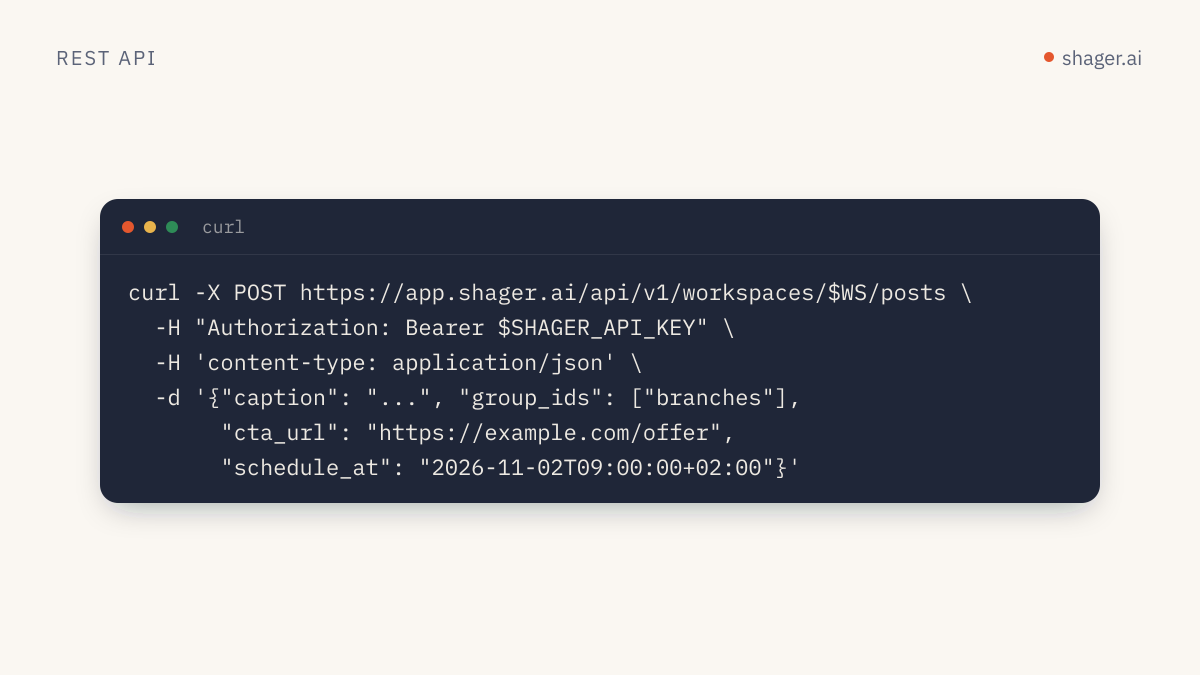
Shager's REST API lives at https://app.shager.ai/api/v1, authenticates with Authorization: Bearer shgr_live_..., returns every result as { "data": ... } and every error as { "error": { "code", "message" } }. A complete distribution run is seven calls: check the key, pick a workspace, list its channels, upload media, create a draft with per-account captions, schedule it, then read status and clicks. The machine-readable spec is the OpenAPI 3.1 document.
Everything below runs as written once you set two environment variables. The same operations exist as MCP tools with the same names, so what you learn here carries over to Claude Code, Codex or Cursor.
What do you need before the first call?
A key. Either a human creates one at https://app.shager.ai/dashboard/agents with the scopes you need, or your agent creates a sandbox through self-signup. Scopes work like this:
| Scope | Allows |
|---|---|
read |
whoami, listing workspaces, channels, groups and posts, reading a post, analytics |
write |
Creating workspaces, groups, media, draft posts, connect links, approval requests, cancelling |
publish |
Scheduling, including create_post with schedule_at |
export SHAGER_API_KEY="shgr_live_your_key_here"
export API="https://app.shager.ai/api/v1"
Call 1: who am I?
curl -s "$API/me" -H "Authorization: Bearer $SHAGER_API_KEY"
{ "data": { "organization_id": "...", "organization": "Northwind Agency", "sandbox": false, "scopes": ["read", "write"] } }
If sandbox is true, scheduling and connect links are blocked until a human claims the key. If publish is missing from scopes, you can build drafts but not schedule them. Knowing this up front saves a confusing 403 later.
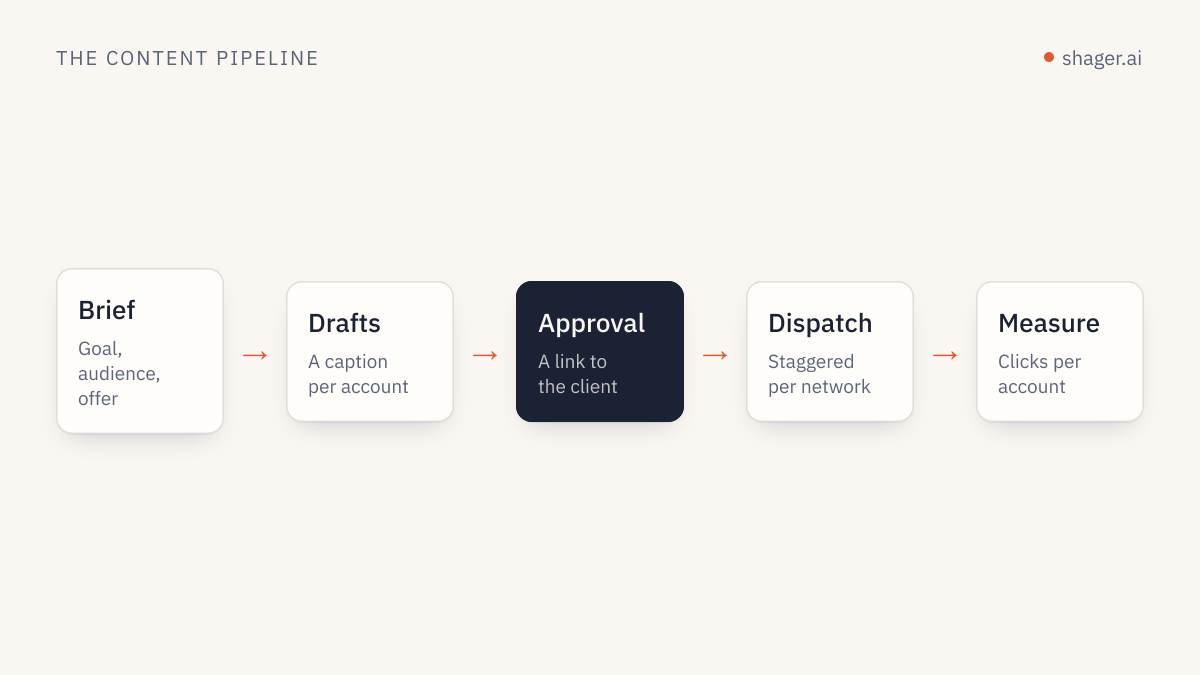
Call 2: pick or create a workspace
A workspace is usually one client or brand.
curl -s "$API/workspaces" -H "Authorization: Bearer $SHAGER_API_KEY"

curl -s -X POST "$API/workspaces" \
  -H "Authorization: Bearer $SHAGER_API_KEY" -H "Content-Type: application/json" \
  -d '{"name": "Summit Physio", "timezone": "Europe/London", "approval_required": true}'
Always set timezone (an IANA name) on creation. Schedule times are stored with their offset, and the workspace zone is how Shager shows them to humans. approval_required: true means posts must be approved by the client before they can be scheduled, which is a good default for new clients.
Export the id from the response so the following commands work:
export WS="the_workspace_id"
Call 3: list channels and groups
curl -s "$API/workspaces/$WS/channels" -H "Authorization: Bearer $SHAGER_API_KEY"
curl -s "$API/workspaces/$WS/groups" -H "Authorization: Bearer $SHAGER_API_KEY"
Each channel comes back with id, network, name, handle, status, the formats it supports, and connected_by_client. Groups return id, name and channel_ids. Groups are how you address forty accounts without listing forty ids; pass group_ids to create_post and every active channel in the group is included.
If the workspace has no channels yet, create a connect link with POST /workspaces/{workspace_id}/connect-links and send it to the account owner. They connect Facebook, Instagram or YouTube themselves, with no Shager login.
Call 4: upload media from a URL
curl -s -X POST "$API/workspaces/$WS/media" \
  -H "Authorization: Bearer $SHAGER_API_KEY" -H "Content-Type: application/json" \
  -d '{
    "url": "https://cdn.summitphysio.example/video/knee-mobility.mp4",
    "file_name": "knee-mobility.mp4",
    "width": 1080, "height": 1920, "duration_ms": 42000
  }'
Shager downloads the file server side and returns id, kind, mime_type and size_bytes. For Reels, Shorts and Stories, pass width, height and duration_ms when you know them. That lets Shager check each network's format rules before a post is scheduled rather than failing at dispatch.
Call 5: create a draft with per-account captions
This is the call that matters. Here it is in TypeScript with plain fetch, including a small helper you'll reuse:
const API = "https://app.shager.ai/api/v1";

async function shager<T>(method: string, path: string, body?: unknown): Promise<T> {
  const res = await fetch(`${API}${path}`, {
    method,
    headers: {
      Authorization: `Bearer ${process.env.SHAGER_API_KEY}`,
      "Content-Type": "application/json",
    },
    body: body ? JSON.stringify(body) : undefined,
  });
  const json = await res.json();
  if (!res.ok) {
    const err = new Error(`${res.status} ${json.error.code}: ${json.error.message}`);
    (err as any).status = res.status;
    throw err;
  }
  return json.data as T;
}

const WS = process.env.SHAGER_WORKSPACE_ID!;
const mediaId = process.env.SHAGER_MEDIA_ID!; // the id returned by call 4
const channels = await shager<Array<{ id: string; name: string; network: string; status: string }>>(
  "GET", `/workspaces/${WS}/channels`,
);

const post = await shager<{ id: string; status: string }>("POST", `/workspaces/${WS}/posts`, {
  label: "Knee mobility, week 42",
  caption: "Three minutes a day for stiffer knees. Full routine in the video.",
  channel_ids: channels.map((c) => c.id),
  media_ids: [mediaId],
  format: "REEL",
  youtube_title: "3-minute knee mobility routine",
  youtube_privacy: "public",
  per_channel: channels.map((c) => ({
    channel_id: c.id,
    caption: `${c.name}: three minutes a day for stiffer knees. Our physios show the routine.`,
  })),
  cta_url: "https://summitphysio.example/book",
  cta_text: "Book an assessment",
  campaign: "knee-mobility-oct",
  first_comment: "Book an assessment: https://summitphysio.example/book",
  stagger_seconds: [45, 120],
});

console.log(post.id, post.status); // DRAFT
What each field earns you:
per_channelgives every account its own caption. In practice an agent writes these; the template above is a placeholder for that step, and the reasoning is in avoiding spam blocks at scale.formatis applied where the network supports it, andSHORTversusREELis resolved per network otherwise.youtube_titleandyoutube_privacyonly affect YouTube channels.cta_urlproduces a separate short link and UTM set per account, withutm_contentidentifying the account. That's what per-account lead attribution is built on.stagger_secondssets a random pause between accounts on the same network. The default is[30, 90].
Without schedule_at, the result is a draft. Keep its id for the next calls with export POST_ID="the_post_id".
Call 6: approval or schedule
If the workspace requires approval, send it to the client. The response includes an approval_url the reviewer opens without logging in:
curl -s -X POST "$API/workspaces/$WS/posts/$POST_ID/approval" \
  -H "Authorization: Bearer $SHAGER_API_KEY" -H "Content-Type: application/json" \
  -d '{"reviewer_name": "Dana Ellis", "reviewer_email": "dana@summitphysio.example", "send_email": true}'
Once approved (or if approval isn't required), schedule it. This needs the publish scope, and schedule_at must be ISO 8601 with an offset:
curl -s -X POST "$API/workspaces/$WS/posts/$POST_ID/schedule" \
  -H "Authorization: Bearer $SHAGER_API_KEY" -H "Content-Type: application/json" \
  -d '{"schedule_at": "2026-10-20T08:30:00+01:00"}'
Shager validates every destination against its network's rules at this point. If any account would reject the post, you get a 422 rejected with the reason, and nothing is queued.
Call 7: check status and clicks
curl -s "$API/workspaces/$WS/posts/$POST_ID" -H "Authorization: Bearer $SHAGER_API_KEY"
curl -s "$API/workspaces/$WS/posts?status=SCHEDULED&limit=50" -H "Authorization: Bearer $SHAGER_API_KEY"
curl -s "$API/workspaces/$WS/analytics?from=2026-10-01T00:00:00Z&to=2026-10-31T23:59:59Z" \
  -H "Authorization: Bearer $SHAGER_API_KEY"
get_post returns one row per destination with state, dispatch_at, published_at, the live url and any error. Analytics returns total_clicks, by_account and by_post, counting clicks on Shager's tracked links with bot traffic excluded. To cancel a scheduled post that hasn't started publishing, POST /workspaces/{workspace_id}/posts/{post_id}/cancel.
Which errors should your code handle?
| Status and code | Meaning | What to do |
|---|---|---|
401 unauthorized |
Header missing or malformed | Send Authorization: Bearer shgr_... |
403 forbidden |
Key lacks the needed scope | Draft instead, or ask a human for publish |
403 sandbox_unclaimed |
Unclaimed self-signup key | Surface the claim link to a human |
404 not_found |
Wrong workspace, post or channel id | Re-list; ids are per workspace |
409 not_scheduled |
Cancelling a post that isn't scheduled | Read the post status first |
422 rejected |
A network rule failed | Show the message; it names the problem |
429 rate_limited |
Over 120 requests per minute per key | Back off and retry |
The rate limit rarely bites a well-designed client. One create_post covers hundreds of accounts, so you shouldn't need a call per account.
FAQ
Is there an SDK?
Not a dedicated one. The OpenAPI 3.1 document works with standard generators if you want typed clients, and the API is small enough that a helper like the one above is usually all you need. A Shager CLI is coming.
Are REST and MCP really the same?
Yes. Each MCP tool maps to one REST operation with the same name, inputs, scopes, rate limit and audit logging. Use REST from scripts and services, and MCP from agent clients. The full tool list is on the agents page.
How do I post different text to Facebook and YouTube in the same post?
Use per_channel with each channel's id and caption, and youtube_title for the YouTube title. One post object, many destinations, each with its own caption, format and first comment if you need it.
Next step
When this sequence runs cleanly by hand, wrap it into something an agent can repeat. Building a Claude skill for Shager shows how to package these calls and the rules around them into a reusable skill.