A Weekly Distribution Routine as a Claude Skill: Monday Drafts, Client Approvals, Friday Click Report
A Claude Code skill that runs an agency week in Shager: drafts from plan files, client approvals, scheduling only what's approved, and a Friday click report.
8 min read
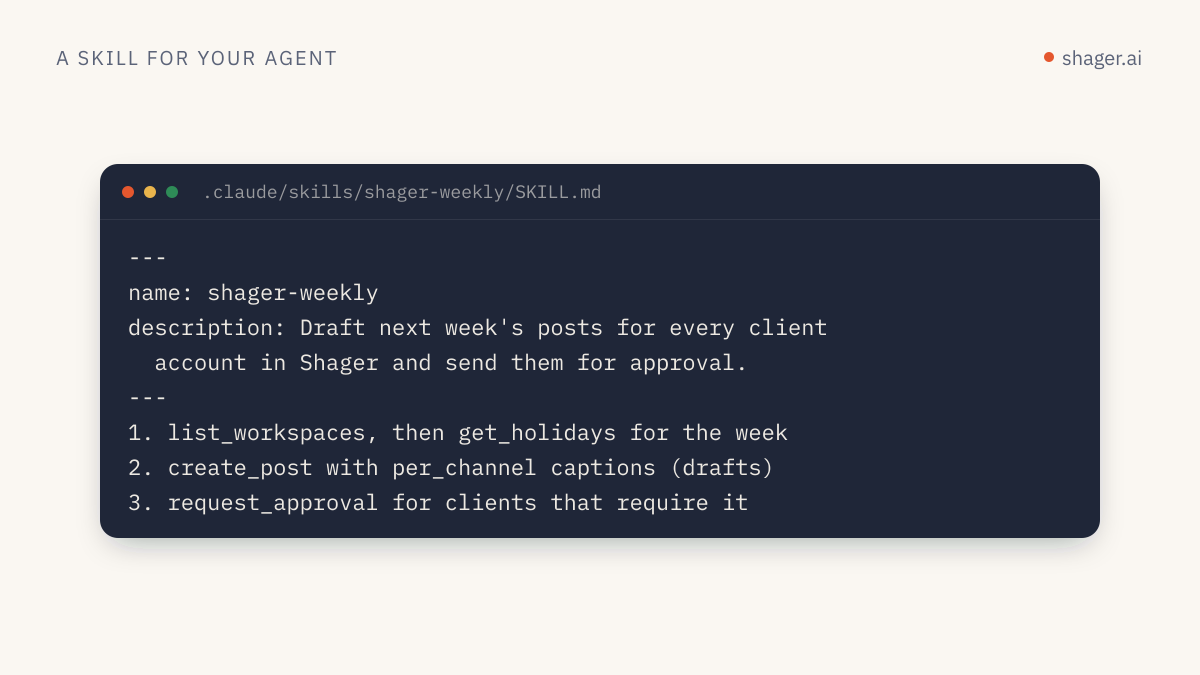
A weekly distribution routine is a skill that runs the same three jobs every week: on Monday it turns each client's content plan into Shager drafts with per-account captions, then sends them for approval; midweek it schedules whatever was approved; on Friday it pulls clicks by account and writes the report. In Claude Code you trigger it with /shager-weekly plan or /shager-weekly report, or headless from a scheduler with claude -p. The human checkpoints sit between drafting and scheduling, which is where they cost least and catch most.
This builds on the basic Shager skill. Here the focus is the routine: inputs, modes, safeguards, and how to run it without someone at the keyboard.
What does a week actually look like?
Take an agency with eight clients and around 150 connected accounts. A workable week looks like this.
| When | Mode | What the skill does | Human role |
|---|---|---|---|
| Monday 09:00 | plan |
Reads each client's plan file, uploads media, creates drafts, requests approval | None during the run |
| Monday to Wednesday | Clients approve or request changes through approval links | Client reviews | |
| Wednesday 14:00 | schedule |
Schedules every approved post at its planned time | Account manager glances at the summary |
| Friday 15:00 | report |
Pulls clicks per account and per post, writes a report per client | Account manager sends it |
The routine never invents the week's topics. It works from a plan file a human writes, because the strategy is the agency's job. What it removes is the mechanical part: forty caption variants, tracked links, format choices, follow-up.
What does the plan file look like?
One Markdown file per client per week, in a repo the skill can read:
# Harbor Fitness, week 2026-W43
workspace: Harbor Fitness
timezone: America/New_York

## Post 1
when: 2026-10-20 07:00
target: group "All studios"
format: REEL
media: https://cdn.harborfitness.example/w43/6am-class.mp4 (1080x1920, 28s)
brief: New 6am strength class starts Monday. Free first session.
link: https://harborfitness.example/6am
first comment: Book your free first session

## Post 2
when: 2026-10-23 12:00
target: group "Downtown studios"
format: FEED
media: https://cdn.harborfitness.example/w43/smoothie-bar.jpg
brief: Smoothie bar reopens after renovation. 20% off this week.
link: https://harborfitness.example/smoothie
Plain text the skill parses, and a file any account manager can edit without learning a tool.
The SKILL.md
---
name: shager-weekly
description: Run the agency's weekly Shager distribution routine. Use for "/shager-weekly plan", "/shager-weekly schedule" or "/shager-weekly report", or when asked to prepare, schedule or report this week's client posts from the plans folder.
argument-hint: "plan | schedule | report [client]"
disable-model-invocation: true
allowed-tools: Read Glob Write mcp__shager__whoami mcp__shager__list_workspaces mcp__shager__list_channels mcp__shager__list_groups mcp__shager__list_posts mcp__shager__get_post mcp__shager__get_analytics mcp__shager__upload_media_from_url mcp__shager__create_post mcp__shager__request_approval mcp__shager__schedule_post
---

# Shager weekly routine

Plans live in plans/<ISO week>/<client>.md. Reports go to reports/<ISO week>/.
Mode is the first argument. Process every client unless one is named.

## plan
For each post in each plan file:
1. Resolve workspace, group and channels. Skip channels not ACTIVE and list them.
2. upload_media_from_url with width, height and duration_ms from the plan.
3. create_post WITHOUT schedule_at: per_channel captions written from the
   brief (same facts, different wording, local detail from channel name),
   cta_url = link, campaign = "<client-slug>-<iso-week>-<n>",
   first_comment = "<first comment>: <link>", label = "W43 Post 1".
4. request_approval with the client's reviewer from plans/reviewers.md.
Write a summary: client, post label, post id, accounts, approval_url.

## schedule
For each client: list_posts with status APPROVED. For each, find its
planned time in the plan file by label and call schedule_post with
schedule_at in ISO 8601 with the workspace offset. Never schedule a post
that is not APPROVED. Never schedule a time in the past; list it instead.

## report
For each client: get_analytics from last Monday 00:00 to now (with offset).
Write reports/<week>/<client>.md with a table of clicks by account,
highest first, and the top three posts with their labels.
State plainly that these are link clicks, not leads.

## Errors
Stop the current client on 401 or 403 and record the code. On 422, record
the message against the post and continue. On 429, wait 60 seconds.
Why each safeguard is there
disable-model-invocation: true means Claude never starts this routine on its own because a conversation mentioned "this week's posts." Per the Claude Code skills docs, that field prevents automatic loading, so the routine only runs when someone or something types the command.
The allowed-tools list is complete for the job and nothing more. There's no cancel_post, no create_connect_link, no create_workspace. A routine that runs headless should not be able to do things a human didn't plan for.
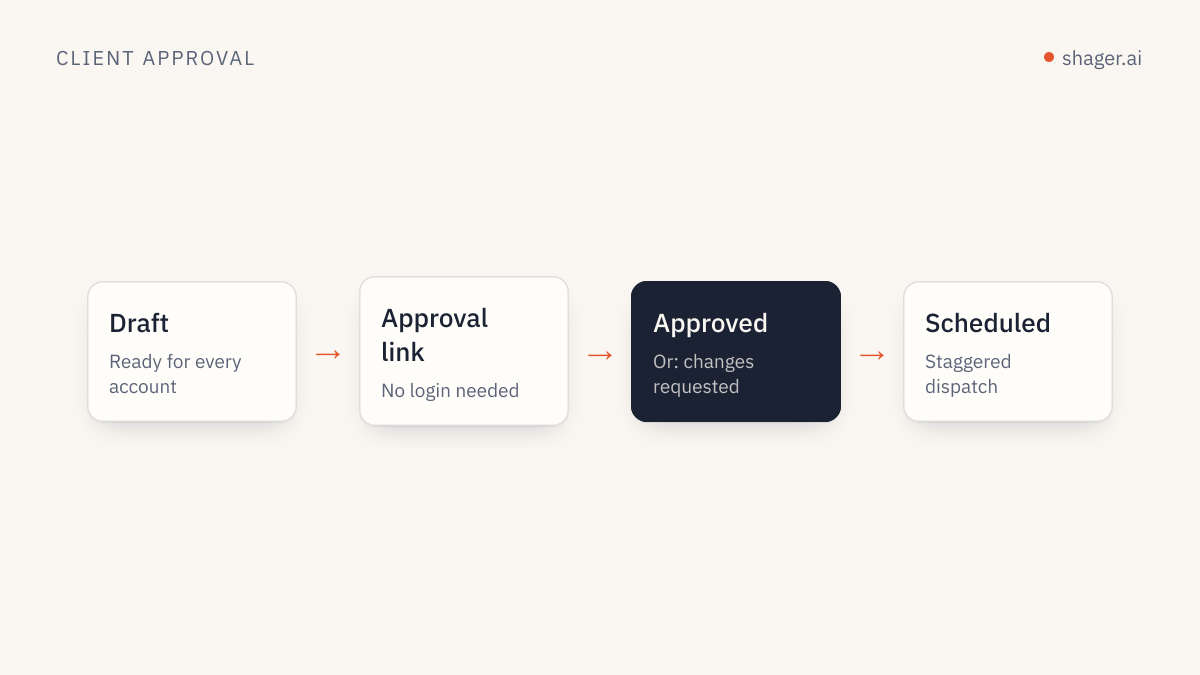
Scheduling only touches posts in APPROVED status, and that status only exists once the client approved through their link. If a client never approves, the post just doesn't go out, and the Wednesday summary says so. The reasoning behind putting approval exactly here is in the client approval workflow for agencies.
Which key should the routine use?
This is the decision that defines how much you trust the routine.
| Setup | Key scopes | Result |
|---|---|---|
| Drafts only | read, write |
plan and report run; a human schedules in Shager |
| Approval-gated | read, write, publish and approval required on every workspace |
The routine schedules only what clients approved |
| Full autopilot | read, write, publish, no approval |
Only for low-risk recurring content you'd post without review anyway |
The second row is the one we recommend for most agencies. The publish scope is granted to one key, created for this routine alone at https://app.shager.ai/dashboard/agents, so the audit log there shows every call the routine made and nothing else. If something looks wrong, you revoke that key and every other integration keeps working.
How do you run it without opening a terminal?
Claude Code's non-interactive mode runs a skill from a script. The headless docs state that user-invoked skills work in -p mode when you include /skill-name in the prompt, and that --allowedTools pre-approves tools using permission rule syntax. They also describe --permission-mode dontAsk, which denies anything that would otherwise prompt, so an unexpected tool call fails rather than hangs.
#!/usr/bin/env bash
# run-weekly.sh  (called by cron or your CI scheduler)
set -euo pipefail
cd /srv/agency-content
export SHAGER_API_KEY="$(cat /run/secrets/shager_weekly_key)"

claude -p "/shager-weekly $1" \
  --permission-mode dontAsk \
  --allowedTools "Read,Glob,Write(reports/**),mcp__shager__whoami,mcp__shager__list_workspaces,mcp__shager__list_channels,mcp__shager__list_groups,mcp__shager__list_posts,mcp__shager__get_post,mcp__shager__get_analytics,mcp__shager__upload_media_from_url,mcp__shager__create_post,mcp__shager__request_approval,mcp__shager__schedule_post" \
  --output-format json > "logs/weekly-$1-$(date +%F).json"
And the crontab, in the server's local time:
0 9 * * 1   /srv/agency-content/run-weekly.sh plan
0 14 * * 3  /srv/agency-content/run-weekly.sh schedule
0 15 * * 5  /srv/agency-content/run-weekly.sh report
This assumes the Shager MCP server is registered in the project's .mcp.json with the key read from SHAGER_API_KEY, as shown in connecting Shager to Claude Code. The JSON output gives you the session id and the final summary, which is what you'd forward to the team channel.
What still needs a human every week?
Three things, and the routine is designed around them rather than against them.
- Writing the plan file. Topics, offers and timing are strategy.
- Reading the Wednesday summary. It lists anything not approved, skipped channels and 422 rejections. Five minutes.
- Sending the Friday report with context. Clicks per account are a fact; what they mean for the client is a conversation. Remind clients that link clicks aren't leads, and point them at per-account lead attribution if they want to close that gap in their CRM.
FAQ
What if a client approves after Wednesday?
Run /shager-weekly schedule again, by hand or from a second cron line on Thursday. The mode only schedules APPROVED posts that aren't already scheduled, and it refuses times in the past, so running it twice is safe.
Can the routine connect new accounts when a client adds a location?
Not by design. create_connect_link is left out of the allowed tools because connecting accounts involves the client and should be a deliberate human action. When a location is added, the account manager sends a connect link and adds the new channel to the right group; the next run picks it up automatically.
Does this work with Codex or Cursor instead of Claude Code?
The plan files, modes and safeguards translate directly, since the Shager tools are the same in every MCP client. The SKILL.md frontmatter and claude -p invocation are specific to Claude Code; elsewhere you'd keep the instructions as a prompt file and drive it with that client's own automation.
Next step
The routine handles the week; the end-to-end agent content pipeline shows the full chain around it, from a client brief through generated media and captions to published posts and measured clicks, with every Shager call in order.