Connect Shager to Claude Code: One Command, Then Draft Posts for 50 Accounts From Your Terminal
Add Shager's remote MCP server to Claude Code with claude mcp add and a bearer header, pick the right scope, verify it, and draft a first multi-account post.
7 min read
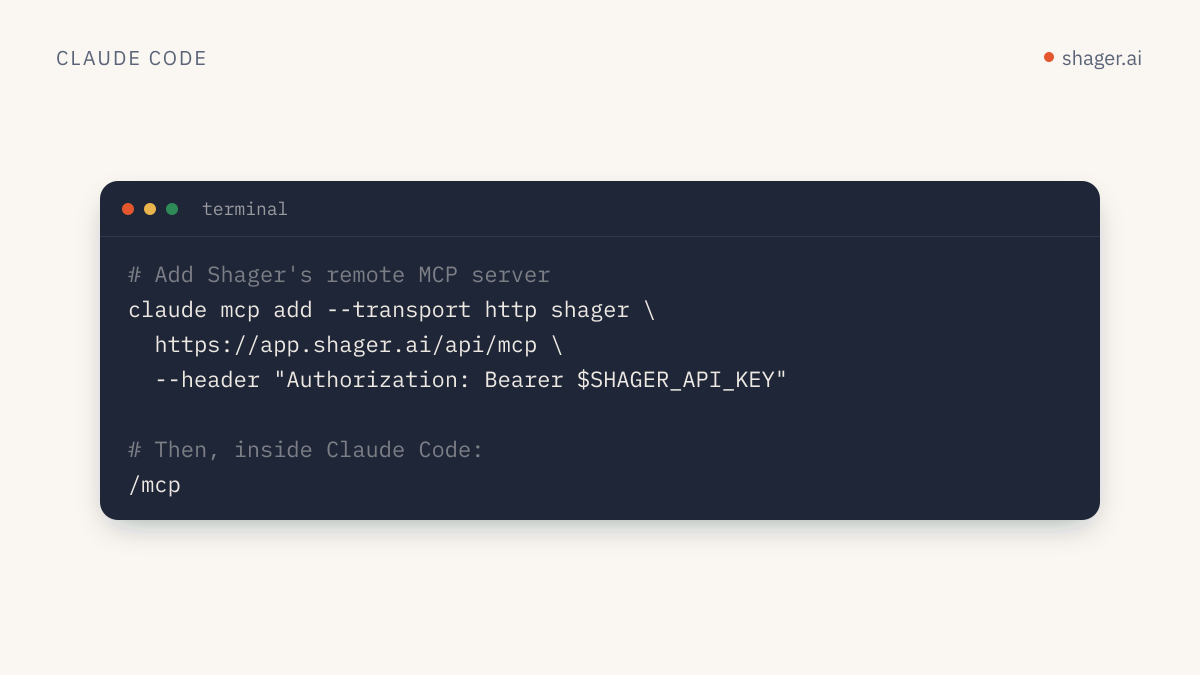
To connect Shager to Claude Code, run claude mcp add --transport http shager https://app.shager.ai/api/mcp --header "Authorization: Bearer shgr_live_..." and then check /mcp inside a session. That registers Shager's remote MCP server over streamable HTTP, and Claude Code can immediately list your workspaces, connected accounts and posts. The whole thing takes about two minutes once you have an API key.
This guide covers getting the key, choosing the right config scope, keeping the secret out of git, and the first real task worth running.
What do you need before you start?
You need two things: Claude Code installed, and a Shager API key that starts with shgr_live_.
There are two ways to get the key. If you already have a Shager account, a human on your team creates one at https://app.shager.ai/dashboard/agents and picks the scopes (read, write, and optionally publish). If you don't have an account yet, the agent can sign itself up with one HTTP call and get a sandbox key back. That flow is covered in agent self-signup and claim, and the short version lives at /auth.md.
A word on scopes before you paste anything. For the first week, give Claude Code read and write only. It can then create workspaces, upload media and build drafts, but it can't schedule or publish anything. You add publish later, once you trust the drafts it produces.
How do you add the server with claude mcp add?
Claude Code's MCP documentation shows the exact form for a remote HTTP server with a bearer token: --transport http, a name, the URL, and --header. For Shager it looks like this:
claude mcp add --transport http shager https://app.shager.ai/api/mcp \
  --header "Authorization: Bearer shgr_live_your_key_here"
The docs note that claude mcp add saves the config without validating the credential. A typo in the key won't fail here. It fails later, when the client connects.
Which scope should you use?
The --scope flag decides where the config lives. Per the same docs page:
| Scope | Where it is stored | Use it when |
|---|---|---|
local (default) |
Your user config, for this project only | You're trying Shager in one repo |
project |
.mcp.json in the repo, shared with the team |
The whole team runs content tasks from this repo |
user |
Your user config, all projects | You want Shager available everywhere you open Claude Code |
For an agency, user is usually the right call. Distribution isn't tied to one codebase.
claude mcp add --transport http shager --scope user https://app.shager.ai/api/mcp \
  --header "Authorization: Bearer shgr_live_your_key_here"
How do you share the config without committing the key?
If you want a project scope so teammates get the server automatically, don't hardcode the key in .mcp.json. Claude Code supports environment variable expansion in url and headers for HTTP servers, using ${VAR} or ${VAR:-default}. Commit this:
{
  "mcpServers": {
    "shager": {
      "type": "http",
      "url": "https://app.shager.ai/api/mcp",
      "headers": {
        "Authorization": "Bearer ${SHAGER_API_KEY}"
      }
    }
  }
}
Each person then exports their own key in their shell profile:
export SHAGER_API_KEY="shgr_live_your_key_here"
Two details from the docs matter here. If the variable is unset, Claude Code still loads the config and sends the literal ${SHAGER_API_KEY} text, with a warning in claude mcp list. And some reserved credential names such as ANTHROPIC_API_KEY deliberately expand to empty in remote headers, so always use your own variable name. SHAGER_API_KEY is fine.
Separate keys per person also make the audit log at https://app.shager.ai/dashboard/agents useful. Every agent call is recorded against the key that made it, so you can tell whose session created which draft.
How do you confirm it works?
From the shell:
claude mcp list
claude mcp get shager
Inside a session, type /mcp. A healthy server shows as connected. The docs say a server with bad credentials shows as failed, and the detail includes the HTTP status. For Shager, a 401 means the header is missing or malformed. The server expects exactly Authorization: Bearer shgr_..., with the word Bearer and a single space.
Then ask Claude something cheap and read only:
Call whoami on shager, then list my workspaces with their channel counts.
whoami returns the organization and the scopes on the key. If you see read and write but not publish, that's the setup working as intended.
What should the first real task be?
Don't start with "publish something." Start with a draft that exercises the parts of Shager that matter at scale. A good first prompt:
In the workspace "Northside Dental", list the channels and the account groups.
Upload this video as media: https://example.com/clips/whitening-30s.mp4
(width 1080, height 1920, duration_ms 30000).
Then create a DRAFT post (no schedule_at) to the group "All locations" as a REEL,
with a caption per channel that mentions the city in that account's name,
first_comment "Book a slot: " plus the cta_url,
cta_url https://northsidedental.example/book, campaign "whitening-oct".
Show me the per-channel captions before you call create_post.
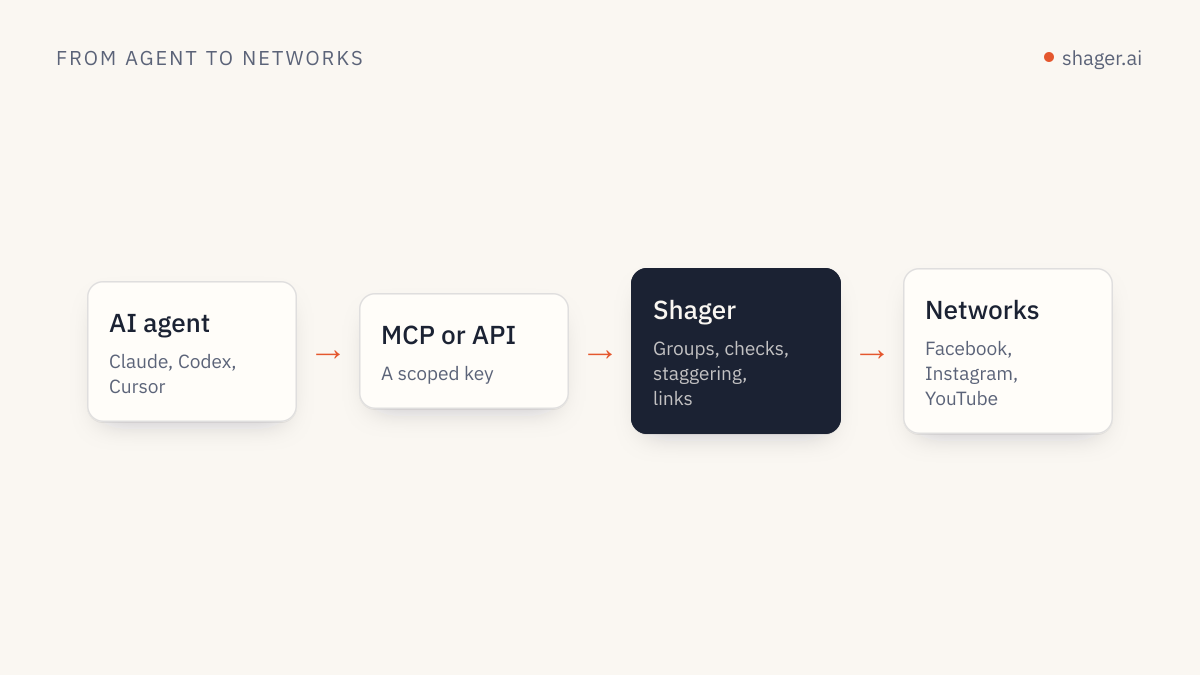
Behind the scenes Claude chains list_channels, list_groups, upload_media_from_url and create_post. Three fields in that call do the heavy lifting.
per_channellets every account get its own caption instead of fifty identical posts. Networks and audiences both notice duplicates, which is why we recommend it in avoiding spam blocks at scale.cta_urlgets a separate short link and UTM tag per account, withutm_contentidentifying the account. Clicks come back per account throughget_analytics.- Passing width, height and
duration_mson upload lets Shager validate the Reel against each network's rules before anything is queued.
Since no schedule_at was passed, the result is a draft. You review it in the Shager app or ask Claude for get_post.
How do you control what Claude Code is allowed to do?
Claude Code asks permission before calling MCP tools unless you allow them. MCP tools are named mcp__<server>__<tool>, so for Shager you'll see mcp__shager__create_post, mcp__shager__list_posts and so on. A sensible starting allowlist approves the read tools and leaves anything that writes on prompt. Pair that with a key that lacks publish, and you get two independent brakes: the client asks you, and the server refuses to schedule regardless.
When you are ready to schedule, create a new key with publish, swap the environment variable, and keep the old read/write key for exploratory sessions. Shager's REST API and MCP server enforce the same scopes, so the rule holds whichever route a script takes.
Troubleshooting checklist
| Symptom | Likely cause | Fix |
|---|---|---|
/mcp shows failed, 401 |
Header missing Bearer or key mistyped |
Re-add the server, or check the env var is exported in the shell that launched Claude |
Tools appear but create_post with schedule_at returns 403 |
Key lacks publish, or the sandbox is unclaimed |
Expected. Draft instead, or have a human add the scope |
429 rate_limited |
More than 120 requests per minute on one key | Batch work; one create_post covers many accounts |
422 rejected |
A network rule failed, such as a Reel too long | Read the message; it names the account and the rule |
FAQ
Do I need to install anything besides Claude Code?
No. Shager runs as a remote MCP server, so there's no local process, Docker container or npm package to install. Claude Code talks to https://app.shager.ai/api/mcp directly over streamable HTTP.
Can Claude Code publish without me approving each post?
Only if the key it uses has the publish scope and the account is claimed by a human. Without that scope, scheduling and publishing calls return 403 regardless of what the agent tries. Many teams also turn on client approval per workspace, which adds a human review step before scheduling.
Does Shager support OAuth sign-in for Claude Code?
Not yet. OAuth for MCP is coming; today authentication is the bearer API key header shown above. Claude Code handles header auth natively, so this is the smoothest client to connect right now.
Next step
Once Claude Code can see your workspaces, the natural next move is to make the routine repeatable instead of retyping prompts. The guide on building a Claude skill for Shager turns the draft workflow above into a /shager command your whole team can run, and the agents page lists every tool and endpoint if you want the full map first.