Shager in OpenAI Codex: config.toml, bearer_token_env_var and a Tool Allowlist That Keeps Drafts as Drafts
Set up Shager's remote MCP server in Codex CLI via config.toml or codex mcp add, read the key from an env var, restrict tools, and create a first draft.
7 min read
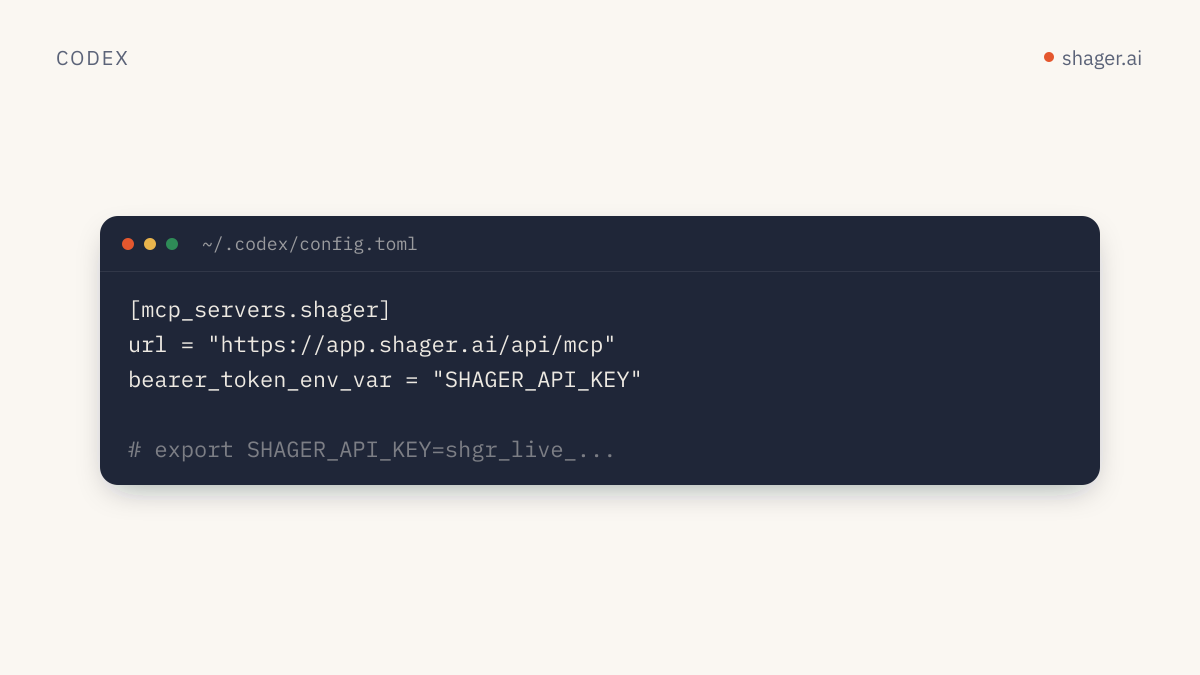
To connect Shager to OpenAI's Codex CLI, add an [mcp_servers.shager] table to ~/.codex/config.toml with url = "https://app.shager.ai/api/mcp" and bearer_token_env_var = "SHAGER_API_KEY", then export your shgr_live_ key in that variable. Codex speaks streamable HTTP natively and sends the key as a bearer token, so no bridge or local process is needed. You can also do it in one line with codex mcp add shager --url ... --bearer-token-env-var SHAGER_API_KEY.
The rest of this guide is about doing it in a way you won't regret: keeping the key out of the file, limiting which Shager tools Codex can call, and picking a first task that proves the wiring.
What does Codex support for remote MCP servers?
OpenAI's Codex MCP documentation describes streamable HTTP servers configured with a url, plus three ways to authenticate with headers. The configuration reference defines them:
| Key | What it does |
|---|---|
bearer_token_env_var |
Name of an environment variable whose value is sent as the bearer token |
http_headers |
Static headers included with each request |
env_http_headers |
Headers whose values are read from environment variables |
Shager expects Authorization: Bearer shgr_live_..., which is exactly what bearer_token_env_var produces. That is the option to use.
Option A: edit config.toml
Open ~/.codex/config.toml and add:
[mcp_servers.shager]
url = "https://app.shager.ai/api/mcp"
bearer_token_env_var = "SHAGER_API_KEY"
Then put the key in your shell profile, not in the TOML:
export SHAGER_API_KEY="shgr_live_your_key_here"
Note that the config holds the variable's name, not the key itself. That means you can commit or share the snippet freely, and each teammate supplies their own key. Separate keys per person pay off later, because Shager's audit log at https://app.shager.ai/dashboard/agents records every call against the key that made it.
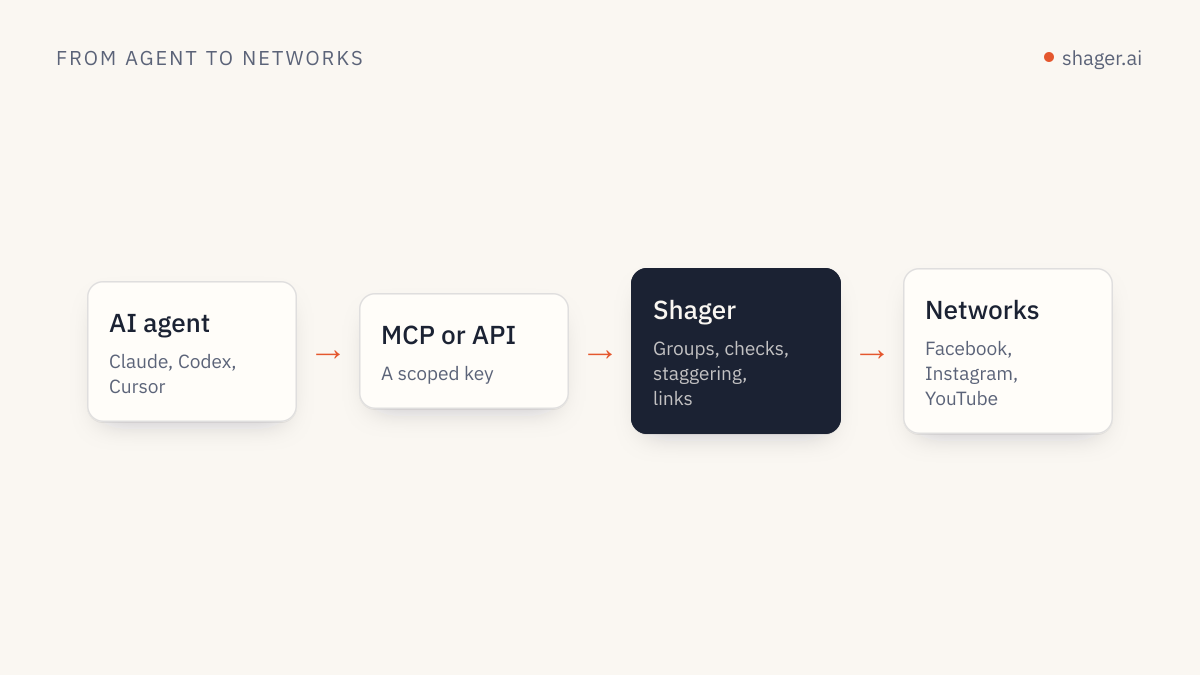
Option B: codex mcp add
The CLI writes the same table for you. The Codex source for codex mcp add defines --url for streamable HTTP servers and a --bearer-token-env-var flag that requires it (mcp_cmd.rs on GitHub):
codex mcp add shager \
  --url https://app.shager.ai/api/mcp \
  --bearer-token-env-var SHAGER_API_KEY
If your installed version differs, codex mcp add --help is the source of truth.
Check the result:
codex mcp list
Inside the Codex TUI, /mcp shows active servers and their tools.
Should you use http_headers instead?
You can, but you shouldn't. http_headers = { "Authorization" = "Bearer shgr_live_..." } works, and it puts a live credential in a plain text file that tends to get copied into dotfile repos. If you need a header other than the bearer token, env_http_headers maps a header name to an environment variable name:
[mcp_servers.shager]
url = "https://app.shager.ai/api/mcp"
env_http_headers = { "Authorization" = "SHAGER_AUTH_HEADER" }
With that form, the variable must contain the full value, including the scheme: export SHAGER_AUTH_HEADER="Bearer shgr_live_...". For Shager, bearer_token_env_var is simpler and does the same thing.
How do you limit what Codex can do in Shager?
This is the part most setup guides skip. Codex lets you filter a server's tools with enabled_tools (an allow list) and disabled_tools (a deny list applied after it), both documented in the configuration reference. Combine that with Shager's key scopes and you get two layers that fail closed.
A drafting profile that can read everything and create drafts, but cannot schedule, cancel or create connect links:
[mcp_servers.shager]
url = "https://app.shager.ai/api/mcp"
bearer_token_env_var = "SHAGER_API_KEY"
enabled_tools = [
  "whoami",
  "list_workspaces",
  "list_channels",
  "list_groups",
  "upload_media_from_url",
  "create_post",
  "get_post",
  "list_posts",
  "get_analytics",
]
tool_timeout_sec = 120
create_post stays in the list because without schedule_at it only saves a draft. If the key also lacks the publish scope, Shager rejects any create_post that includes schedule_at with a 403, so even a creative model can't sneak a scheduled post through.
The tool_timeout_sec bump is there because upload_media_from_url downloads the file server side, and a large vertical video can take longer than the default 60 seconds the reference lists.
A first task worth running
Start with a prompt that touches several tools and leaves only a draft behind:
Use the shager MCP server.
1. whoami, then list_workspaces.
2. In workspace "Lakeside Realty", list_channels and list_groups.
3. upload_media_from_url https://example.com/media/open-house.jpg
4. create_post as a draft to group "All agents" with a different caption per
   channel (per_channel), mentioning each agent's neighborhood from the channel
   name. cta_url https://lakesiderealty.example/open-house, campaign
   "open-house-oct", first_comment "Details and RSVP: " followed by the link.
5. get_post and print a table of channel, network, format and state.
What you should see: a post in DRAFT status with one destination per account, each with its format resolved for that network. In Shager, every account gets its own short link and UTM tags for the cta_url, with utm_content naming the account, which is what makes per-account attribution work later. The details are in per-account lead attribution.
Can Codex run this without a human at the keyboard?
Codex has a non-interactive codex exec mode for scripts and CI. How MCP tool approvals behave in a headless run has changed between releases, so test a dry run on your installed version before you put it on a timer. For a job that must run unattended every week, many teams skip the chat layer and call Shager's REST API from a short script, which has no approval prompts to get stuck on. Whichever you choose, give the job its own key, keep the tool allowlist tight, and decide deliberately whether that key carries publish. A routine built around those choices is laid out in the weekly distribution routine.
Troubleshooting
| What you see | Cause | Fix |
|---|---|---|
401 unauthorized |
Variable not exported in the shell that launched Codex | echo $SHAGER_API_KEY in the same terminal, then restart Codex |
Tools missing from /mcp |
Name not in enabled_tools, or listed in disabled_tools |
Check the spelling against the tool list on /en/agents |
403 sandbox_unclaimed |
Key came from agent self-signup and no human has claimed it | Send the claim_url to a human |
403 forbidden on scheduling |
Key lacks publish |
Expected for a drafting key |
429 rate_limited |
Over 120 requests per minute per key | Use groups and one create_post instead of one call per account |
FAQ
Does Codex need OAuth to talk to Shager?
No. Codex supports bearer tokens from an environment variable, which is how Shager authenticates today. Shager's OAuth for MCP is coming, and Codex also supports OAuth servers, but you don't need to wait for it.
Is the Shager setup different in the Codex IDE extension?
OpenAI's MCP docs say the ChatGPT desktop app, Codex CLI and IDE extension share this configuration, so the same ~/.codex/config.toml table serves all of them. Make sure the environment variable is visible to the editor process, which on macOS can mean launching the editor from a terminal.
Can I point Codex at the REST API instead of MCP?
Yes, if you're writing code rather than chatting. The OpenAPI document describes the same operations as the MCP tools, with the same scopes and limits.
Next step
With Codex connected, get comfortable with the operations themselves before automating anything. The REST API quickstart walks the full sequence from workspace to tracked post with curl and Python, which also helps you read what Codex is doing when it calls the MCP tools.